

AnkiDroid is a flashcard app for Android that schedules each card to come back just before you are likely to forget it. That approach is called spaced repetition, and it is the whole point of the app: you spend your study time on the cards you are about to lose, not on the ones you already know well.
The app is fully compatible with Anki, the desktop spaced repetition program for Windows, Linux and macOS, including synchronization. You can build decks on a computer, study them on your phone during a bus ride or a supermarket queue, and keep your progress in step across devices.
This page covers what the app does, what each permission is for, how to install the APK, how the F-Droid build is produced, and who will get the most out of it. Everything below is based on the developer's own description and the published build details.

What is AnkiDroid?
AnkiDroid is the Android client in the Anki family of flashcard tools. It is developed by the AnkiDroid Open Source Team and released under the AGPL-3.0-or-later license. The source code is public on GitHub, and the project keeps its user manual on the official help site.
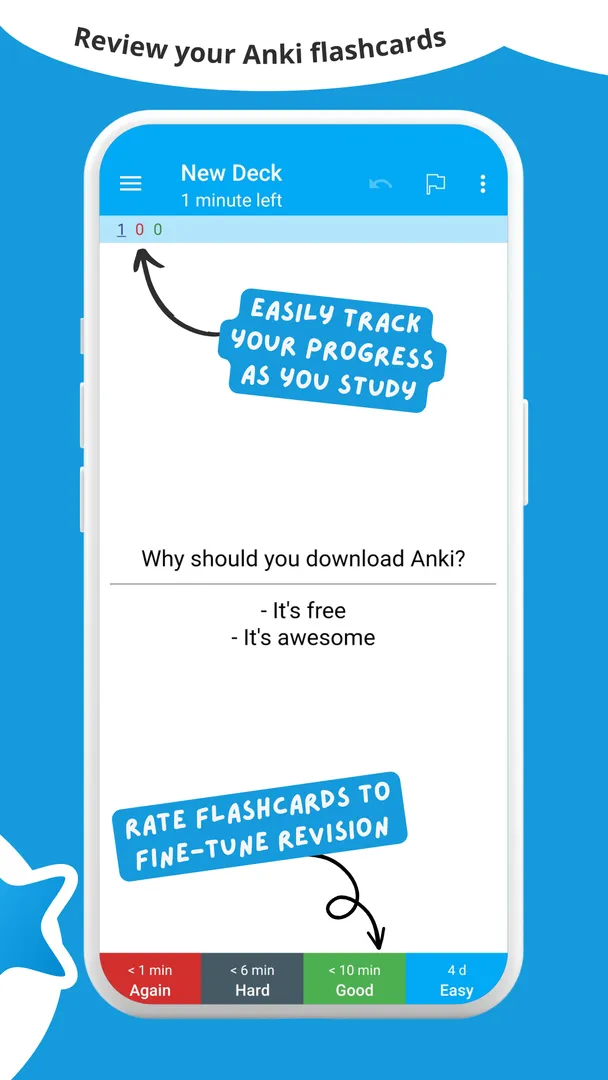
The basic idea is simple. Each card has a question side and an answer side. You look at the question, try to recall the answer, reveal it, and tell the app how well you remembered. Based on that, it decides when to show the card again. Cards you know well drift further into the future. Cards you struggle with come back sooner.
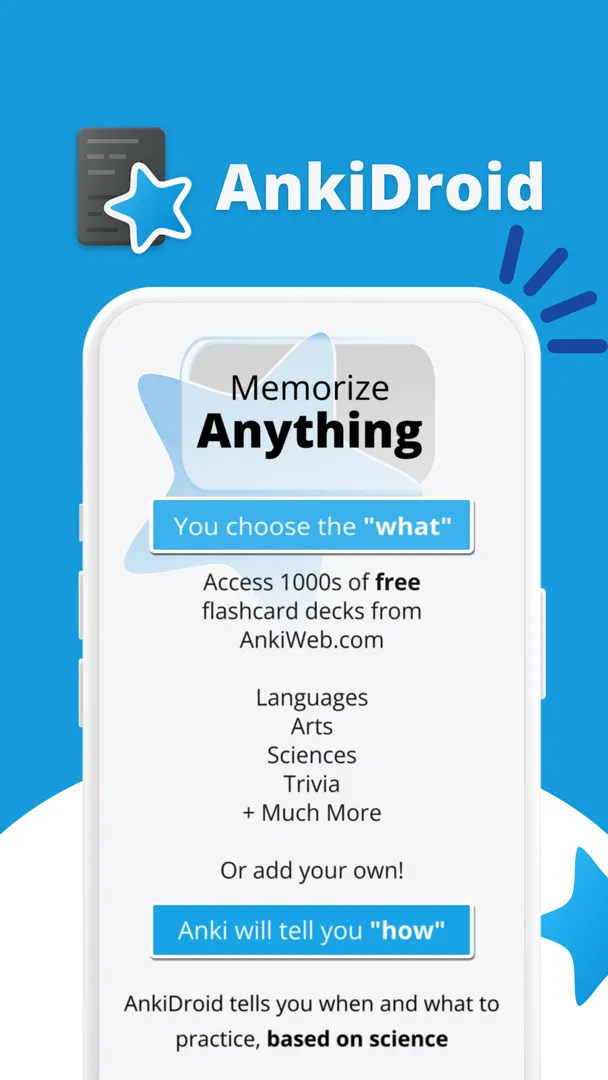
You can create your own decks or download free shared decks. The developers say more than 6000 premade decks are available, covering many languages and topics. Material can be added in the desktop program Anki or directly on the phone, and the app can even pull entries from a dictionary to create cards automatically.
Because it is compatible with desktop Anki, AnkiDroid is not a closed island. Collections, decks and review history can move between your computer and your phone through syncing or by importing collection files.
Key features of AnkiDroid
- Spaced repetition scheduling: The core of the app is a scheduler that shows each flashcard just before you would forget it. Instead of reviewing a whole deck every day, you review only the cards that are due, which keeps daily sessions short while still moving material into long-term memory.
- Rich card content: Cards are not limited to plain text. The description lists support for images, sounds, video, MathJax and LaTeX. That makes AnkiDroid usable for vocabulary with audio, anatomy diagrams, music, or math and science formulas that need proper notation.
- Syncing with AnkiWeb and desktop Anki: AnkiDroid is fully compatible with Anki on Windows, Linux and macOS, including synchronization through AnkiWeb. Syncing is opt-in, and the settings let you point it at an instance of the unofficial Anki Sync Server instead of AnkiWeb.
- More than 6000 premade decks: If you do not want to build cards from scratch, you can download free decks compiled for many languages and topics. This is a fast way to start a new subject and see how good cards are structured before writing your own.
- Card editor, adder and browser: You can create and edit cards on the phone, and a card browser lets you search and manage the cards already in your collection. Combined with dynamic deck handling, this gives you control over what you study without needing a computer.
- Dictionary integration: The app works with ColorDict, GoldenDict, Leo.org, Aedict and various web dictionaries. Other apps such as dictionaries can also send content to it through an Android intent, so you can turn a looked-up word into a card in a few taps.
- Study aids during review: Optional typed answers let you write your response before revealing the card. A whiteboard lets you sketch or practice writing characters. Text-to-speech integration can read card content aloud, which helps with pronunciation practice.
- Statistics and progress widget: Detailed statistics show how your reviews are going over time, and a home screen widget shows your progress at a glance. Both help you notice when your review load is growing faster than you can handle.
- Customization and comfort: AnkiDroid supports custom fonts, night mode, a tablet layout and navigation by swipe, tap or shake. The developers describe it as fully customisable, and it is available in dozens of localisations.
- Backups and imports: A full backup system protects your collection, and you can import existing collection files. All previous versions of the app can be downloaded from the project website if you ever need to roll back.
AnkiDroid permissions explained
Android lists every permission an app declares. On modern Android, the sensitive ones, such as microphone and storage access, are requested at runtime, so you are asked before the app can use them and you can decline. Here is what each permission declared by AnkiDroid means.
- Write storage: Lets the app save and modify files in shared storage. This fits documented features such as the full backup system and working with collection files outside the app's private folder.
- Control vibration: Lets the app make the device vibrate. The description does not say which feature uses it.
- Internet access: Lets the app connect to the internet. Syncing with AnkiWeb or a sync server, downloading shared decks and web dictionary lookups all need a connection.
- View network connections: Lets the app check whether the device is online and which type of network is in use, for example before it tries to sync.
- Microphone: Lets the app record audio. The description does not name the feature that uses it, and Android asks for your permission before any recording is possible.
- Change audio settings: Lets the app change global audio settings such as volume. Cards can contain sounds and video, and text-to-speech is integrated, so audio playback is part of normal use.
- Prevent sleep: Keeps the device awake while a task runs, such as playback or a download.
- Get package size: A technical permission that lets the app query the size of an installed package. The description does not explain its use.
- Run at startup: Lets the app start itself after the device boots. The description does not say which feature relies on this.
- Run in the foreground: Lets the app keep a visible notification while it works in the background, so Android does not stop a long task halfway.
- Background sync service: Lets the app sync or transfer data from a foreground service. This matches the documented syncing with AnkiWeb.
- Show notifications: Lets the app show notifications. On Android 13 and newer, you are asked first.
- All files access: Lets the app manage all files on the device storage. This is a broad permission, and Android handles it through a separate settings screen rather than a simple dialog.
- Ignore battery optimizations: Lets the app ask to be excluded from battery optimization, so background work is less likely to be cut off.
- Read storage: Lets the app read files in shared storage, which fits importing existing collection files and media.

How to download and install AnkiDroid APK
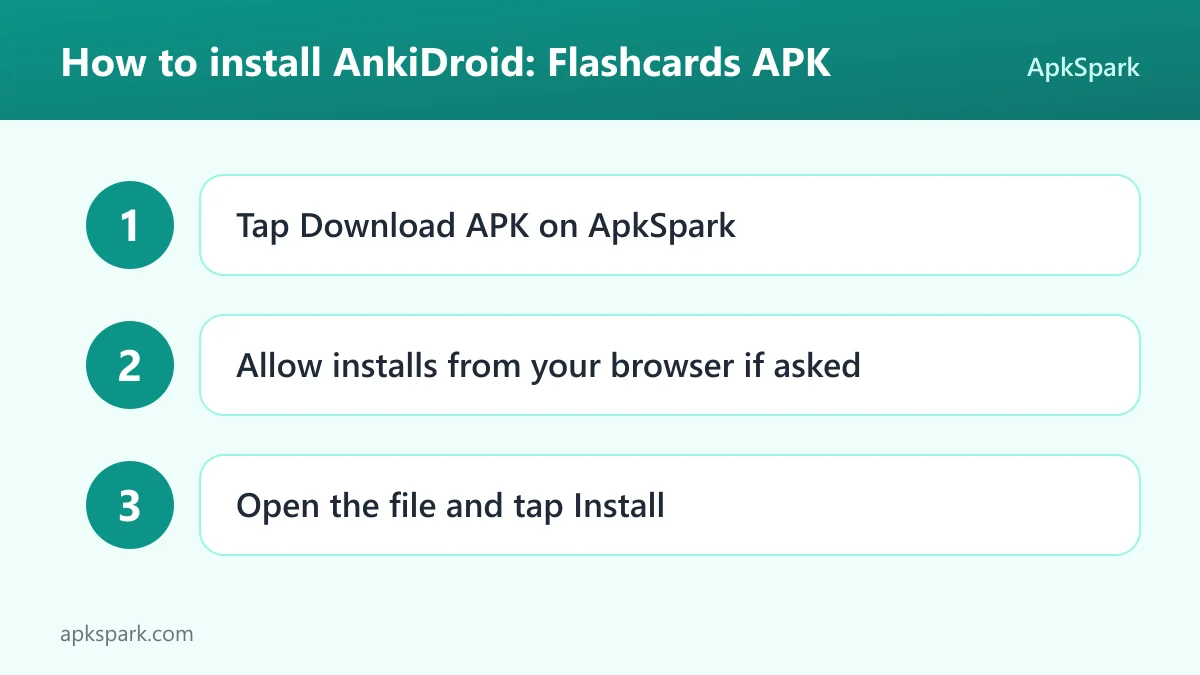
- Tap the Download button on this page.
- When Android asks, allow installs from your browser.
- Open the downloaded APK file.
- Tap Install.
- Open the app.
If this is your first time sideloading an app, or Android blocks the file, our guide to installing APK files walks through each prompt and explains the settings involved. Once the app is installed, you can sign in to AnkiWeb from the settings if you want to sync an existing collection, or start with a new deck on the phone.
A typical study session
Here is how a normal day with the app tends to look, based on its documented features. You open the app and see your decks with the cards due today. You pick a deck and start reviewing. For each card, you read the question, try to recall the answer, and reveal it.
If you turned on typed answers, you type your response first and then compare it with the stored answer. If you are learning a script such as Japanese or Chinese, the whiteboard lets you draw the character before you check. Text-to-speech can read the card so you hear the pronunciation.
After you rate the card, the scheduler decides when it returns. Once the due cards are done, the session ends. If you met an unfamiliar word during the day, you can look it up in a supported dictionary and send it straight to AnkiDroid as a new card. At the end, a sync sends your reviews to AnkiWeb so the desktop program is up to date.
Is AnkiDroid safe?
AnkiDroid is open source under the AGPL-3.0-or-later license, which means anyone can read, build and audit the code. The repository and its [issue tracker](https://github.com/the app/Anki-Android/issues) are public, so bug reports and fixes happen in the open.
The APK on this page comes from F-Droid. F-Droid builds this APK from the published source code and signs it with the F-Droid key. The file is downloaded from the official f-droid.org repository. You can check the F-Droid listing for AnkiDroid to compare package details.
The F-Droid listing data for this build flags no anti-features. The developer's own description does point out three network behaviors you should know about:
- Synchronization is opt-in. By default it uses AnkiWeb, which the developers describe as a non-libre service. You can change this in the settings to use an instance of the unofficial Anki Sync Server.
- Crash reporting is opt-in and off by default. If you enable it, data goes to a crash reporting server controlled by the AnkiDroid open source team, and it is only used to fix crash bugs.
- Analytics is opt-in and off by default. If you enable it, data goes to Google Analytics through an open-source implementation of the analytics API, and it is used to focus developer effort on popular features.
If you leave all three off, AnkiDroid works as a local study tool. Turn on only what you need.
AnkiDroid system requirements
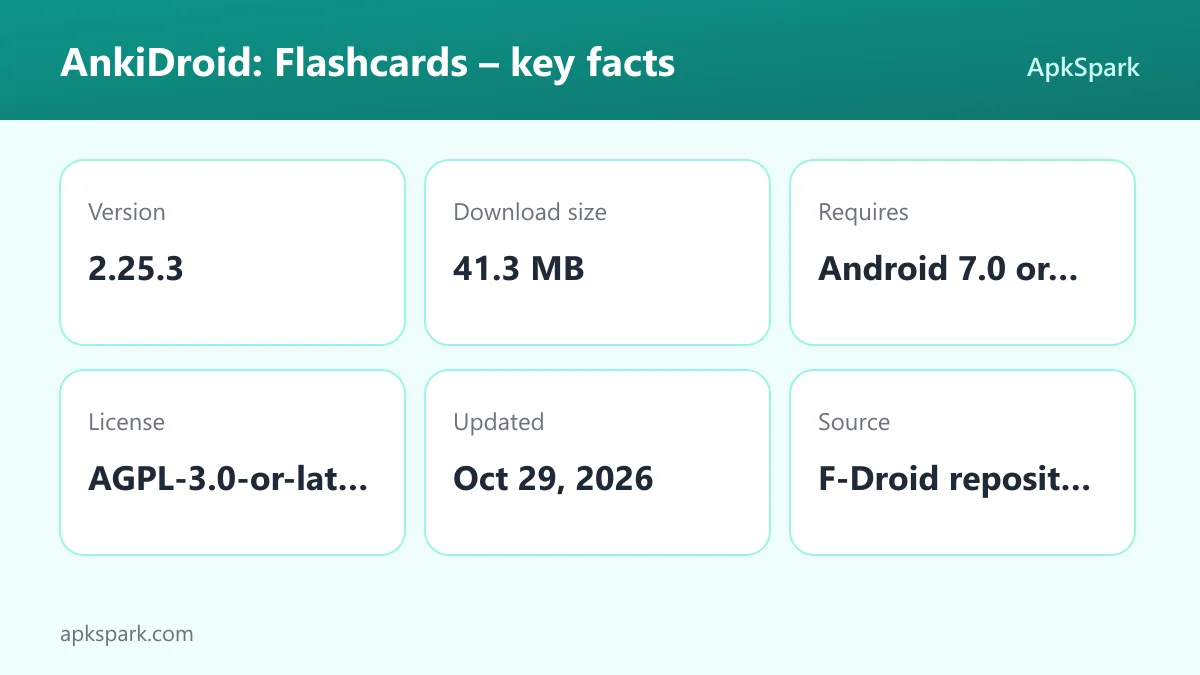
- Minimum Android version: Android 7.0 or newer.
- Download size: 41.3 MB.
- Supported ABIs: arm64-v8a. This covers most current 64-bit phones and tablets, but this build will not install on 32-bit-only or x86 devices.
- Version: 2.25.3.
- Release date: October 29, 2026.
RAM and storage needs beyond the download size are not documented. If your phone runs Android 7.0 or newer on a 64-bit ARM chip, AnkiDroid should install without trouble. Keep in mind that large decks with images, audio and video will use more storage than the app itself.
Documented limitations
A few points from the facts are worth knowing before you install. This build ships only for arm64-v8a, so older 32-bit devices are out. Syncing depends on AnkiWeb unless you configure your own sync server, and AnkiWeb is not free software. AnkiDroid is a study tool for flashcards, so it does not replace a full course or textbook. The description does not document any built-in lessons or teacher features.
Who should use AnkiDroid?
AnkiDroid suits anyone who needs to remember a large number of separate facts over a long period. Language learners are the obvious group: vocabulary, kanji or verb forms fit naturally on cards, and dictionary integration plus text-to-speech make building and practicing them faster. Medical, law and other students with heavy memorization loads will also find the scheduler useful.
It is a strong fit for people who already use Anki on a computer. AnkiDroid keeps the same collection and review history, so the phone becomes a way to use idle minutes rather than a separate system. The more than 6000 premade decks also make it easy for newcomers to try spaced repetition on a topic before writing their own cards.
It is less suited to people who want a guided course with lessons and explanations. AnkiDroid shows you what you put into it, and the quality of your cards decides how useful your reviews are. If you dislike rating your own recall honestly every day, the scheduler will not help much.
Tips for getting started with AnkiDroid
- Start with a shared deck: Download one of the free premade decks on a topic you care about and study it for a week. You will see how the scheduler spaces cards before investing time in your own deck.
- Decide on syncing early: If you use desktop Anki, set up syncing before you study on both devices, so you start from one collection. If you prefer not to use AnkiWeb, configure an Anki Sync Server instance in the settings.
- Connect a dictionary: If you learn a language, install one of the supported dictionaries, such as ColorDict, GoldenDict or Aedict, and send lookups to AnkiDroid as new cards.
- Use typed answers for spelling: Turn on the optional typed answer mode for cards where exact spelling matters. It forces active recall instead of a quick look.
- Add the progress widget: Place the widget on your home screen so due cards are visible without opening the app. Check the statistics now and then to keep your daily load manageable.
- Keep backups: The full backup system is there for a reason. Back up your collection before big changes such as importing a large collection file.
Alternatives to AnkiDroid
We do not list direct alternatives for this app yet. If you want to compare it with other learning tools, browse more Education apps in our catalog. You can also see other projects from the AnkiDroid Open Source Team on their developer page.
When comparing, check whether an alternative supports Anki decks and syncing. Much of the value here comes from compatibility with desktop Anki and the large library of shared decks, and a different flashcard app may not import them.
Final verdict
AnkiDroid is a mature, open source flashcard app built around spaced repetition. It supports rich card content, dictionary integration, detailed statistics and full compatibility with desktop Anki, and the F-Droid build is compiled from the public source.
Install it if you need to memorize a lot and are willing to review a little every day. Leave the opt-in sync, crash reporting and analytics off unless you want them, and you have a capable study tool that stays under your control. AnkiDroid also gives you a clear exit: your collection can be backed up, and the same data opens in desktop Anki. For release notes, see the [project changelog](https://the app.org/docs/changelog.html).