

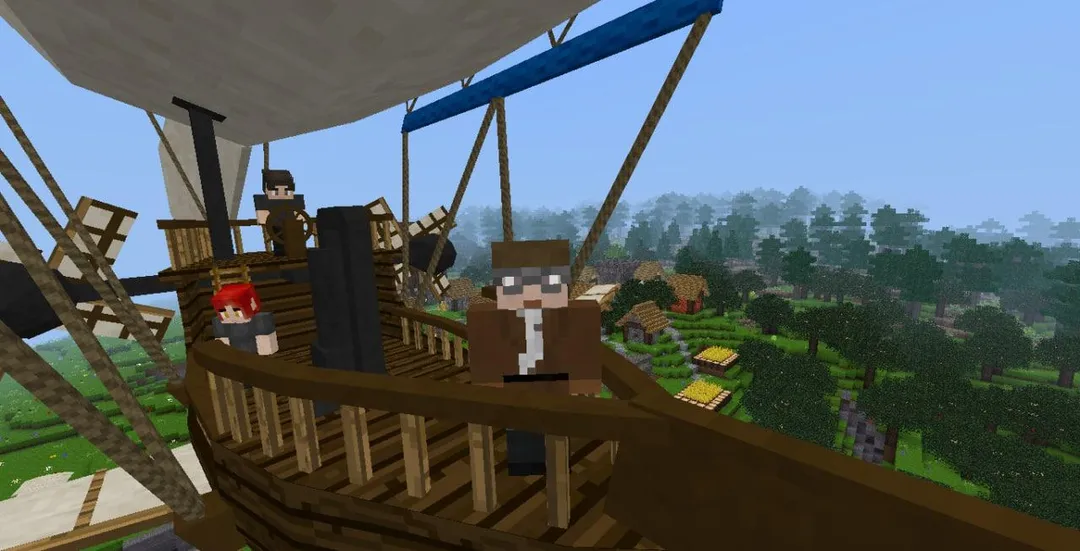
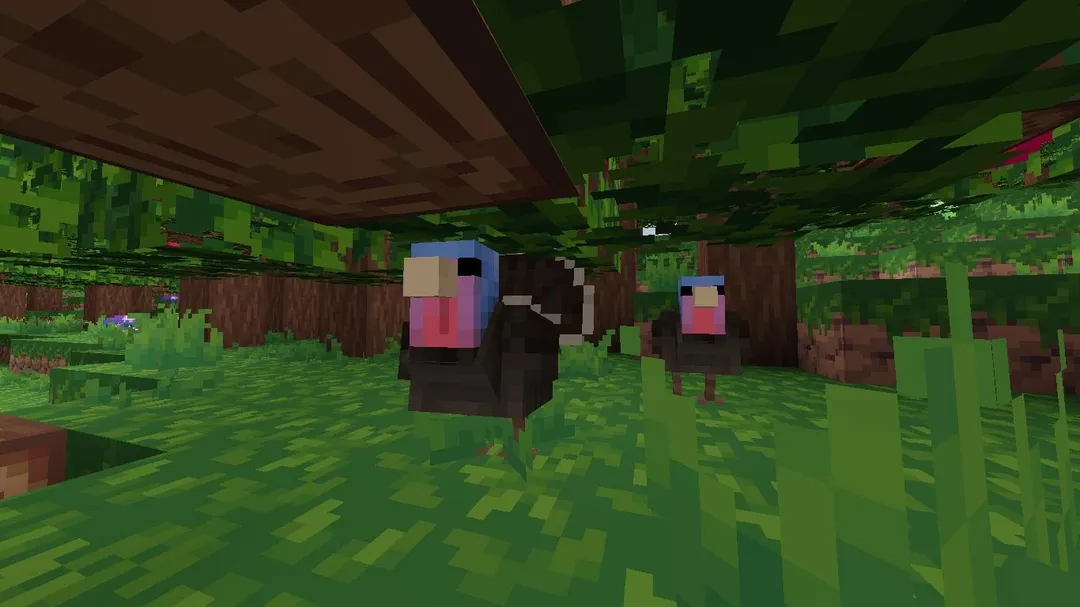
Luanti is a free, open-source voxel game platform for Android with multiplayer support, where the games you play range from open sandbox worlds you explore, dig and build in, to arcade-style games. Instead of being one fixed game, it is an engine that runs different games and mods, all written in the Lua scripting language.
The platform includes a wide range of built-in map generators that create terrain procedurally, plus voxel-based lighting that responds to the environment and to light sources placed in the world. Worlds can be very large, and the scripting API is described as easy for new modders to pick up.
This page explains what the platform is, the two permissions it uses, how to install the APK, what the LGPL license and the F-Droid build mean, the requirements of version 5.18.0, and how to get started. Note that ApkSpark files it under Role Playing, but the facts describe a voxel platform for sandbox and arcade-style games, not a role-playing game in the usual sense.

What is Luanti?
Luanti is a voxel-based game platform. A voxel is a small cube that acts as a building block of the world. Terrain, structures and objects are made of these blocks, which is why you can dig into the ground or place blocks to build almost anything the game allows.
The key point is that Luanti is a platform rather than a single game. The objective depends on which game you load. The description mentions sandbox games, where you explore, dig and build in a very large voxel world, as well as arcade-style games with different goals. The engine provides the world, the lighting and the multiplayer layer, while each game defines the rules.
All games and mods are written in Lua. The platform exposes a scripting API that the developer describes as easy to use, so modders can get started without a steep learning curve. This is how the variety of games on the platform comes about.
Luanti is developed by luanti-org and released under the LGPL-2.1-or-later license, with its source code published on GitHub. The APK on this page is built by F-Droid from that source.
Key features of Luanti
- A platform for many games: Luanti runs a variety of games rather than one fixed title. The objective changes with the game you load, from open sandbox play to arcade-style challenges, so one install can cover quite different experiences.
- Sandbox exploration and building: In sandbox games you can explore, dig and build in a very large voxel world. The world is made of blocks, so the terrain itself can be reshaped as you dig into it or add to it.
- Arcade-style games: Not everything is open-ended. The description notes arcade-style games on the platform too, which typically have clearer goals than a pure sandbox, depending on how the game is written.
- Multiplayer capabilities: The platform is built with multiplayer in mind. The facts describe it as a voxel-based game platform with multiplayer capabilities, which is why the app requests internet access.
- Built-in map generators: A wide range of built-in map generators creates procedurally generated terrain. Each new world can be shaped by a different generator, so you are not limited to one style of landscape.
- Adaptive voxel lighting: Voxel-based lighting adapts to the environment and to light sources. Placing a light source in a dark area changes how the surrounding blocks are lit.
- Lua scripting for games and mods: Every game and mod is written in Lua. Because the platform is scripted rather than hard-coded, the content can be changed and extended by anyone who learns the API.
- Beginner-friendly modding API: The developer describes the scripting API as easy to use and says it makes it easy for modders to get started. This lowers the barrier for players who want to make their own changes.

Luanti permissions explained
Luanti requests only two permissions, and neither is marked as sensitive. There is no request for contacts, location, camera, microphone or storage outside the app. On modern Android, sensitive permissions are asked at runtime, but this build does not need any of them.
- Internet access: Lets the game connect to the internet. This fits the multiplayer capabilities in the description, since joining or hosting a shared world needs a network connection.
- Show notifications: Lets the app show notifications. On Android 13 and newer, the system asks you before any notification appears. The facts do not say which feature uses notifications.
For a game platform with multiplayer support, this is a minimal list. If you deny notifications, the game itself should still run, since no documented feature depends on them.

How to download and install Luanti APK
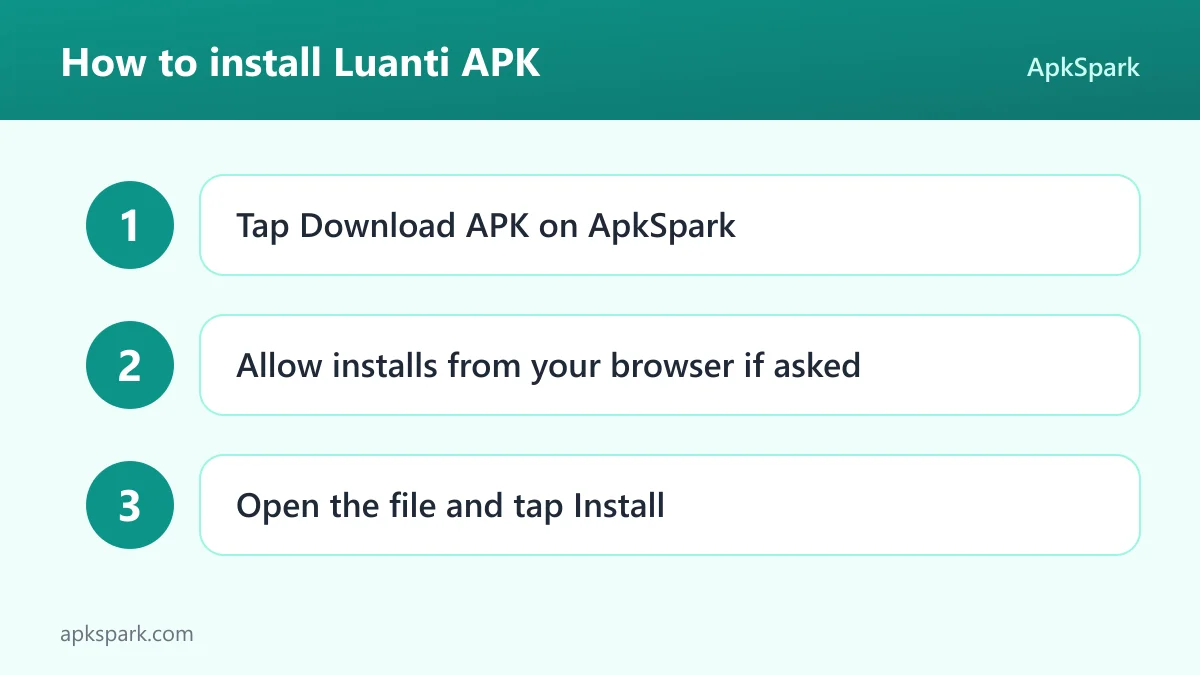
- Tap the Download button on this page.
- When Android asks, allow installs from your browser.
- Open the downloaded file from the notification or your Downloads folder.
- Tap Install.
- Open the app.
If this is your first time installing a file outside a store, our guide to installing APK files explains the unknown-sources prompt and how to fix common install errors.
This APK is signed with the F-Droid key, and its package name is net.minetest.minetest. Android generally refuses to update an app with a file signed by a different key. If you have a copy of Luanti from another source, back up any worlds you care about through the method that copy supports, uninstall it, and then install this build.
Is Luanti safe?
Luanti is released under LGPL-2.1-or-later, an open-source license. The full source code is public on GitHub, and the issue tracker lists bug reports and discussion in the open. Anyone can read how the engine works.
F-Droid builds this APK from the published source code and signs it with the F-Droid key. The file is downloaded from the official f-droid.org repository. You can compare the package details on the F-Droid listing.
F-Droid lists no anti-features for this game. That means the repository has not flagged ads, tracking or reliance on a non-free network service for this build. The permission list is also short: internet access and notifications only.
Games and mods are Lua scripts that run inside the engine. The facts do not describe how third-party mods are reviewed, so treat any content you add with the same care you would give any download. ApkSpark does not claim the file has been scanned. What you can verify is the license, the public code and the F-Droid build.
Luanti system requirements
- Minimum Android version: Android 5.0 or newer.
- Download size: 43.6 MB.
- Supported ABIs: arm64-v8a, armeabi-v7a, x86 and x86_64.
- Version: 5.18.0.
- Release date: November 13, 2026.
The Android 5.0 minimum means the game installs on a wide range of older phones and tablets. The ABI list covers 64-bit and 32-bit ARM devices plus x86-based hardware and emulators. RAM, GPU and storage requirements beyond the download size are not documented. Very large worlds and extra games or mods will take additional space.
Who should use Luanti?
Luanti suits players who enjoy sandbox games where the world is made of blocks you can dig and build with. If you like exploring procedurally generated terrain and shaping it to your own plans, the sandbox games on the platform are built for that.
It also fits people who want more than one kind of game from a single install. Because the platform runs different games, you can move from open-ended building to arcade-style play without switching apps. The multiplayer capabilities make it a candidate for playing with friends.
Finally, it is a good match for anyone curious about modding. All games and mods are written in Lua, and the scripting API is described as easy to use. If you have ever wanted to change how a game works, Luanti gives you an open engine and an approachable language to do it with. Players looking for a story-driven role-playing game should note that the facts do not describe one.
How Luanti worlds are made
Each world starts with a map generator. The platform ships with a wide range of built-in generators that produce terrain procedurally. Instead of a designer placing every hill and valley by hand, the generator builds the landscape from rules, so every new world can look different.
Once the terrain exists, voxel-based lighting takes over. Light responds to the environment and to light sources in the world. Dig into a hillside and the tunnel grows dark, place a light source and the blocks around it brighten. This makes the world feel consistent as you change it.
On top of the terrain sits the game itself. The game, written in Lua, decides what you can do: whether you dig and build freely in a sandbox, or chase a goal in an arcade-style game. Mods, also written in Lua, add or change behavior within that game.
A typical first session with Luanti
You install the APK and open the app. Rather than dropping you into one fixed game, the platform lets you work with the games available to it. You pick a sandbox game to start, because it is the easiest way to see what the engine can do.
Next you create a new world. You choose one of the built-in map generators, and the terrain is generated procedurally for you. Once you spawn in, you explore the landscape, dig into the ground and start building a shelter from the blocks around you.
As you dig deeper, the voxel lighting changes the look of the world. You place a light source to brighten the area. Later, you might try an arcade-style game for something faster, or look into a multiplayer world to play with others. If you are curious, you can open the Lua code of a mod and see how it works.
Documented limitations of Luanti
The facts describe Luanti as a platform and say little about specific games. Which games are bundled, how you browse or download more, and how controls work on a touchscreen are not documented here, so expect to explore those inside the app or on the official website.
Multiplayer capabilities are stated, but the facts do not explain how servers are found or hosted. The category on ApkSpark is Role Playing, yet the description does not mention role-playing features, quests or characters. Treat it as a voxel sandbox and arcade platform.
Performance on specific phones is not documented either. The download is modest at 43.6 MB, but a very large world with many mods can ask more of older hardware, so start with a small world and see how your device handles it.
Tips for getting started with Luanti
- Start with a sandbox game: Sandbox games let you explore, dig and build in a very large voxel world at your own pace, which is the clearest introduction to how the platform works.
- Try different map generators: Create a few worlds with different built-in map generators. Each one produces procedurally generated terrain in its own style, so it is worth comparing them before you settle on one.
- Use light sources early: The voxel lighting reacts to light sources. Placing them as you dig keeps tunnels and buildings visible and shows off how the lighting adapts.
- Look at the Lua code: Games and mods are written in Lua with an easy scripting API. Reading a simple mod is a practical way to learn what can be changed.
- Check multiplayer once you are comfortable: The platform supports multiplayer. Once you know the basics, playing with others is a natural next step.
- Report bugs upstream: If something breaks, search the public issue tracker before reporting it, so the developers have the details they need.
Modding Luanti with Lua
Modding is central to how the platform works, not an extra bolted on later. Every game and every mod is written in Lua, a small scripting language known for being easy to read. The engine handles the heavy work, such as the voxel world, map generation, lighting and networking, while the Lua code describes what happens in the game.
The developer describes the scripting API as easy to use and says it makes it easy for modders to get started. For a curious player, that means the step from playing a game to changing it is shorter than in engines where the logic is compiled into the program.
A sensible way to begin is to read an existing mod before writing your own. Seeing how a small change is expressed in Lua makes the API easier to follow. Because the engine's source code is public under LGPL-2.1-or-later, you can also look at how it exposes features to scripts.
The facts do not document a mod editor inside the Android app, so plan on writing or editing Lua files with other tools if you want to go further.
What the open license means for players
The LGPL-2.1-or-later license allows anyone to use, study, modify and share the engine, under the terms the license sets out. For players, the practical effect is that the code behind the game is open to inspection, and problems can be reported and discussed in the public issue tracker.
The project behind the game is listed as luanti-org, and its releases are documented in a public changelog on the official documentation site. The F-Droid build means the APK you install comes from that same open code rather than from a separate closed build.
Alternatives to Luanti
ApkSpark does not list a direct alternative right now. You can browse more Role Playing games in the category where this title is filed, or visit the luanti-org developer page for other releases from the same project.
When comparing, focus on what matters for a voxel platform: whether the world can be dug and rebuilt, how terrain is generated, whether multiplayer is supported, how easy modding is, and whether the code is open source.
Final verdict
Luanti is an open-source voxel engine that runs a range of games, from large sandbox worlds you can dig and build in to arcade-style titles. It offers built-in map generators, adaptive lighting, multiplayer capabilities and Lua scripting for every game and mod.
If you want a free, moddable block-building platform with a minimal permission list and an F-Droid build tied to public code, it is a strong pick. If you expect a traditional role-playing game, the facts do not support that, despite the category listing.