



Rethink is an open source Android app that combines a per-app firewall, an encrypted DNS client, a network activity monitor and a WireGuard VPN client in a single package. It is published by The RethinkDNS Authors under the Apache-2.0 license, and the build offered here comes from F-Droid.
Most phones give you very little insight into which apps talk to the internet and where that traffic goes. Rethink tries to fix that by showing connections as they happen and letting you cut off apps that have no reason to be online. A calculator or an alarm clock, for example, usually works fine without any network access at all.
This article explains what the app does, what each requested permission is for, how to install the APK, what the source and build process tell you about trust, and who will get the most out of it. Everything below is based on the developer's own description and the F-Droid listing.
What is Rethink?
Rethink, listed in full as "Rethink: DNS + Firewall + VPN", is a network privacy tool for Android. It sits between your apps and the internet and gives you control over three things: which apps may connect at all, which DNS server answers their lookups, and whether outgoing traffic is sent through a WireGuard tunnel to a provider you pick.
The developer describes the goals in five words: safe, secure, fast, open and transparent. In practice that means Rethink reveals the network activity of installed apps, lets you firewall, disable or uninstall them, and encrypts your DNS queries to resolvers run by Rethink in more than 300 locations worldwide. It also tracks how much mobile and Wi-Fi data each app and each connection uses.
The project is open source and, according to its description, free of trackers. You can read the code on GitHub and visit the project's official website for more background. It belongs to the Internet & Browsers category on ApkSpark, next to other tools that shape how your phone connects to the web, although it is not a browser itself.
Key features of Rethink
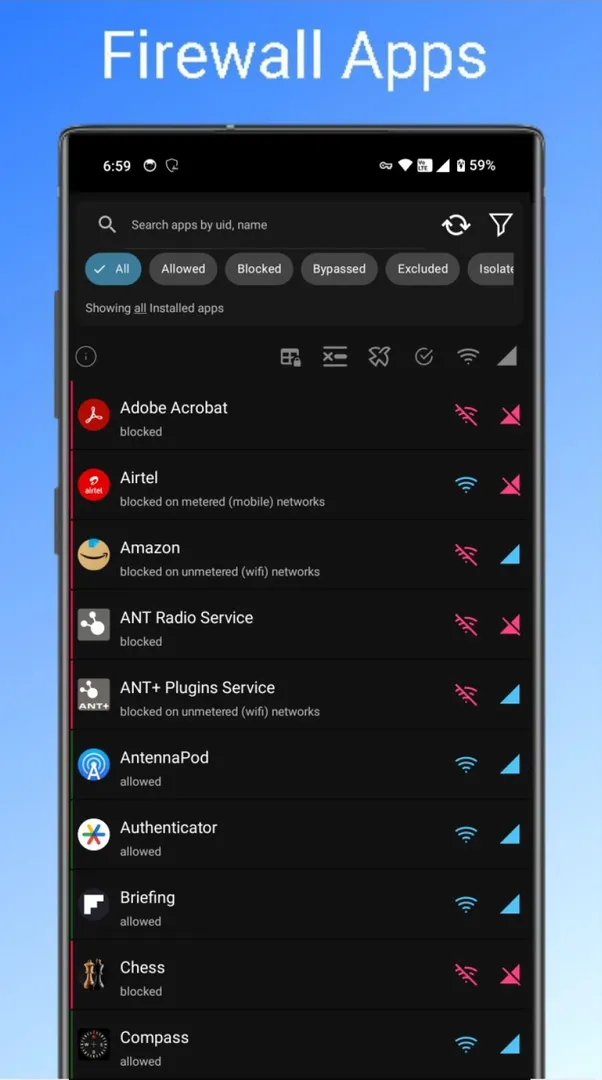
Per-app firewall: You can stop any app from reaching the internet over Wi-Fi or mobile data. The developer points out that most surveillance depends on sending data to a server, so blocking network access for apps that do not need it removes that route entirely. The firewall uses the Accessibility Service to detect and block apps running in the background.
Network monitoring: When enabled, the app collects connectivity logs for incoming and outgoing traffic and analyzes them. Logs appear in near real time so you can study them yourself. Automated reports flag unknown or suspicious connections and show how much traffic goes to known spyware networks.
Suspicious connection reports: The description states that in the developer's own tests, around 60 percent of traffic was flagged as initiated by known spyware. Your results will depend on the apps you have installed, but the reports give you a starting point for deciding which apps to restrict.
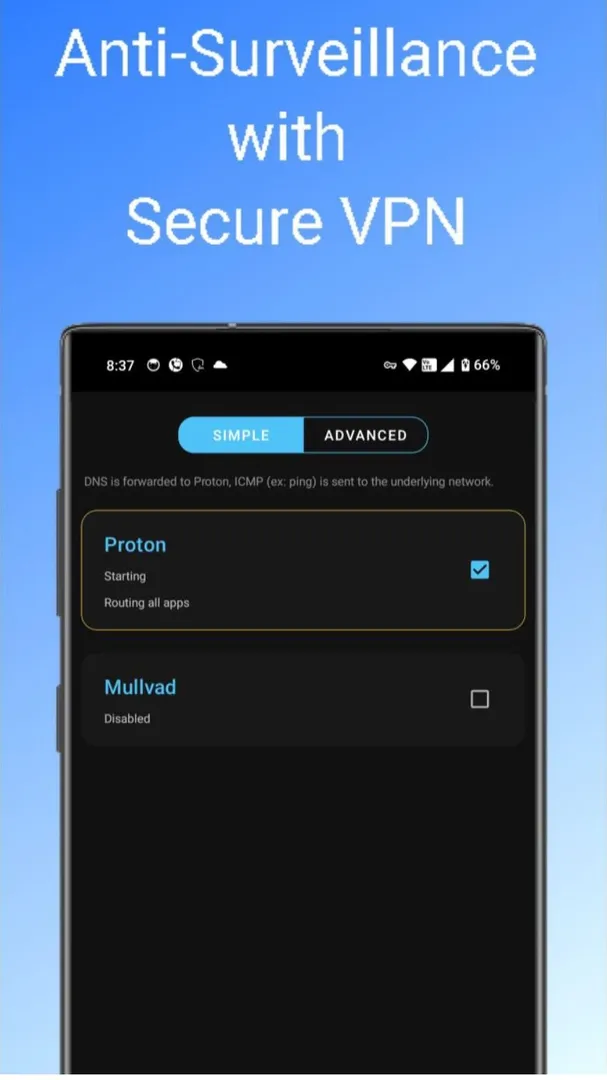
WireGuard VPN client: The app can connect to multiple WireGuard VPNs of your choice. WireGuard is described as a fast, modern, lightweight and secure protocol, and it encrypts outgoing connections to any compatible VPN provider. You bring your own provider; the description does not mention a bundled VPN service.
Encrypted DNS for anti-censorship: DNS servers act as the address book of the internet. Rethink encrypts your connection to a DNS resolver run by the project, which helps protect against the kind of DNS manipulation that is often used to censor websites, social media and messaging apps.
Global DNS network: According to the developer, Rethink's DNS servers are deployed in more than 300 locations around the world. The stated aim is to keep lookups fast and highly available wherever you connect from.
Defense against malware and spyware: The developer calls the app a first line of defense against spyware, ransomware and malware that steal personal information or take over accounts. This protection comes from the firewall and DNS features working together rather than from a separate scanner.
App management from one place: Because Rethink reveals what each installed app is doing on the network, it also lets you disable or uninstall apps directly from its interface when you decide you no longer want them on the phone.
Data usage tracking: The data monitor tracks mobile and Wi-Fi data use per app and per connection. That makes it easier to see which app is eating your data plan, which is a separate question from which app is sending data to trackers.
Rethink permissions explained
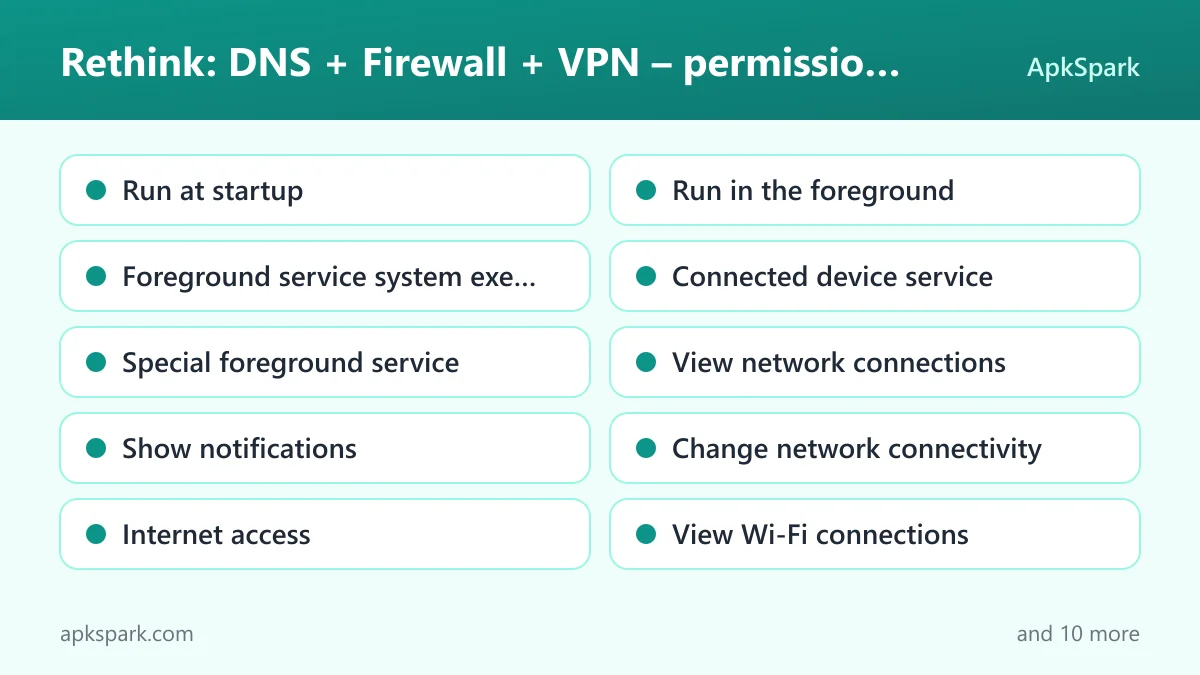
The F-Droid build declares a long list of permissions. Several of them follow directly from the app's role as a firewall, DNS client and VPN client that has to keep running at all times. On Android 6.0 and newer, sensitive permissions such as location and camera are requested at runtime, so you can grant or refuse them when the app asks rather than at install time. Here is what each one allows.
Run at startup: Lets Rethink start itself after the device boots. For a firewall and DNS tool this matters, since protection should resume without you opening the app manually after every restart.
Run in the foreground: Lets the app keep a visible notification while it works in the background. This keeps the firewall and DNS service active and tells you that it is running.
Foreground service system exempted: Allows use of the "foreground service system exempted" service type, a category Android provides for services that the system treats as exempt from some background limits.
Foreground service connected device: Allows use of the "foreground service connected device" service type. The description does not explain which feature uses it.
Special foreground service: Lets the app run a foreground service for a special purpose that does not fit Android's standard service types.
View network connections: Lets the app check whether the device is online and which network type is in use. Monitoring and firewall rules for Wi-Fi versus mobile data rely on this kind of information.
Show notifications: Lets the app post notifications. On Android 13 and newer, the system asks you before allowing this.
Change network connectivity: Lets the app change network connectivity settings, which fits a tool that routes traffic for the whole device.
Internet access: Lets the app connect to the internet. It needs this to reach DNS resolvers and WireGuard servers on your behalf.
View Wi-Fi connections: Lets the app read information about Wi-Fi networks. The firewall distinguishes between Wi-Fi and mobile data, which uses this type of information.
Precise location: Lets the app read the device's precise GPS location. The description does not say which feature needs it. Android asks you at runtime, and you can refuse.
Approximate location: Lets the app read the device's approximate location. As with precise location, its purpose is not documented in the description.
Background location: Lets the app read location while it is not open. This is a sensitive permission that Android grants separately, and its use is not explained in the facts available.
See installed apps: Lets Rethink list the apps on your device. A per-app firewall and per-app data monitor need this list to show you each app and its activity.
Interact across users: Allows use of the "interact across users" permission, which relates to devices with more than one user profile.
Access local network: Allows use of the "access local network" permission for reaching devices on your local network.
Biometrics: Lets the app use fingerprint or face unlock to confirm actions.
Fingerprint: Lets the app use the fingerprint sensor to confirm actions.
Prevent sleep: Lets the app keep the device awake while a task runs.
Camera: Lets the app take photos and record video. The description does not say which feature uses the camera, and Android asks for it at runtime.
If a sensitive permission is not tied to a feature you use, you can deny it and check whether Rethink still does what you need. You can also revoke permissions later in Android's settings.
How to download and install Rethink APK
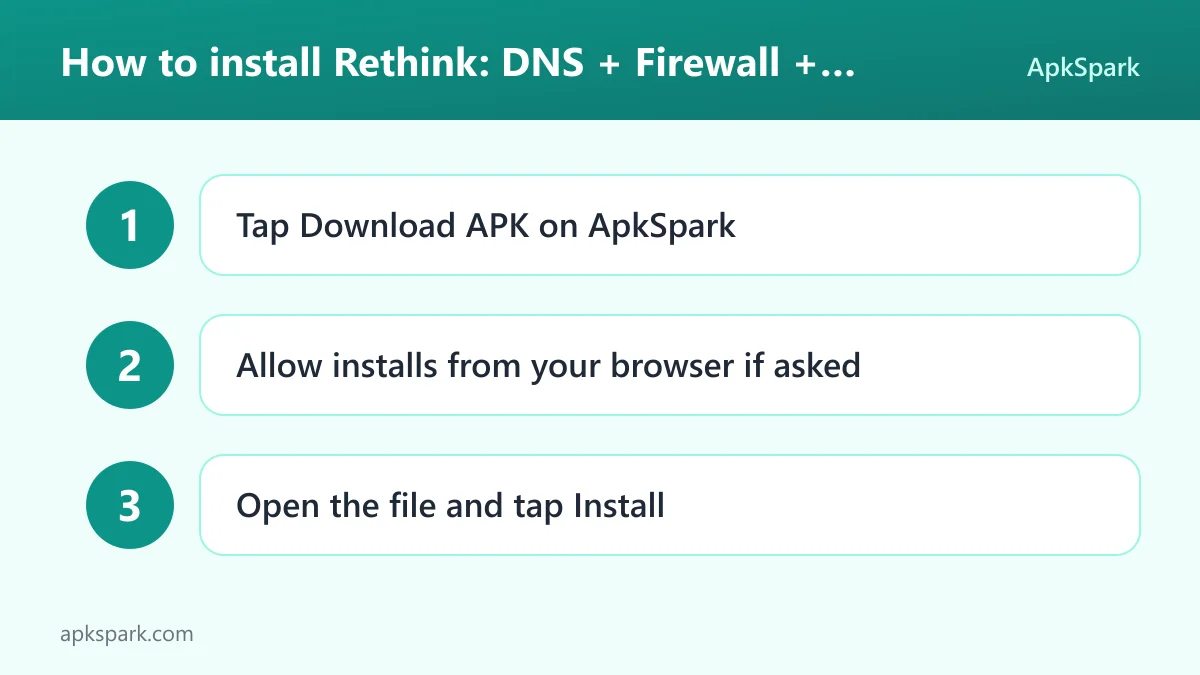
Tap the Download button on this page to get the APK file.
When Android asks, allow your browser to install unknown apps.
Open the downloaded file from your notifications or your Downloads folder.
Tap Install and wait for Android to finish.
Open the app and follow the setup screens.
If you have never sideloaded an app before, or Android blocks the file, read our guide to installing APK files. It covers the unknown sources setting on different Android versions and what to do when an installation fails.
Is Rethink safe?
Rethink is released under the Apache-2.0 license, a permissive open source license. The full source code is public on GitHub, so anyone can inspect how the firewall, DNS client and VPN features work. Problems can be reported on the public issue tracker.
The APK on this page comes from the F-Droid listing. F-Droid builds this APK from the published source code and signs it with the F-Droid key, and the file is downloaded from the official f-droid.org repository. That means the binary you install is produced from the same public code that anyone can review, not uploaded as a pre-built file by a third party.
F-Droid lists no anti-features for Rethink. The developer also describes it as free of any trackers. Keep in mind what the app does by design: it can see and log the network connections of every app on your phone. Monitoring is optional and the logs are made available to you for your own analysis. If you enable the DNS feature with Rethink's resolvers, your DNS lookups are sent to servers run by the project.
Because F-Droid signs the APK with its own key, you cannot install it as an update over a copy signed by a different key, for example one from another store. You would need to uninstall the other version first.
Rethink system requirements
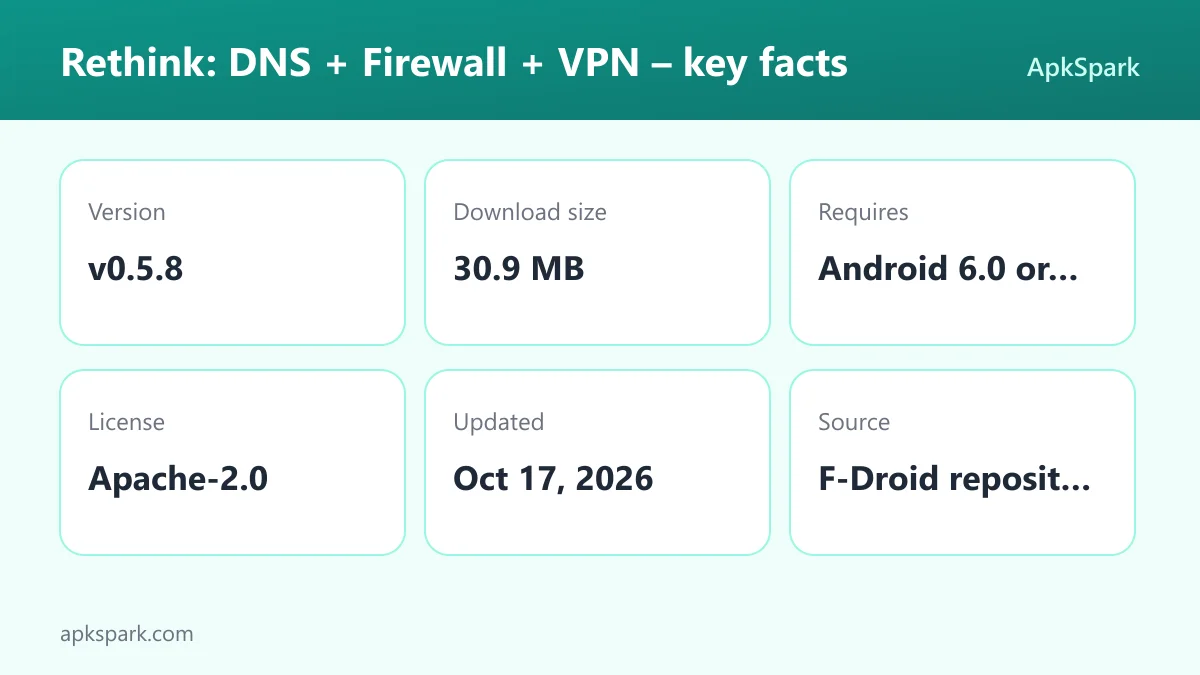
Minimum Android version: Android 6.0 or newer.
Download size: 30.9 MB.
Supported ABIs: arm64-v8a only. Older 32-bit ARM phones and x86 devices are not supported by this build.
Version: v0.5.8.
Release date: October 16, 2026.
RAM and storage needs beyond the download: not documented.
The arm64-v8a requirement is the one most likely to catch people out. Nearly all recent phones use 64-bit ARM chips, but if you are trying to install the app on an old tablet or an emulator, check its processor type first.
Who should use Rethink?
Rethink suits people who want to know what their phone is doing on the network and want to act on it. If you have ever wondered why a flashlight or notes app needs the internet, the firewall gives you a direct way to cut it off and the monitor shows you where its traffic was headed.
It is also a fit for users in places where DNS manipulation is used to censor websites, social media or messaging apps. Encrypted DNS to Rethink's resolvers is meant to protect against that kind of interference. People who already pay for a WireGuard-compatible VPN provider can use the built-in client instead of a separate VPN app, and connect to more than one VPN configuration.
It is less suited to someone who wants a set-and-forget experience with no decisions to make. A firewall is only as useful as the rules you set, and the connection logs take some attention to interpret. If you only want a VPN and nothing else, a dedicated client may feel simpler.
Tips for getting started with Rethink
Start with obvious offline apps: Block internet access for apps that should work offline, such as a calculator, alarm clock or file manager. The developer uses these as examples of apps that do not need network access to function.
Turn on monitoring for a few days: Let the app collect connectivity logs before making many rules. The near real-time logs and automated reports will show which apps connect most often and which connections are flagged as suspicious.
Enable the Accessibility Service if you want background blocking: The firewall uses the Accessibility Service to detect and firewall apps running in the background. Without it, that part of the firewall cannot work as described.
Add your WireGuard configuration: If you use a WireGuard-compatible VPN provider, add its configuration so that outgoing traffic is encrypted to that provider. You can set up more than one VPN.
Check the data monitor: Use the per-app and per-connection data figures to find apps that consume a lot of mobile data, then decide whether to restrict them to Wi-Fi or block them.
Deny permissions you do not need: Location and camera are requested at runtime. If you do not use a feature that needs them, refuse and see whether anything breaks.
A typical day with Rethink
Once set up, Rethink runs quietly with a persistent notification. Each time an app tries to connect, the request passes through the firewall rules you set and, if enabled, through encrypted DNS. Blocked apps simply fail to reach the network. Allowed apps work normally.
When you install something new, it is worth opening the log after you use it for a while. You will see which domains it contacted, how often, and whether any of those connections were flagged. From there you can firewall the app, leave it alone, or uninstall it from within the app.
If you travel or switch networks, Rethink keeps working on both Wi-Fi and mobile data. The developer states that its DNS network spans more than 300 locations, so lookups are meant to stay fast wherever you are.
Documented limitations
The description is clear about a few constraints. The firewall's background detection depends on the Accessibility Service, so you need to grant that access for full blocking. The WireGuard feature is a client only and needs a compatible provider you choose yourself. This build only supports arm64-v8a devices. Finally, several sensitive permissions, including location and camera, are declared without an explanation in the description, so you may want to review them after installation.
Alternatives to Rethink
ApkSpark does not list directly related apps for this one yet. You can browse more Internet & Browsers apps to find other tools for managing how your phone connects to the web. You can also see other projects from The RethinkDNS Authors on their developer page.
When comparing options, check whether a tool offers per-app blocking, encrypted DNS and a WireGuard client in one package, since that combination is the main reason to choose Rethink.
Final verdict
Rethink packs a per-app firewall, encrypted DNS, connection logging, data usage tracking and a WireGuard client into one open source app. The F-Droid build is made from public source code, the license is Apache-2.0, and F-Droid reports no anti-features.
It rewards users who are willing to spend some time reading logs and setting rules. If that sounds like you and your phone has a 64-bit ARM processor running Android 6.0 or newer, it is a strong choice for taking back control of your network traffic.