




SimpleX Chat is an end-to-end encrypted messenger for Android that works without any user identifiers. There is no phone number, no username, no email address and, according to the developers, not even a random number assigned to you. You connect with people by sharing a link or scanning a QR code, and that is the only way anyone can reach you.
SimpleX Chat has a clear goal behind this design. If the network has no identifier for you, its servers cannot build a list of who talks to whom, and strangers cannot find you to send spam. The developers state that a security assessment was done by Trail of Bits in November 2022.
This page covers how SimpleX Chat works, its documented features, what each of its permissions is for, how to install the APK, and who it suits. Everything is based on the developers' description and the published build details.

What is SimpleX Chat?
SimpleX Chat is a private messaging app built on the SimpleX platform. Messages are end-to-end encrypted with the open-source double-ratchet protocol, then routed through relay servers using the open-source SimpleX Messaging Protocol. The relays hold a message only until the recipient receives it.
In SimpleX Chat, your profile and contacts are stored only in the app on your device. The developers say their servers do not have access to that information. This is the main practical difference from most messengers, where the service keeps an account record tied to a phone number or email.
The network is decentralized. You can run your own servers and still talk to people who use the servers pre-configured in the apps, or any other SimpleX servers. The project is open source under AGPL-3.0-or-later, with code on GitHub and documentation on the official website.
Key features of SimpleX Chat
- No user identifiers: SimpleX Chat assigns no phone number, username or other identifier to you, not even a random number. The developers say this protects the privacy of who you communicate with, hiding it from the platform's servers and from any observers watching the network.
- End-to-end encrypted messages: Every message is end-to-end encrypted using the double-ratchet protocol. You can edit messages after sending, reply to specific messages and delete them, so the basic tools of a modern messenger are all there.
- Encrypted images and files: In SimpleX Chat you can send images and files, and they are end-to-end encrypted in the same way as text. This lets you share documents and photos without moving them to a separate service.
- Single-use and long-term addresses: Connections start from an invitation. You can create a one-time invitation link for a single contact, or an optional temporary user address that several people can use. You decide when an address exists and when it stops working.
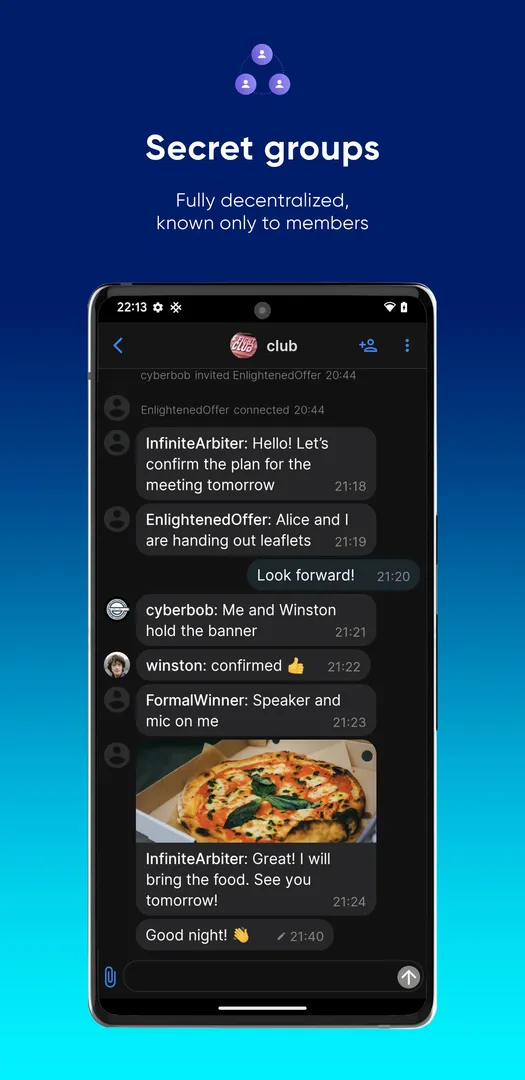
- Secret groups: Group chats are secret in a specific sense: only group members know the group exists and who its members are. That keeps group membership away from servers and outsiders, not only the content of the conversation.
- Encrypted audio and video calls: Voice and video calls are end-to-end encrypted. You can also connect to someone by scanning their QR code during a video call, which is useful when you cannot meet in person.
- Private instant notifications: SimpleX Chat lists private instant notifications as a feature, so new messages can reach you promptly without giving up the privacy model.
- Portable chat profile: You can transfer your chat contacts and history to another device, either another phone or a terminal client. This matters because your data lives on your device rather than on a server.
- Your own servers: Because the network is decentralized, you can configure SimpleX Chat to use servers you run yourself and still message people who use the pre-configured servers or any other SimpleX servers.
SimpleX Chat permissions explained
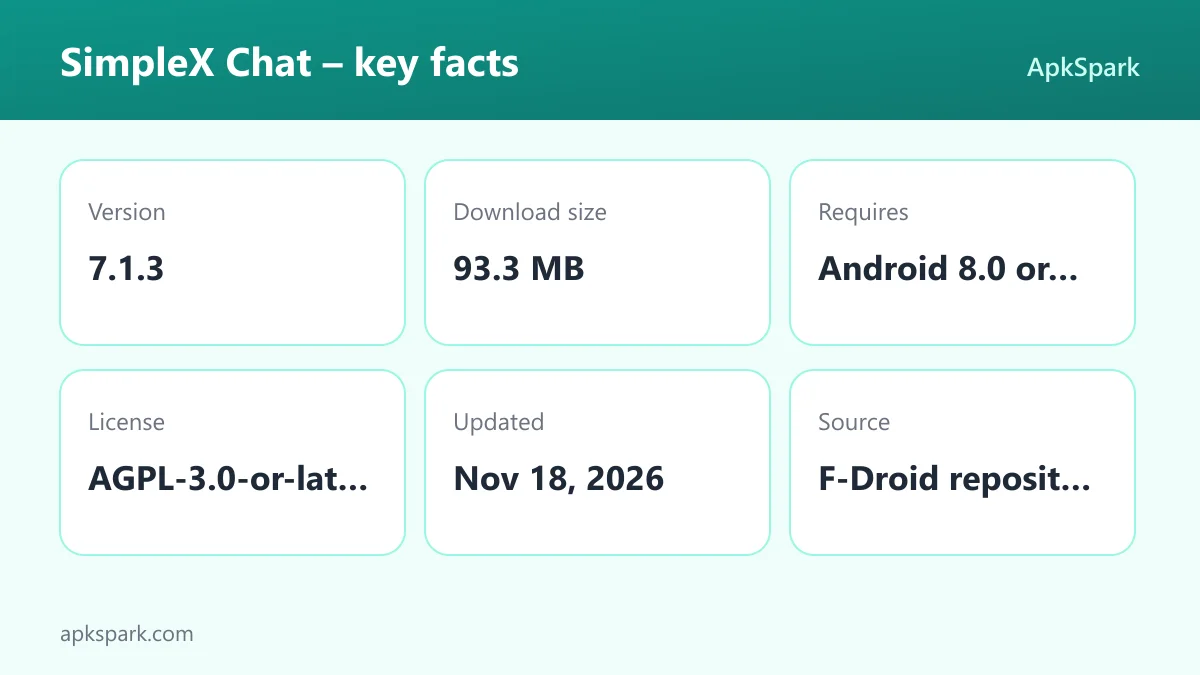
A messenger with calls needs a long permission list. On modern Android, sensitive permissions such as the camera, microphone and storage are requested at runtime, so you see a prompt and can decline. Here is what each permission declared by SimpleX Chat does.
- Camera: Lets the app take photos and record video. Video calls and scanning a contact's QR code both rely on it.
- Show notifications: Lets the app show notifications for new messages and calls. On Android 13 and newer, you are asked first.
- Video capture: A technical permission related to capturing video, used alongside the camera for calls.
- Microphone: Lets the app record audio. Encrypted audio and video calls need it.
- Change audio settings: Lets the app change global audio settings such as volume, for example to route call audio.
- Run in the foreground: Lets the app keep a visible notification while it works in the background, so Android does not stop it in the middle of a task.
- Prevent sleep: Keeps the device awake while a task runs, such as a call or a download.
- Run at startup: Lets the app start itself after the device boots, which fits receiving messages without opening the app first.
- Control vibration: Lets the app make the device vibrate, for example for an incoming message or call.
- Internet access: Lets the app connect to the internet. Messages travel through relay servers, so nothing works without it.
- View network connections: Lets the app check whether the device is online and which type of network is in use.
- Write storage: Lets the app save and modify files in shared storage, such as images and files you receive.
- Ignore battery optimizations: Lets the app ask to be excluded from battery optimization, which helps instant notifications arrive on time.
- Full-screen notifications: Lets the app show full-screen notifications, for example for incoming calls.
- Foreground service remote messaging: Declares a foreground service for messaging, which fits keeping the connection to relays alive.
- Foreground service microphone: Declares a foreground service that uses the microphone, which fits keeping a call running when the screen is off.
- Foreground service camera: Declares a foreground service that uses the camera, which fits video calls in the background.
- Background playback service: Lets the app continue playing media from a foreground service.
- Biometrics: Lets the app use fingerprint or face unlock to confirm actions. The description does not say which feature uses it.
- Fingerprint: Lets the app use the fingerprint sensor to confirm actions. This is the older form of the biometrics permission.
- Read storage: Lets the app read files in shared storage, which fits picking images and files to send.
SimpleX Chat does not request contacts, SMS, call log or location access. Given that it does not use phone numbers, that is consistent with its design.
How to download and install SimpleX Chat APK
- Tap the Download button on this page.
- When Android asks, allow installs from your browser.
- Open the downloaded APK file.
- Tap Install.
- Open the app.
If Android blocks the file or you have not installed an APK before, our guide to installing APK files explains each prompt and the setting that controls it. After installing, create a local profile, then share an invitation link or show your QR code to your first contact.
To update, download the newer APK from this page and install it over the current one. The F-Droid build is signed with the F-Droid key, so updates from the same source keep your chats. A build signed with a different key will not install over it, and because your profile lives only on the device, move it with the portable profile feature before reinstalling from another source.

How connecting works in SimpleX Chat
The connection model is the part new users find unusual, so it is worth walking through. There is no search box for people and no directory. To start a chat, one person creates an invitation and the other accepts it.
If you are with the person, open SimpleX Chat, create a one-time invitation, and let them scan the QR code. If you are apart, send the invitation link through any channel you trust. The developers also mention scanning a QR code during a video call. Once the other side accepts, you can start sending messages instantly, with no email, phone number or password needed.
A one-time link works for a single contact. If you want several people to reach you, create a long-term or temporary user address and share it. When you stop wanting new contacts, remove the address. Nobody can message you without one of these, which is how the app blocks spam.
Everyday use of SimpleX Chat
Once your contacts are set up, daily use looks like any other messenger. Chats appear in a list, you type and send, and you can reply to a specific message, edit a message you already sent or delete it. Images and files go through the same encrypted channel as text.
Groups work the same way, with one difference: only members know the group exists and who else is in it. Calls start from a chat, and both voice and video are end-to-end encrypted. If you have many conversations, keep in mind that everything lives on your phone. That is good for privacy but means your storage, not a server, holds your history.
If you ever want to move to a computer, the portable profile can be transferred to a terminal client as well as to another phone.
Is SimpleX Chat safe?
SimpleX Chat is open source under the AGPL-3.0-or-later license. The code can be read, built and audited by anyone, and problems can be reported on the public issue tracker. The developers state that Trail of Bits carried out a security assessment in November 2022. Messages use the open-source double-ratchet protocol and are routed via the open-source SimpleX Messaging Protocol.
The APK on this page comes from F-Droid. F-Droid builds this APK from the published source code and signs it with the F-Droid key. The file is downloaded from the official f-droid.org repository. You can compare package details on the F-Droid listing for SimpleX Chat.
The F-Droid listing data for this build flags no anti-features, so there are no labels for ads, tracking or non-free dependencies. Relay servers do see encrypted traffic passing through, but the developers say messages are held only temporarily and that profile and contact data stay on your device.
SimpleX Chat system requirements
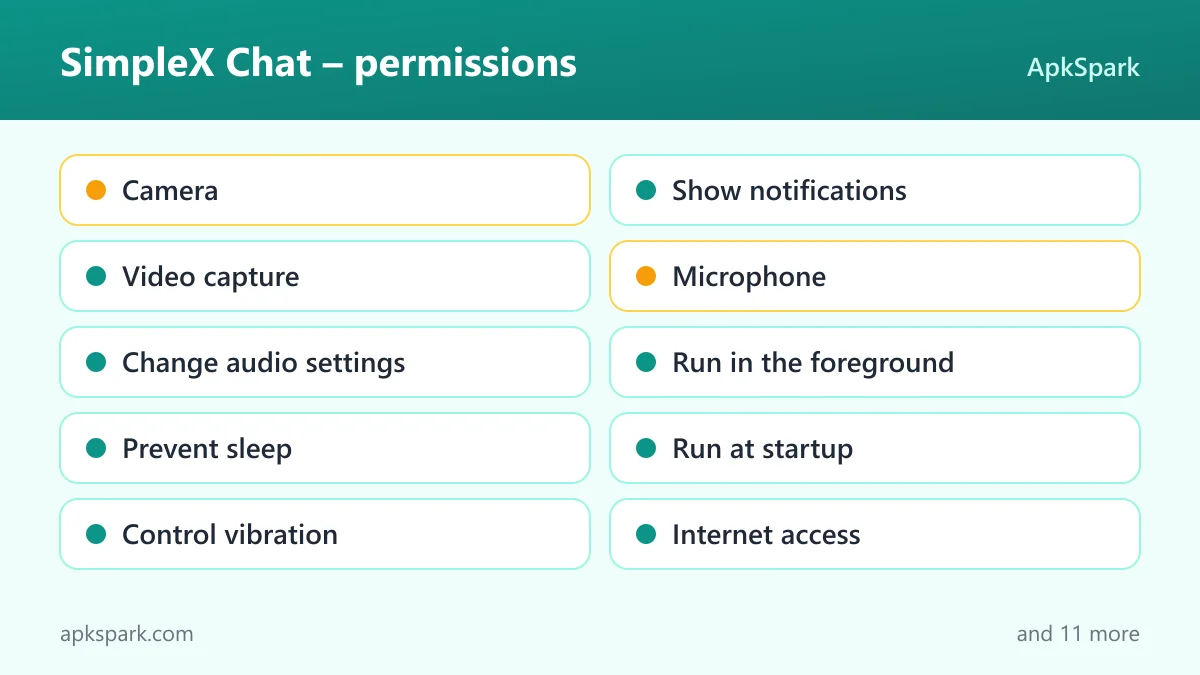
- Minimum Android version: Android 8.0 or newer.
- Download size: 93.3 MB.
- Supported ABIs: arm64-v8a. This covers most current 64-bit phones and tablets, but this build will not install on 32-bit-only or x86 devices.
- Version: 7.1.3.
- Release date: November 17, 2026.
RAM and free storage needs after installation are not documented. Chat history, images and files are stored on the device, so storage use grows with your conversations. The download is fairly large at 93.3 MB, so make sure you have room for both the installer and the chats that will follow. Devices on Android 7 or earlier cannot run this version, even if they have a 64-bit processor.
Documented limitations
The SimpleX Chat privacy model has trade-offs that follow directly from the facts. Because there is no identifier and no directory, you cannot look up a friend by phone number. Every contact has to start with a link or QR code you exchange yourself.
Your profile and contacts live only in the app on your device. If you lose the phone without having moved your profile, the description gives no server-side copy to restore from. Use the portable profile feature when you change devices. This build is also arm64-only and needs Android 8.0, so older 32-bit phones are excluded.
Who should use SimpleX Chat?
SimpleX Chat suits people who care about who they talk to staying private, not only what they say. Journalists, activists, people in sensitive jobs and anyone who does not want a messenger tied to their phone number are the obvious audience. The no-identifier design and secret groups go further on metadata than messengers built around phone numbers.
SimpleX Chat also fits people who are tired of spam and unknown contacts. Since nobody can reach you without an invitation or an address you choose to share, unwanted messages are much harder to send.
It is a harder sell for someone who wants to find existing friends automatically. You will have to invite each contact yourself, and they need to install the app too. Technical users who want to run their own relay servers will appreciate the decentralized setup.
Tips for getting started with SimpleX Chat
- Start with one-time links: Use a single-use invitation for each new contact. It keeps each connection separate and the link stops working after use.
- Use QR codes in person: When you meet someone, show your QR code instead of sending a link. It is faster and avoids passing the invitation through another app.
- Create an address only when needed: If you want several people to reach you, create a long-term or temporary address, and remove it when you stop wanting new contacts.
- Allow notifications and battery exemption: Grant notification permission and allow the battery optimization exemption if you want instant notifications to arrive reliably.
- Move your profile before switching phones: Use the portable profile feature to transfer contacts and history to the new device, since nothing is kept on a server.
- Ask the team in the app: The developers say you can connect to the team through the settings to send questions or feedback.
Alternatives to SimpleX Chat
We do not list direct alternatives for this app yet. To compare it with other messengers and calling apps, browse more Communication apps in our catalog. You can also see other projects by simplex-chat on the developer page.
When comparing, ask whether the other app needs a phone number or username, where it stores your contact list, and whether its groups hide their membership. Those are the points SimpleX Chat is built around.
Final verdict
SimpleX Chat takes an unusual approach to private messaging: no user identifiers at all, contacts stored only on your device, and connections that start from links or QR codes you share. Encrypted messages, files, groups and calls cover what most people need from a messenger.
Install SimpleX Chat if metadata privacy and spam protection matter more to you than finding contacts automatically. The F-Droid build is compiled from public source and flags no anti-features. For release notes, see the project releases page.