


KeePassDX Free is an open source password and passkey manager for Android that keeps your credentials in a single encrypted file in the open KeePass format. It needs no internet connection, shows no advertising, and is published by Kunzisoft under the GPL-3.0-or-later license.
Instead of storing your passwords on a company's server, KeePassDX Free works with a local database file that you control. You can unlock it with biometrics, fill in login forms with autofill or its own keyboard, and generate one-time codes for two-factor authentication. Because the format is open, the same file also works with other KeePass-compatible programs on your computer.
This article walks through what KeePassDX Free does, its permissions, how to install the APK, what the IzzyOnDroid distribution means for trust, and practical tips for setting up your first vault.

What is KeePassDX Free?
KeePassDX Free is the free edition of KeePassDX, described by the developer as an open source passkey, password safe and manager. It lets you edit encrypted data in a single file in the KeePass format and fill in forms securely. It follows Android design standards and uses Material design with themes.
The app supports .kdb and .kdbx database files from version 1 to 4, with AES, Twofish, ChaCha20 and Argon2 algorithms. According to the developer, it is compatible with the majority of alternative programs, including KeePass, KeePassXC and KeeWeb. That means you are not locked into one app: the vault is a file you can move, copy and open elsewhere.
The code is written in native languages, namely Kotlin, Java, JNI and C, and is public on GitHub. The project's official website has more background. On ApkSpark, KeePassDX Free is listed in the Security & Privacy category.
Key features of KeePassDX Free
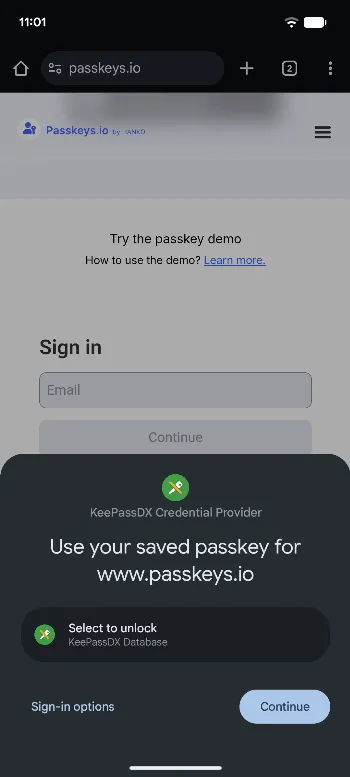
Passkeys: KeePassDX Free supports passkeys for authentication and stores their private keys locally. Your passkeys live in the same encrypted vault as your passwords instead of in a cloud account.
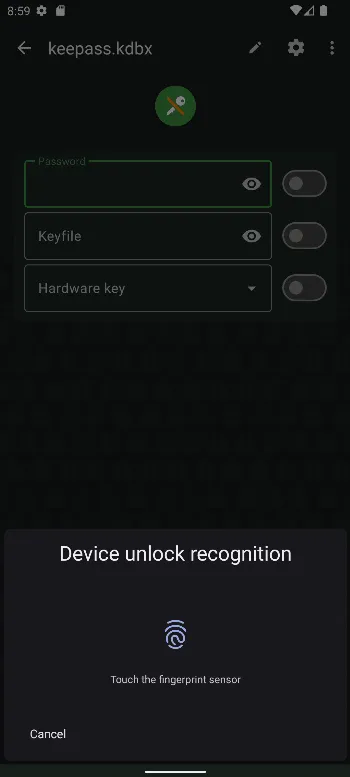
Biometric unlocking: You can open your database quickly with fingerprint, face unlock or other biometric methods your phone supports, so you do not have to type a long master password every time.
One-time passwords: KeePassDX Free manages HOTP and TOTP codes for two-factor authentication. You can keep your 2FA codes next to the matching login entry rather than in a separate authenticator app.
Autofill: KeePassDX Free plugs into Android's autofill system so it can fill passwords into login forms in apps and browsers with a tap.
Magikeyboard: A dedicated keyboard lets you fill in any field efficiently, which helps in apps where standard autofill does not work.
Encrypted database creation and organization: You can create new encrypted database files and organize credentials by entry and in group trees. Dynamic templates adapt to each type of entry, and URI or URL fields can be opened or copied quickly.
Entry history: Each entry keeps a history, so you can look back at earlier values after you change a password.
Broad format and algorithm support: Support for .kdb and .kdbx versions 1 to 4 with AES, Twofish, ChaCha20 and Argon2 means older and newer KeePass databases both open in the app.
Compatibility with desktop tools: The developer states the app is compatible with most alternative programs, including KeePass, KeePassXC and KeeWeb, so you can use the same vault on Android and on a computer.
Precise settings and themes: Settings can be managed in detail, and the interface follows Material design with a choice of themes.
KeePassDX Free permissions explained
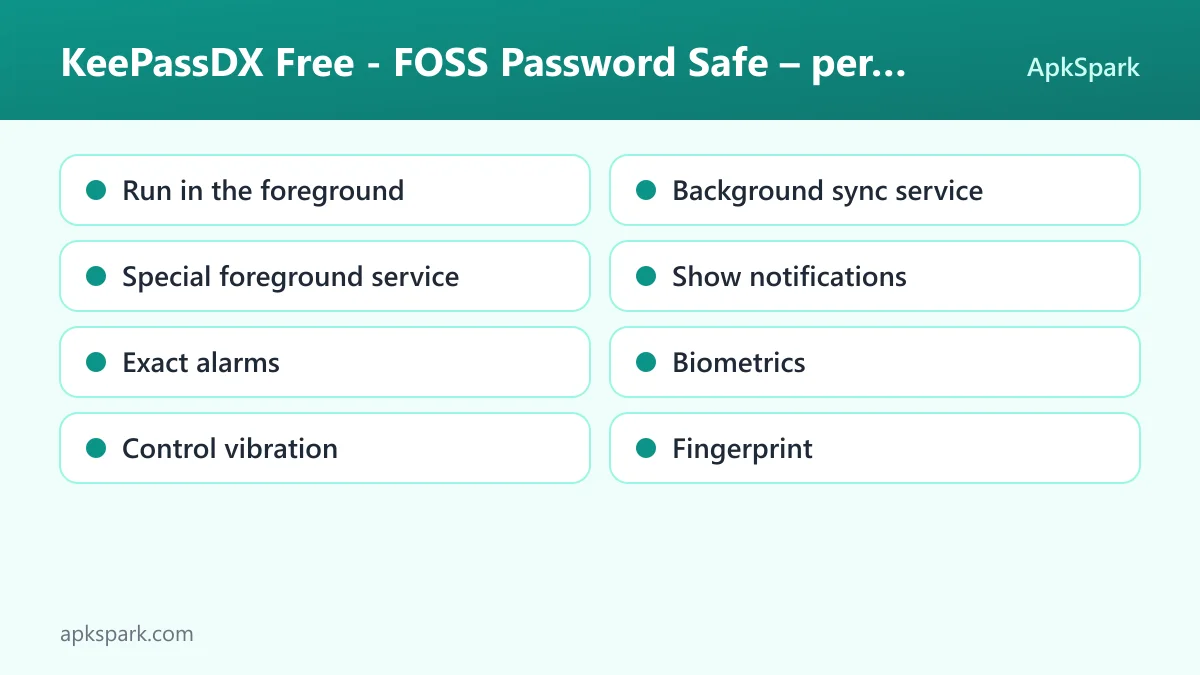
The permission list for KeePassDX Free is notably short, and it does not include internet access. That matches the developer's statement that the app requires no internet connection. None of the listed permissions are marked as sensitive. On modern Android, sensitive permissions are asked at runtime, and notifications need your approval on Android 13 and newer.
Run in the foreground: Lets the app keep a visible notification while it works in the background, for example while a database is open.
Background sync service: Lets the app sync or transfer data from a foreground service. The description does not say which feature uses it.
Special foreground service: Lets the app run a foreground service for a special purpose that does not fit Android's standard service types.
Show notifications: Lets the app post notifications. Android 13 and newer ask you first.
Exact alarms: Lets the app schedule alarms at an exact time.
Biometrics: Lets the app use fingerprint or face unlock to confirm actions. This supports biometric unlocking of your database.
Control vibration: Lets the app make the device vibrate.
Fingerprint: Lets the app use the fingerprint sensor to confirm actions, again for unlocking the vault.
Because there is no internet permission, the app itself cannot send your database anywhere over the network. If you want your vault on several devices, you need to move the file yourself or keep it in a folder that another sync tool handles.
How to download and install KeePassDX Free APK
Tap the Download button on this page to get the APK file.
When Android asks, allow your browser to install unknown apps.
Open the downloaded file from your notifications or your Downloads folder.
Tap Install and wait for Android to finish.
Open KeePassDX Free and create a new database or open an existing .kdbx file.
If Android blocks the file or you have not sideloaded an app before, our guide to installing APK files explains the unknown sources setting and how to fix common install errors. At 16.8 MB, the download is quick even on mobile data.

Is KeePassDX Free safe?
KeePassDX Free is licensed under GPL-3.0-or-later, and the full source code is on GitHub. Anyone can inspect how the app handles encryption and storage, and issues can be reported on the public issue tracker. The developer also states that the app contains no advertising.
The APK on this page comes from the IzzyOnDroid listing. It is the developer's own signed release, distributed by the IzzyOnDroid repository, which checks each release before publishing it.
The listing shows no anti-features for KeePassDX Free. Combined with the lack of an internet permission, that gives you a clear picture: your vault stays on your device unless you move it yourself. The weak point in any password manager is the master password, so choose a strong one and keep a backup of your database file somewhere safe.
The open KeePass format adds another layer of reassurance. If you ever stop using this app, you can open the same database in KeePass, KeePassXC or KeeWeb, so your passwords are never trapped in one program.
It also helps that the project develops in the open. The developer invites users to follow the development status of upcoming updates on GitHub and to send issues to the public tracker, so you can see what is being worked on and how reported problems are handled before you trust the app with your credentials.
KeePassDX Free system requirements
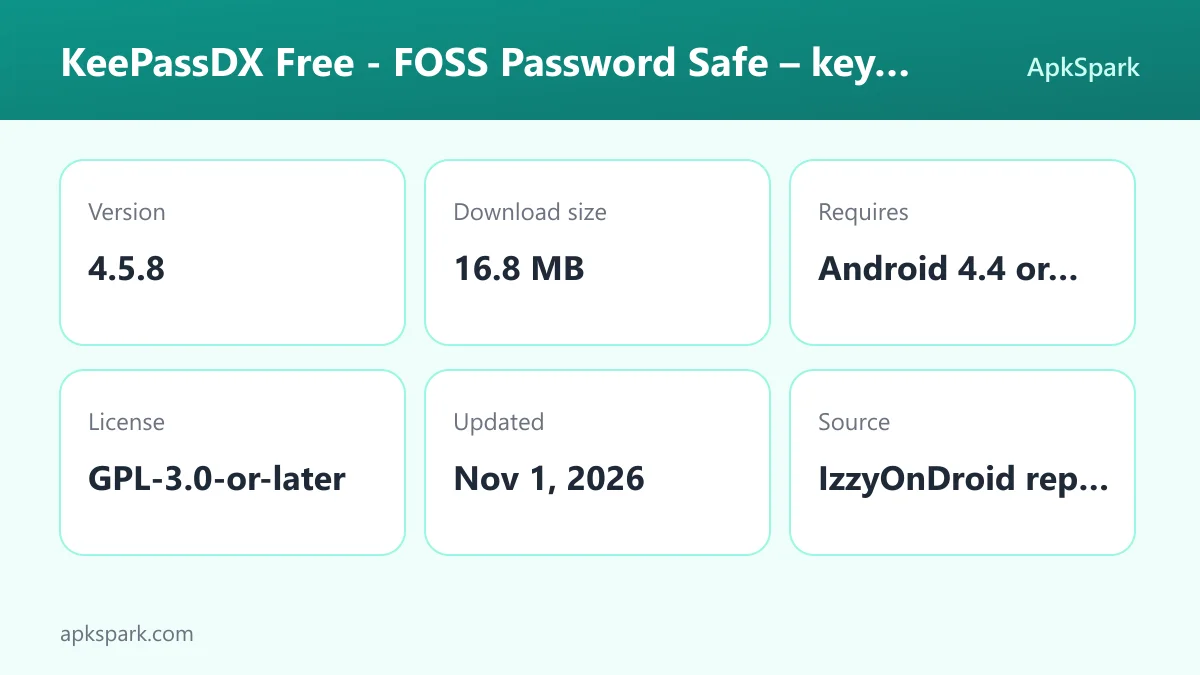
Minimum Android version: Android 4.4 or newer.
Download size: 16.8 MB.
Supported ABIs: arm64-v8a, armeabi-v7a, x86 and x86_64, covering almost all Android phones, tablets and emulators.
Version: 4.5.8.
Release date: November 1, 2026.
Internet connection: not required.
RAM and storage beyond the download: not documented.
The low minimum Android version and wide ABI support make KeePassDX Free a realistic choice for older devices that many current apps no longer support. Biometric unlocking depends on your phone having the matching hardware.
Who should use KeePassDX Free?
KeePassDX Free is built for people who want full control over where their passwords live. If you are uncomfortable storing credentials with a cloud service, a local encrypted file that never leaves your phone unless you move it is the main appeal. The absence of an internet permission backs that up.
It is also a strong fit for anyone who already uses KeePass, KeePassXC or KeeWeb on a computer. You can open the same .kdbx file on your phone, add passkeys and TOTP codes, and keep everything in one vault. Users moving from older KeePass databases benefit from support for .kdb and .kdbx versions 1 through 4.
People who expect automatic syncing between devices out of the box should weigh the trade-off. The app does not connect to the internet, so you handle syncing of the database file yourself. If that sounds like a chore, plan how you will move the file before you commit.
The app also suits people with older or budget hardware. KeePassDX Free runs on Android 4.4 and newer and ships for ARM and x86 processors, so it can give a dated tablet or a spare phone a modern password vault with passkeys and 2FA codes.
Tips for getting started with KeePassDX Free
Create a database with a strong master password: Everything depends on this password. Pick a long passphrase you can remember, then turn on biometric unlocking for daily convenience.
Enable autofill: Set the app as your autofill service in Android settings so it can offer credentials in login forms in other apps and browsers.
Try Magikeyboard for stubborn fields: When autofill does not appear in an app, switch to Magikeyboard to fill the field directly.
Move your 2FA codes in: Add TOTP or HOTP secrets to the matching entries so your one-time codes are stored next to the login they protect.
Organize with groups and templates: Use group trees to separate work, personal and financial accounts, and choose the dynamic template that fits each entry type.
Back up the database file: Copy your .kdbx file to another device or storage location regularly. Since the app is offline, backups are your responsibility.
Take these steps in order on the first day and the rest of the setup tends to follow naturally. If you add each account as you next log in to it, your most frequently used services will be in the vault within a few days, and autofill can handle them from then on.
Moving an existing vault into KeePassDX Free
If you already have a KeePass database on a computer, moving it to KeePassDX Free is straightforward. Copy the .kdb or .kdbx file to your phone, open it in the app, and enter your master password. Because the app supports versions 1 to 4 with AES, Twofish, ChaCha20 and Argon2, older and newer files open without conversion.
From there you can edit entries on the phone and copy the file back when you want the desktop copy to match. Entry history helps if you need to check an earlier value after changes on either side. If you prefer, you can keep using KeePassXC or KeeWeb on the computer, since the developer states those programs are compatible.
Starting from scratch works just as well. Create a new encrypted database, set your master password, and add entries as you log into services. Passkeys can be stored in the same file, which keeps all your sign-in methods in one place.
Daily use of KeePassDX Free
On a typical day, you will rarely open the app directly. When a login screen appears in another app or in a browser, Android's autofill offers your saved credentials, and KeePassDX Free fills them in after you unlock the vault with your fingerprint or face. If a field refuses autofill, you switch to Magikeyboard, pick the entry, and fill the field from the keyboard instead.
For accounts with two-factor authentication, the matching entry shows the current TOTP or HOTP code, so you can copy it without opening a separate authenticator. Sites that support passkeys can use the passkeys stored in your vault, with the private keys kept locally on the device.
When you change a password on a website, you update the entry and the old value stays in its history. If you need to visit a service, the URL field can be opened or copied quickly. Over time, group trees and dynamic templates keep the vault readable even with hundreds of entries.
Once in a while, copy the database file to a backup location. Because the app works offline, that one habit is what protects you from losing a phone and your passwords along with it.
Understanding the KeePass format
The KeePass format stores all of your entries in one encrypted file. KeePassDX Free reads and writes .kdb files and .kdbx files from version 1 to 4. The encryption and key derivation algorithms the developer lists are AES, Twofish, ChaCha20 and Argon2.
The practical benefit is portability. A file created in the app can be opened by the majority of alternative programs, according to the developer, including KeePass, KeePassXC and KeeWeb. A file created on a computer can be opened on your phone. You are free to change tools later without exporting and importing data in a different format.
The trade-off is that a single file holds everything. Losing it without a backup, or forgetting the master password, means losing access to every entry inside, so treat the file and the password with care.
Documented limitations of KeePassDX Free
The description does not include a built-in sync service, and the permission list has no internet access, so moving the database between devices is up to you. The developer also offers a paid pro version on Google Play for people who want to support development and get faster delivery of the features they ask for. Finally, biometric unlock needs compatible hardware on your phone.
Alternatives to KeePassDX Free
ApkSpark does not list related apps for this one yet. You can browse more Security & Privacy apps to compare other password managers and privacy tools, or visit the Kunzisoft developer page for other apps from the same developer.
If you already use a desktop program such as KeePass, KeePassXC or KeeWeb, keep in mind that KeePassDX Free is compatible with those, so you may not need to switch tools on the computer at all.
Final verdict
KeePassDX Free offers a local, offline vault for passwords, passkeys and one-time codes in the open KeePass format, with autofill, Magikeyboard and biometric unlocking. It is open source, ad-free and distributed as the developer's own signed release through IzzyOnDroid.
The main trade-off is that syncing is your job. If you value control over your credentials and can manage your own backups, it is one of the most sensible password managers to install on Android.