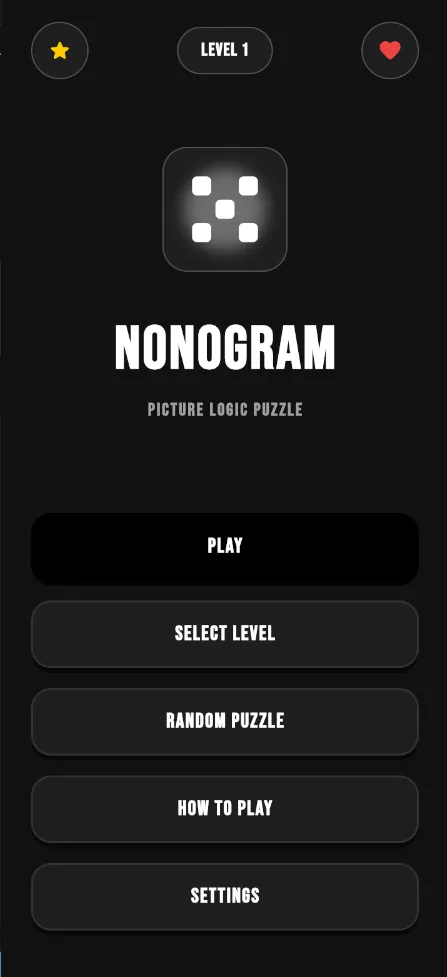
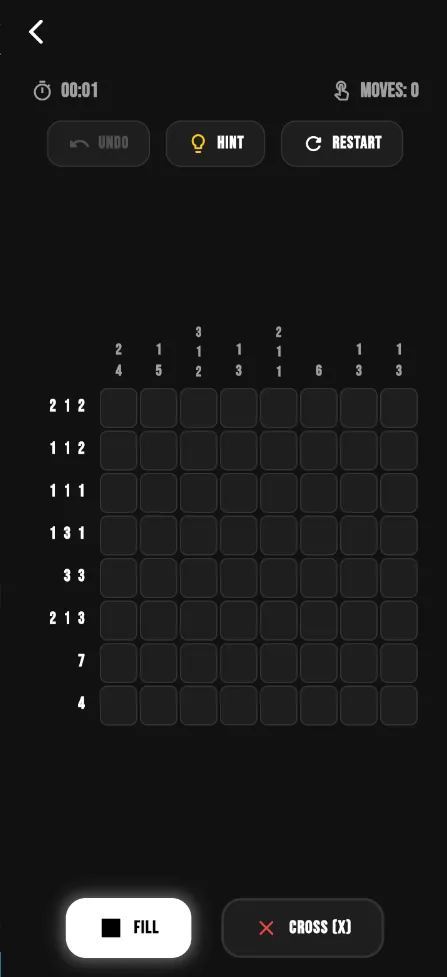
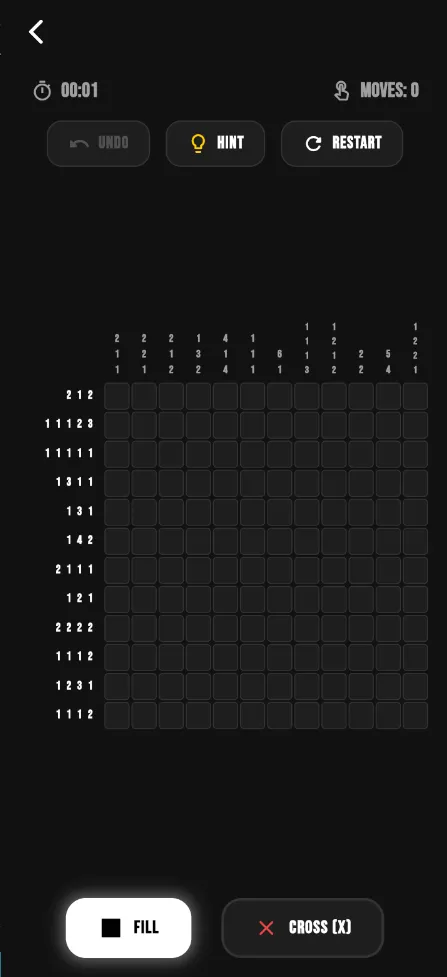
Nonogram is a free and open-source picture logic puzzle game for Android. You use the number clues along each row and column to decide which grid tiles to fill, and once every tile is right, a hidden pixel art image appears.
The game comes from developer Sidhant and is released under the GPL-3.0 license. It has no advertisements, no microtransactions and no tracking, and it works offline. The download is 8.5 MB, and the F-Droid build requests no special permissions.
Below you will find what the game offers, how the puzzles work if you have never played one, how to install the APK, and what the developer does and does not document. Everything is based on the project's description and the F-Droid release data.

What is Nonogram?
Nonogram is a dedicated app for one classic puzzle type. A nonogram is a grid with numbers printed beside each row and above each column. Those numbers describe runs of filled tiles in that line. A clue of "3 1" means that somewhere in the row there is a block of three filled tiles, then at least one empty tile, then a single filled tile. Solving the puzzle means working out every tile from these clues alone, with no guessing required on a well-made grid.
When the grid is complete, the filled tiles form a small picture. That reveal is the reward, and it is why the genre is often described as picture logic.
This app focuses on doing that one thing cleanly. The developer describes it as lightweight and user-friendly, with a clean, distraction-free environment meant for casual puzzle solving and brain training. It offers multiple grid sizes and difficulty levels, controls for both marking tiles and crossing them out, and offline play.
It is built by the same developer who makes a larger brain training collection, but this Nonogram app is a separate, standalone game with its own source code repository.
Key features of Nonogram
- Free and open source. The game is FOSS under the GPL-3.0-only license. The full code is public on GitHub, so anyone can read it, report problems or build it themselves. F-Droid compiles the APK you download here from that published source.
- No ads, no microtransactions, no tracking. The developer lists all three explicitly. You will not see banners between puzzles, you will not be asked to buy hints or extra levels, and the app does not track what you do.
- Picture logic puzzles. Every grid hides a pixel art image. You fill tiles using the number clues on each row and column, and the picture appears once the grid is solved correctly, giving each puzzle a clear finish.
- Multiple grid sizes. The game offers more than one grid size. Smaller grids are quick to solve and good for learning the rules, while larger grids take longer and require tracking more clues at once. Exact sizes are not listed in the description.
- Several difficulty levels. In addition to grid size, there are multiple difficulty levels. This lets you start easy while you learn the basic techniques and move up as you get faster at reading the clues.
- Marking and crossout controls. The controls let you both fill tiles and cross them out. Crossing out a tile you know is empty is an important part of solving, because it stops you from rechecking the same cell later.
- Offline play. The game supports offline play. You can solve puzzles on a flight, during a commute or anywhere without a connection, which matches the empty permission list in the F-Droid build.
- Clean, responsive UI. The interface is described as clean and responsive, with a distraction-free layout. The focus stays on the grid and its clues rather than on menus, pop-ups or rewards screens.

Nonogram permissions explained
The F-Droid build of Nonogram requests no special Android permissions. It does not ask for internet access, storage, location, camera, microphone or contacts.
That matches what the game needs. Puzzles are played locally on your phone, so there is nothing to download or upload while you play. On modern Android, sensitive permissions are requested at runtime with a pop-up the first time an app uses them. Because this game declares none, you should not see any permission prompt after installing it.
If a later release ever adds a permission, Android and F-Droid will show it to you before you update, so you can decide whether to continue.
How to download and install Nonogram APK
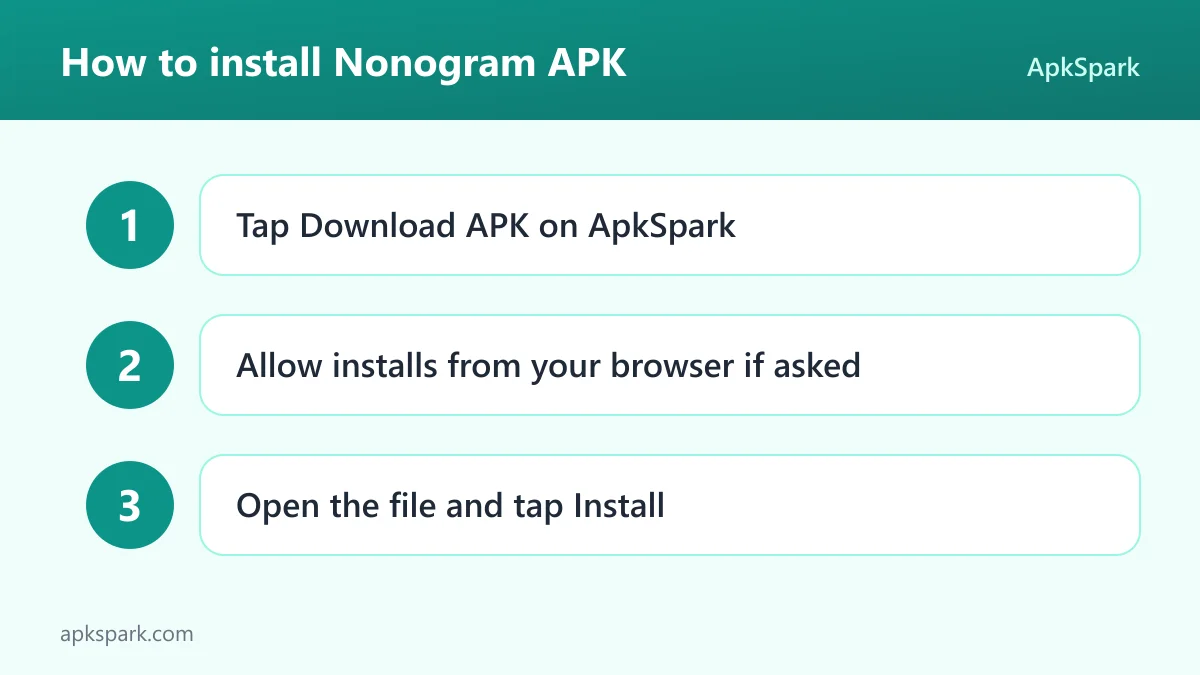
- Tap the Download button on this page to get the APK file.
- When Android asks, allow installs from your browser (the setting is often called "Install unknown apps").
- Open the downloaded file from your notifications or your Downloads folder.
- Tap Install and wait for it to finish.
- Open the app and pick your first puzzle.
If your phone blocks the install or you are new to sideloading, our guide to installing APK files walks through the settings on different Android versions and explains what common error messages mean.
Is Nonogram safe?
Nonogram is free software under the GPL-3.0-only license, and its source code is public on GitHub. Anyone can review the code, and bugs can be reported on the project's issue tracker.
The APK on this page comes from F-Droid. F-Droid builds this APK from the published source code and signs it with the F-Droid key, and the file is downloaded from the official f-droid.org repository. You can check the same release on the F-Droid listing for Nonogram.
F-Droid flags no anti-features for this game. Anti-features are F-Droid's warnings for things like ads, tracking or dependence on non-free services, and none apply here. That lines up with the developer's own statement of no ads, no microtransactions and no tracking.
With no permissions at all, including no network access, the game has very little reach beyond its own puzzles. As always, keeping Android itself updated is part of staying safe.
Nonogram system requirements
- Minimum Android version: Android 7.0 or newer.
- Download size: 8.5 MB.
- Supported ABIs: arm64-v8a only. Most modern phones use this architecture, but 32-bit ARM devices and x86 emulators are not supported by this build.
- Version: 1.0.9.
- Release date: October 27, 2026.
- RAM and free storage needed after install: not documented.
The 64-bit-only build is the one requirement worth checking. If your device is an older 32-bit phone, the installer will reject the file.
How a Nonogram puzzle works
If you have never solved one, the rules are simple, and the description's promise of multiple difficulty levels means you can start small.
Each row and column has a clue made of one or more numbers. Every number is a block of consecutive filled tiles, listed in order. Between two blocks there is always at least one empty tile. A row clue of "5" on a five-wide grid means the whole row is filled. A clue of "0", or an empty clue, means the whole row stays empty.
The first technique most players learn is overlap. In a ten-tile row with a clue of "7", the block of seven must cover the middle tiles no matter where it starts, so you can safely fill those. The second technique is crossing out. When a row's clue is already satisfied, every remaining tile in it is empty, and you mark those with a cross.
From there, solving a Nonogram is a back-and-forth between rows and columns. Each tile you fill or cross out in a row gives you new information about the column it sits in. The game's crossout control exists for exactly this reason: it lets you record what you know so you can focus on what is still open.
Techniques for harder Nonogram grids
Overlap and crossouts carry you through small grids, but larger sizes and higher difficulty levels usually need a few more ideas. None of these are app features; they are general solving methods that work in any Nonogram.
Edge logic. If a filled tile touches the edge of the grid, the first block in that line must start there. You can then fill the full length of that block and cross out the tile right after it.
Counting the gaps. Add up all the numbers in a clue, plus one empty tile between each pair of blocks. Subtract that total from the line length. The result tells you how far each block can slide. If the slack is small, many tiles can be filled straight away.
Splitting a line. A crossed-out tile divides a row into separate sections. A block that is too long to fit in a short section cannot be there, which often forces it into a specific place elsewhere in the line.
Completing a block. When you know a block is finished, cross out the tiles on both sides of it. This simple step is easy to forget but frequently unlocks the crossing columns.
Working from both ends. Try placing all blocks as far left as possible, then as far right as possible. Any tile filled by the same block in both versions is certain.
Practicing these on mid-sized grids makes the jump to the largest sizes much smoother, and the multiple difficulty levels in the game give you a natural way to step up.
A typical Nonogram session
A short session might start on a small grid at an easy difficulty. You scan the clues for big numbers, fill in the obvious overlaps, and cross out rows that are already done. Within a few minutes the picture starts to take shape, and the last tiles often fall into place quickly.
On a larger grid or a harder level, the same steps take longer and you spend more time switching between rows and columns. Because the app works offline and has a clean, distraction-free layout, it suits both a quick puzzle on a break and a longer sitting at home.
Documented limitations
The project description is short, so several details are not documented. It does not say how many puzzles are included, which grid sizes are available, or how the difficulty levels differ. It also does not mention hints, an undo button, progress saving, puzzle creation or color nonograms.
The build supports only arm64-v8a devices and needs Android 7.0 or newer. Features you may know from other puzzle apps should not be assumed to be present just because they are common in the genre. If you miss something after installing, the public issue tracker is the right place to request it. If any of these points matter to you, the source code and issue tracker are the best places to check the current state before you install.
Why choose a dedicated Nonogram app
Picture logic grids sometimes appear as one mode inside larger puzzle collections. A standalone app takes a different approach: everything on screen exists to support one puzzle type. The developer describes this Nonogram game as lightweight and distraction-free, and the 8.5 MB download reflects that focus.
A dedicated app also means the controls are designed around filling and crossing out tiles rather than adapted from another game. For players who solve many grids in a row, that difference matters more than a long list of extra modes.
Who should use Nonogram?
Nonogram is a good fit for anyone who already enjoys picture logic puzzles and wants a focused app for them without ads or in-app purchases. If you have played nonograms in puzzle books or on other devices, the rules will be familiar, and the multiple grid sizes and difficulty levels let you pick your level.
It also works for newcomers who like logic puzzles such as Sudoku and want something visual. The reveal of a pixel art image at the end makes each solved grid feel finished, and smaller grids make learning the techniques less intimidating.
Privacy-minded users get an app with no tracking, no permissions and public source code. People with patchy connectivity get a game that works fully offline. Players who want story modes, multiplayer or rewards systems will not find them described here.
Tips for getting started with Nonogram
- Begin with a small grid. Start on the smallest size and easiest difficulty to learn the logic before moving up. A small grid lets you see how row and column clues interact.
- Fill the largest clues first. Big numbers leave little room to move, so they usually give you guaranteed filled tiles through overlap. Look for them at the start of every Nonogram.
- Use crossouts freely. Mark every tile you know is empty. The crossout control saves you from rechecking the same cells and makes the remaining options easier to spot.
- Switch between rows and columns. After each new tile, check the crossing line. Progress in one direction almost always opens something in the other.
- Avoid guessing. Puzzles are designed to be solved from the clues. If you feel stuck, look again for a row or column where the clue is almost satisfied.
- Install before traveling. The game supports offline play, so download it on Wi-Fi and it will be ready on a plane or train.
Alternatives to Nonogram
We do not have a curated list of related games for this title yet. To compare it with other logic and picture puzzles, you can browse more Puzzle apps in our catalog. You can also see other games by the same author on the Sidhant developer page.
When you compare options, check the points this game is clear about: whether there are ads or in-app purchases, whether it works offline, what permissions it asks for, and whether its code is public.
Final verdict
Nonogram is a straightforward, honest take on picture logic puzzles. It offers multiple grid sizes and difficulty levels, controls for filling and crossing out tiles, offline play and a clean interface, without ads, microtransactions, tracking or permissions.
The game also respects your time and attention. There are no reward timers, no energy bars and no prompts to spend money, so a session ends when you decide it ends.
The trade-offs are a 64-bit-only build and a short description that leaves out details like puzzle count and hints. If you want a lightweight, open-source app focused on one classic puzzle type, it is worth the 8.5 MB.