


Notesnook is a note-taking app for Android that encrypts every note end to end by default. You write on your phone, the content is encrypted before it syncs, and the same notes are available on your other devices. The developer's pitch is simple: a notes app with the features people expect, without spying or tracking.
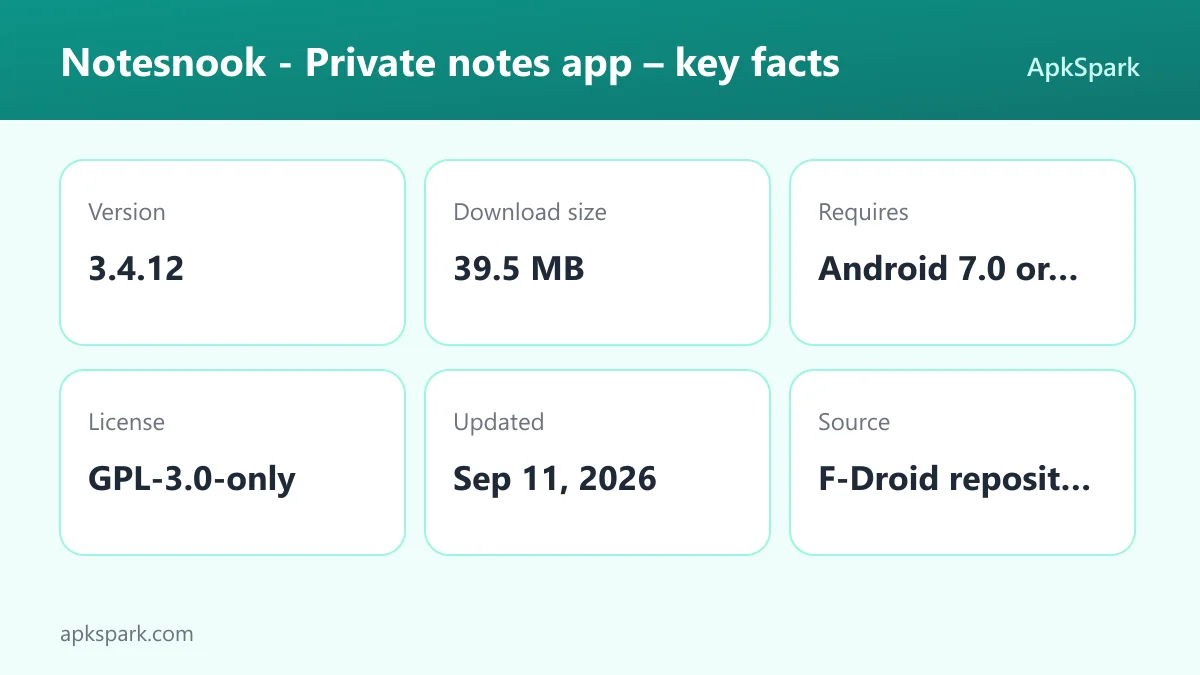
Notesnook is made by Streetwriters (Private) Limited and is licensed under GPL-3.0-only. The APK on this page is the F-Droid build, which is compiled from the published source code and signed with the F-Droid key.
This page explains what Notesnook does, which features the developer documents, what each of its many permissions means, how to install it, and who it suits. Everything here is based on the developer's description and the published build details.

What is Notesnook?
Notesnook is a general-purpose notes app with a rich editor, notebooks, tags, task lists and sync. Its main difference from a typical notes app is that privacy is the default rather than an option. The developer states that all notes are end-to-end encrypted by default and that the app has zero trackers or ads.
You can use Notesnook for quick ideas, long documents, shopping lists, task lists and outlines. The editor handles images, tables, embeds, file attachments, code blocks, and math and chemistry formulas, and it supports most markdown shortcuts. Notes work offline and sync when you are back online.
Notesnook is cross platform, so the same account gives you your notes on other devices. When you want to share something, a feature called Monographs publishes a note as a public link, and you can lock it with a password first. The source code is on GitHub, and the official website covers the other platforms.
Key features of Notesnook
- End-to-end encryption by default: Every note is encrypted end to end without you having to switch anything on. The developer positions this as the core of the app, describing it as a notes app with no spying or tracking and with zero trackers or ads.
- Rich editor: Notes can be plain or detailed. The editor supports images, tables, embeds, videos and file attachments, along with task lists and outline lists. You can also personalize the editing toolbar so the tools you use most are within reach.
- Markdown, code and formulas: The editor supports most markdown shortcuts, so you can type a heading or list marker and keep writing. Code blocks support all programming languages, and full math and chemistry formula support covers students and technical users.
- Notebooks and topics: Create multiple notebooks and organize notes and task lists inside them by topic. You can create shortcuts to notebooks you open often, which keeps frequently used projects one tap away.
- Colors and tags: Give notes a color and add tags so related ideas are easy to find together. Colored notes also appear in the side menu, which works as a quick filter when you have a large collection.
- Todo lists and shopping lists: Use the app for day-to-day tasks, shopping lists and outlines as well as longer notes. The developer mentions sharing lists with friends, family or colleagues as one of the intended uses.
- Monographs for sharing: Publish a note as a public link anyone can open. Before sharing, you can lock an important note with a password, so only people who know it can read the content behind the link.
- Offline support with sync: Write without an internet connection and Notesnook syncs your notes once you are online again. This makes it usable on flights, in basements or anywhere the signal drops.
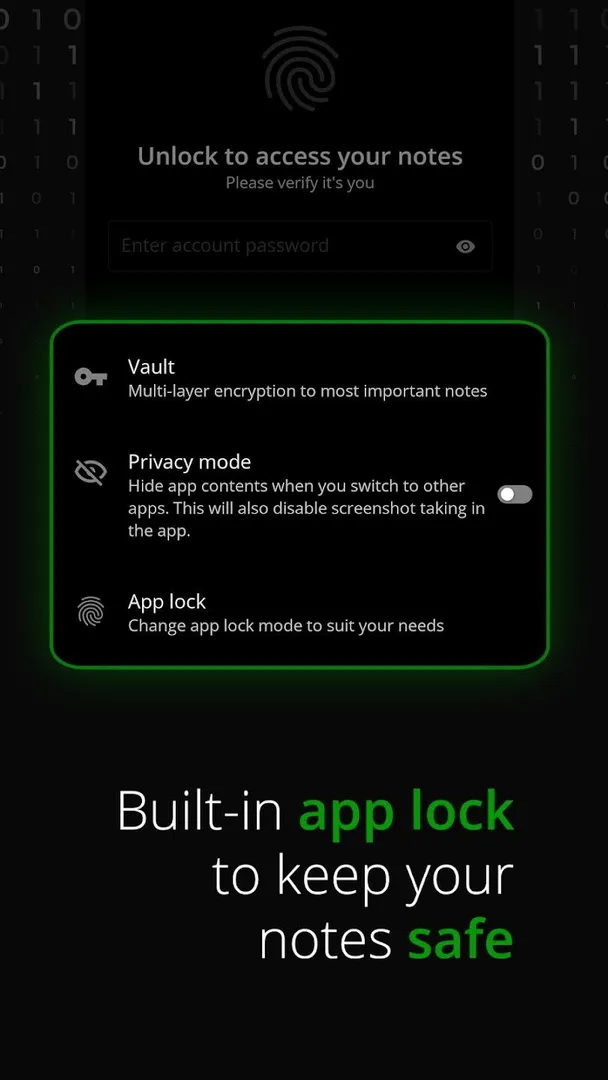
- Privacy lock and note passwords: Lock the whole app with a privacy lock so nobody can open it, even if your phone is left unlocked. Individual notes can also be locked with a password for an extra layer.
- Export, history and search: Export notes as PDF, HTML, markdown or plain text under what the developer calls a zero lock-in policy. Notes history keeps earlier versions of written notes, and a search feature helps you find content across your collection.
Notesnook permissions explained
Notesnook declares a long list of permissions. On modern Android, the sensitive ones, here the camera and drawing over other apps, require your approval at runtime or through a settings screen, and you can refuse them. Here is what each permission declared by Notesnook means.
- Internet access: Lets the app connect to the internet. Syncing notes across devices and publishing Monographs both need it.
- Draw over other apps: Lets the app show windows on top of other apps. This is a sensitive permission, and the description does not say which feature uses it.
- Fingerprint: Lets the app use the fingerprint sensor to confirm actions. The description mentions a privacy lock for the app but does not state how it is unlocked.
- Biometrics: Lets the app use fingerprint or face unlock to confirm actions. This is the newer form of the fingerprint permission above.
- Run in the foreground: Lets the app keep a visible notification while it works in the background, so a long task is not stopped halfway.
- Prevent sleep: Keeps the device awake while a task runs, such as a download.
- Control vibration: Lets the app make the device vibrate. The description does not say which feature uses it.
- Run at startup: Lets the app start itself after the device boots. The description does not explain which feature relies on this.
- Download without notification: A technical permission that allows downloads without showing a system notification. Its purpose is not documented.
- Camera: Lets the app take photos and record video. Notes can contain images, but the description does not say the camera is used for this.
- Special foreground service: Lets the app run a foreground service for a special purpose, which Android requires apps to declare.
- Show notifications: Lets the app show notifications. On Android 13 and newer, you are asked first.
- View network connections: Lets the app check whether the device is online and which type of network is in use, which fits syncing when you come back online.
- Exact alarms: Lets the app schedule alarms at an exact time. The description does not document a reminder feature that would use it.
- Broadcast close system dialogs: A technical permission related to closing system dialogs. Its use is not documented.
- Do Not Disturb access: Lets the app read and change Do Not Disturb settings. The description does not explain why.
- View Wi-Fi connections: Lets the app read information about Wi-Fi networks.
- Detect screen recording: A technical permission that lets the app know when the screen is being recorded. The description does not say how it is used, though it fits an app focused on keeping notes private.
Many of these entries are not explained by the developer. If any of them concern you, deny the runtime prompts you do not need and check the source code for details.

How to download and install Notesnook APK
- Tap the Download button on this page.
- When Android asks, allow installs from your browser.
- Open the downloaded APK file.
- Tap Install.
- Open the app.
If Android blocks the file or this is your first sideloaded app, our guide to installing APK files walks through each prompt and the setting behind it. When the app opens, create or sign in to an account if you want sync, or start writing right away.
To update, download the newer build from this page and install it over the existing app. Because the F-Droid build is signed with the F-Droid key, updates from the same source keep your data. Switching to a build signed by a different key usually requires removing the app first, so export your notes or confirm they are synced before you do.

A typical day with Notesnook
Here is how the documented features fit together. In the morning you open Notesnook and check a pinned notebook for today's tasks, ticking off items in a task list. During a meeting you start a new note, type a heading with a markdown shortcut, paste a code snippet into a code block, and attach a file.
Later you add a shopping list and color it so it shows up in the side menu. You are offline on the commute, but the note saves anyway and syncs when you reconnect. In the evening you want to share a draft with a friend, so you publish it as a Monograph and lock it with a password you send separately. Before bed, the privacy lock keeps the app closed if someone else picks up your phone.
Is Notesnook safe?
Notesnook is licensed under GPL-3.0-only, and its code is public, so anyone can review it, build it, or report problems on the issue tracker.
The APK on this page comes from F-Droid. F-Droid builds this APK from the published source code and signs it with the F-Droid key. The file is downloaded from the official f-droid.org repository. You can compare package details on the F-Droid listing for Notesnook.
The F-Droid listing data for this build flags no anti-features, so there are no labels for ads, tracking or non-free dependencies. That lines up with the developer's own statement of zero trackers or ads. One section of the Play-style description still says the team was working on open sourcing all clients as of August 2022. The license and public repository listed for this build show that the Android app's code is published.
End-to-end encryption means notes are encrypted on your device before they are sent for sync, and only your devices hold the keys to read them. The service that stores the data cannot read the content. This protects you if a server is breached, but it also means a forgotten password can be hard to recover from, so store your login details carefully.
Notesnook system requirements
- Minimum Android version: Android 7.0 or newer.
- Download size: 39.5 MB.
- Supported ABIs: arm64-v8a. This covers most current 64-bit phones and tablets, but this build will not install on 32-bit-only or x86 devices.
- Version: 3.4.12.
- Release date: September 11, 2026.
RAM and free storage needs after installation are not documented. Notes with many images, videos and attachments will take more space than plain text, so keep that in mind on phones with little storage. Sync needs an internet connection, but writing and reading notes do not, so a slow or metered network is not a blocker for everyday use.
Who should use Notesnook?
Notesnook suits people who want a full-featured notes app and do not want the service behind it to be able to read their notes. Encryption is on by default, so you do not have to configure anything to get that protection. Journal writers, people keeping health or financial notes, and anyone who stores sensitive work material are the obvious audience.
Notesnook also fits students and technical users. Math and chemistry formulas, code blocks for all programming languages, and markdown shortcuts cover a lot of study and engineering notes. Notebooks with topics and shortcuts help keep a semester or a project in order.
If you mainly need quick lists and short reminders, Notesnook may be more than you need, and the arm64-only build rules out older 32-bit devices. Anyone who shares notes publicly often will find Monographs useful, especially with password locking.
Tips for getting started with Notesnook
- Set up notebooks first: Create a few notebooks for your main areas, such as work, study and personal, and add topics inside them. Add shortcuts for the ones you open daily.
- Learn the markdown shortcuts: Most markdown shortcuts work in the Notesnook editor, so you can type list markers and heading symbols instead of reaching for the toolbar.
- Use colors as filters: Colored notes appear in the side menu. Pick one color for urgent items and use it consistently, and personalize the editing toolbar so the tools you reach for most are up front.
- Turn on the privacy lock: Enable the app lock so your notes stay closed even if your phone is unlocked and in someone else's hands.
- Try notes history: If you overwrite a paragraph by mistake, open the history for that note and look for an earlier version before you rewrite it from memory. It is worth knowing where this lives before you need it.
- Export a backup copy: Use the export option to save important notes as markdown or PDF now and then. It costs little and keeps you independent of any single device.
Documented limitations of Notesnook
A few gaps are worth knowing before you commit. This build supports only arm64-v8a, so it will not install on older 32-bit phones or x86 devices. The description does not mention a reminder or alarm feature, even though the app declares the exact alarms permission, so do not count on scheduled reminders until you have checked inside the app.
Notesnook documents sync across devices but does not state on this page which other platforms are available or how accounts work in detail. The official website is the place to check that. Several permissions, including drawing over other apps and Do Not Disturb access, have no documented purpose.
Finally, the description is written in a promotional style, with phrases such as a life changing notes app and 100% private. Treat those as the developer's claims. What the facts do confirm is the open source license, the F-Droid build from public code and the absence of flagged anti-features.
Alternatives to Notesnook
We do not list direct alternatives for this app yet. To compare it with other note-taking and organization tools, browse more Productivity apps in our catalog. You can also see other apps by Streetwriters (Private) Limited on the developer page.
When comparing other apps with Notesnook, check two things first: whether encryption is end to end and on by default, and how easy it is to export your notes. Those are the points this app documents most clearly.
Final verdict
Notesnook combines a capable editor, notebooks, tags, task lists and offline sync with end-to-end encryption that is on by default. Export to PDF, HTML, markdown and plain text means you are not locked in.
Install Notesnook if you want private notes without giving up rich formatting. The long permission list deserves a look, and several entries are not explained. On the other side, the F-Droid build is compiled from public source and flags no anti-features. It works best for people who will use the editor and notebooks every day and want their writing kept private by default.