

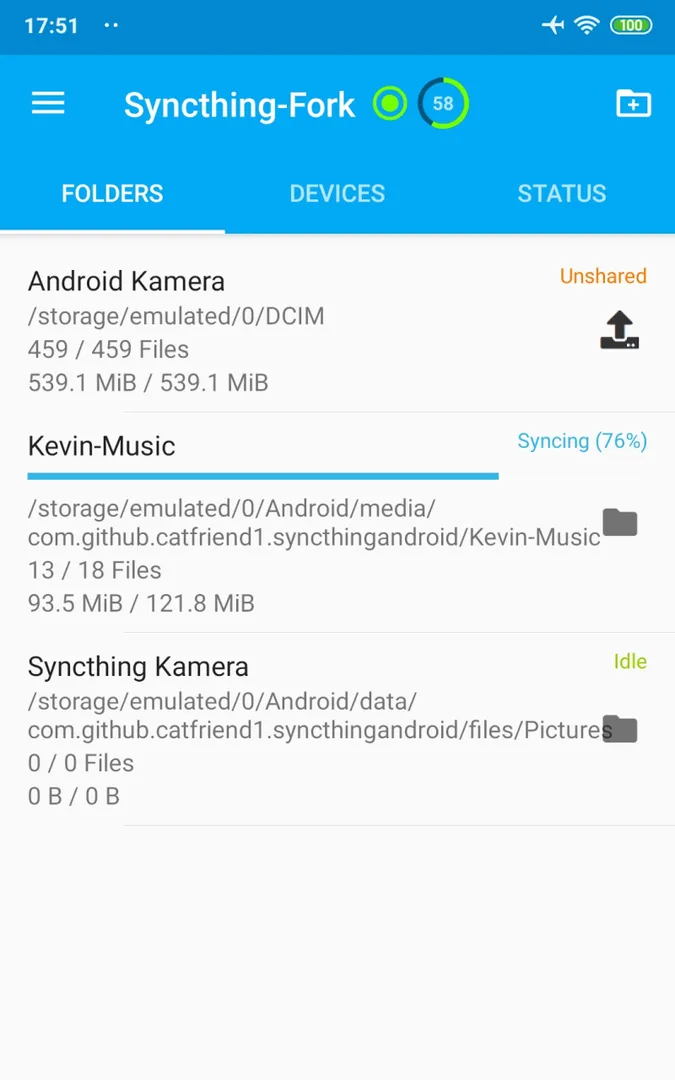

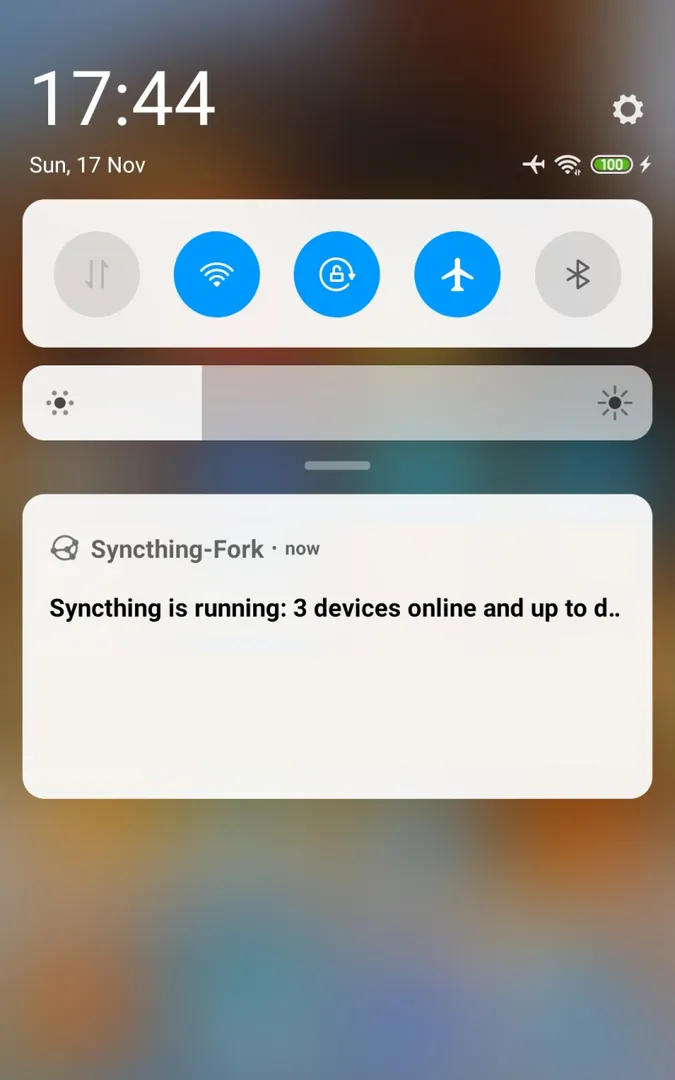


Syncthing-Fork is an Android wrapper for Syncthing, the open and decentralized file synchronization program, with a native Android interface in place of Syncthing's built-in Web UI. It keeps folders in sync directly between your own devices, without a cloud account or a central server in the middle.
The project is a fork of the Syncthing-Android wrapper. It adds clearer sync progress, per-device and per-folder sync conditions, an hourly sync mode to save battery, a recent changes list and two-way sync on external SD cards since Android 11.
This page explains what the app does, what changed compared with the original wrapper, what every permission is for, how to install the APK, what the F-Droid build means for trust and how to set up a first folder.
What is Syncthing-Fork?
Syncthing itself is a file synchronization program. It replaces proprietary sync and cloud services with something open, trustworthy and decentralized. Your devices talk to each other and copy changes between shared folders. As the project puts it, your data is your data alone, and you choose where it is stored, whether it is shared with any third party and how it is transmitted over the internet.
Syncthing-Fork runs Syncthing on Android and wraps it in an Android user interface. Instead of opening a web page in a browser to manage folders and devices, you use regular Android screens. The fork is maintained by researchxxl and released under the MPL-2.0 license.
Syncthing-Fork started as a fork of the Syncthing-Android wrapper and focuses on day-to-day use on a phone: seeing what is syncing, controlling when it syncs, and keeping battery use down. The description says the "battery eater" problem is fixed and that the UI explains why Syncthing is running or not, two things that matter a lot on a device that sleeps most of the day.
The project asks users to look for help on the forum or social media first before opening issues on the tracker, and it has a wiki with an FAQ and articles on known problems. Confirmed bugs go to the issue tracker, and the releases page shows what each version changed. Translation of the interface is a community effort, and the project invites help with it.
It helps to be clear about what a wrapper does. The sync work itself, finding devices, comparing files and transferring changes, is done by Syncthing. Syncthing-Fork is the Android layer around it: it starts and stops Syncthing, decides when it may run based on your conditions, and gives you Android screens for folders, devices and progress. That is why the description talks about battery use, status messages and configuration rather than about sync protocols.
Key features of Syncthing-Fork
- Readable sync progress: Folder, device and overall sync progress can be read off the interface at a glance. You do not have to dig into logs or a web page to see whether a folder is up to date or how far a transfer has come.
- Sync every hour: An hourly sync option lets Syncthing run on a schedule instead of all the time. The description presents this as a way to save even more battery, useful for folders that do not need changes copied within seconds.
- Per-device and per-folder sync conditions: Individual sync conditions can be applied to each device and to each folder. Instead of one global rule, you can treat a photo folder differently from a documents folder, or one computer differently from another.
- Recent changes view: A recent changes screen in Syncthing-Fork lists files that changed during sync, and you can tap an entry to open the file. This makes it easy to check what just arrived from another device.
- Edit config while stopped: Changes to folder and device configuration can be made whether Syncthing is running or not. You can adjust a folder path or a device setting without waiting for the sync engine to start first.
- Clear running status: The interface explains why Syncthing is running or not at any moment. When sync conditions pause it, you can see the reason instead of guessing whether something is broken.
- Battery fix and local discovery: The description states that the "battery eater" problem is fixed. You can also discover other Syncthing devices on the same network and add them easily, which saves typing long device IDs.
- External SD card support: Two-way synchronization on an external SD card is supported since Android 11. Files on the card can be both read and written by sync, not only copied off it.
Syncthing-Fork permissions explained
Here is every permission the APK declares. On Android 6.0 and newer, sensitive permissions such as storage, location and camera are requested at runtime. All files access is granted on a separate system settings screen.
- Write storage: Saves and modifies files in shared storage. This is sensitive and is needed to write synced files into your folders.
- Internet access: Connects to the internet so devices can sync with each other on the local network or over the internet.
- View network connections: Checks whether the device is online and which network type is in use, which fits the per-device and per-folder sync conditions.
- View Wi-Fi connections: Reads information about Wi-Fi networks.
- Run at startup: Starts Syncthing-Fork after the device boots so sync can resume without opening it.
- Read sync settings: Reads account sync settings on the device.
- Ignore battery optimizations: Asks to be excluded from battery optimization so Android does not stop sync in the background. You can decline it.
- Approximate location: Reads the device's approximate location. This is sensitive. The description does not say which feature uses it.
- Precise location: Reads the device's precise GPS location. This is sensitive and is not explained in the description.
- Background location: Reads location while the app is not open. This is sensitive and is not explained in the description either. You can decline location requests and check whether the features you use still work.
- Run in the foreground: Keeps a visible notification while Syncthing works in the background.
- Special foreground service: Runs a foreground service for a special purpose, which fits a sync engine that must keep running.
- Camera: Takes photos and records video. This is sensitive. The description does not say which feature uses it.
- All files access: Manages all files on device storage. This is sensitive. The project wiki has an article on all files access and SD card write access, which ties it to syncing folders anywhere on storage and on the SD card.
- Change wifi multicast state: Grants the "change wifi multicast state" permission, which relates to the network and fits discovery of devices on the same network.
- Show notifications: Shows notifications. Android 13 and newer ask first.
- Interact across users: Grants the "interact across users" permission.
- Access local network: Grants the "access local network" permission, which fits syncing with devices on your local network.
- Read storage: Reads files in shared storage. This is sensitive and is needed to read the files you sync.

How to download and install Syncthing-Fork APK
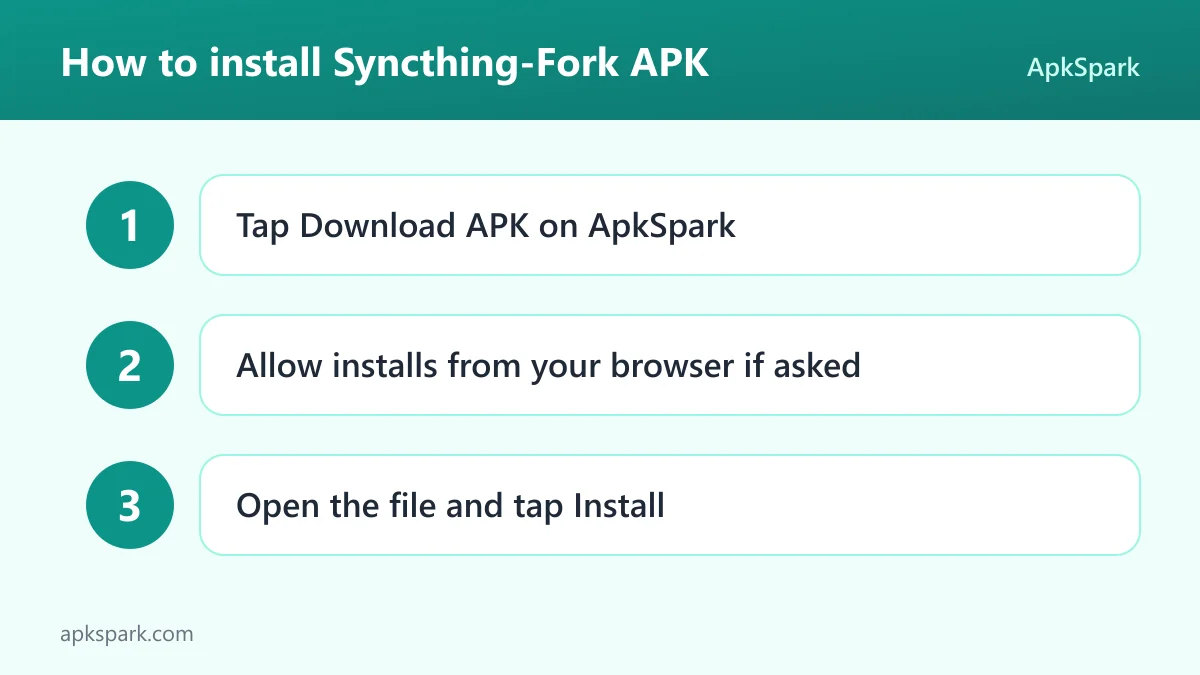
- Tap the Download button on this page to get the APK.
- When Android asks, allow installs from your browser.
- Open the downloaded file from your notifications or the Downloads folder.
- Tap Install and wait for the confirmation.
- Open the app and grant the storage access it asks for.
If the install is blocked or you have never installed an APK by hand, read our guide to installing APK files. It covers the settings for each Android version and common install errors.
Is Syncthing-Fork safe?
Syncthing-Fork is open source under the MPL-2.0 license. The code is public in the Syncthing-Fork source code repository on GitHub, so anyone can check how the wrapper starts Syncthing, handles storage and uses its permissions.
The APK on this page is the F-Droid build. F-Droid builds this APK from the published source code and signs it with the F-Droid key, and the file is downloaded from the official f-droid.org repository. You can compare details on the F-Droid listing. F-Droid lists no anti-features for this app.
The model behind Syncthing also matters for safety. Data goes from one of your devices to another, not to a company server, and you choose which devices may connect and which folders they share. Only add devices you control or trust, since a shared folder gives that device a copy of your files.
Because F-Droid signs this APK, updates must come from F-Droid builds too. To switch to a build signed by the developer, you would need to uninstall first, so note your device and folder settings before you do.
Syncthing-Fork system requirements
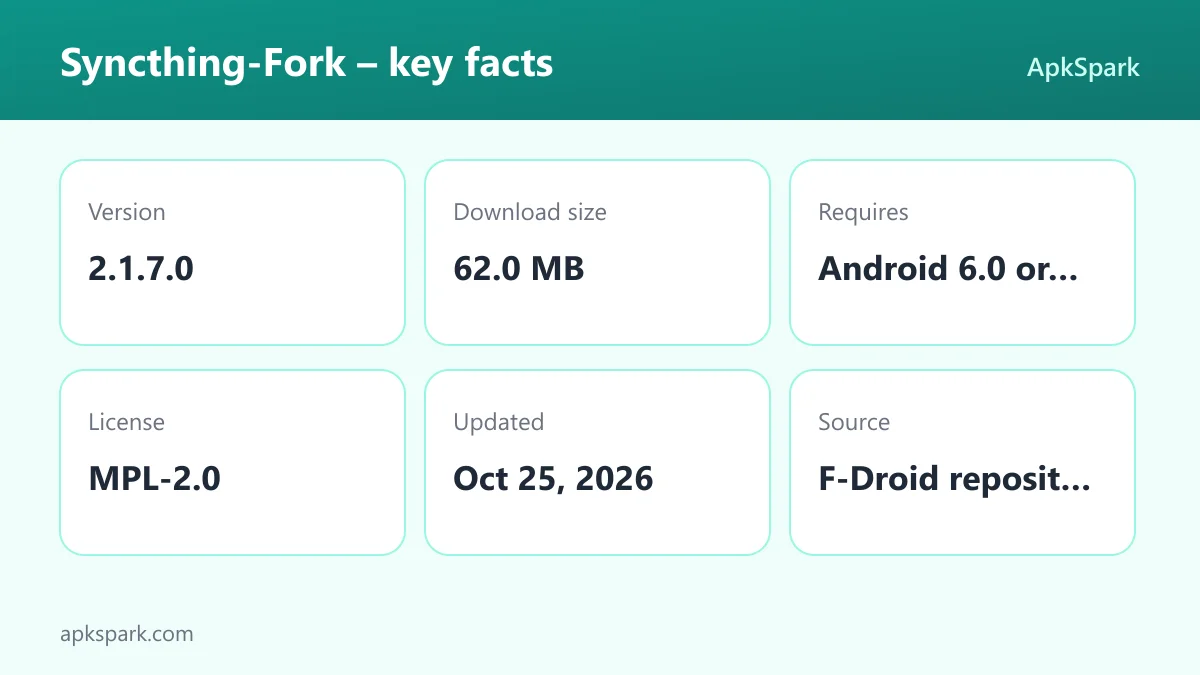
- Minimum Android version: Android 6.0.
- Download size: 62.0 MB.
- Supported ABIs: arm64-v8a, armeabi-v7a, x86 and x86_64.
- Version: 2.1.7.0.
- Release date: October 25, 2026.
Syncthing-Fork runs on Android 6.0 and up, but two-way sync on an external SD card needs Android 11 or newer. You also need at least one other device running Syncthing to sync with, such as a computer or another phone.
Setting up a first folder in Syncthing-Fork
Install Syncthing on the other device you want to sync with, for example a desktop computer. Then open Syncthing-Fork on the phone and grant storage access when asked. If both devices are on the same network, use the discovery feature to find the computer and add it, which avoids typing its device ID. Accept the connection on the other side.
Next, share a folder. Pick a folder in Syncthing-Fork, such as your camera folder or a documents folder, and choose which device it syncs with. Accept the share on the computer and choose where it should land. Watch the folder and device progress on the main screen until both sides show they are up to date.
Finally, decide when the folder should sync. Set sync conditions for that folder or device, or turn on "Sync every hour" if you do not need instant updates. Check the recent changes list to confirm that new files arrive, and tap one to open it.
Battery use and sync control in Syncthing-Fork
A sync engine that runs all the time can drain a phone, and this is the problem Syncthing-Fork spends the most effort on. The description says the "battery eater" problem is fixed. On top of that, you get tools to decide when Syncthing should run at all.
Sync conditions are the main tool. Instead of one switch for the whole app, you can apply individual conditions to each device and each folder. A large camera folder can follow stricter rules than a small notes folder. A desktop at home can be treated differently from a laptop you carry around. The description does not list every condition type, so check the settings screens to see which ones fit your setup.
"Sync every hour" goes further. Syncthing then runs on an hourly schedule instead of staying active, which the project presents as a way to save even more battery. It suits folders where a delay of up to an hour does not matter, such as photo backups to a home computer.
The interface also explains why Syncthing is running or not at any moment. That matters with conditions and schedules in place, because a paused sync no longer looks like a broken one. If you want sync to keep working while the phone sleeps, grant the battery optimization exception the app asks for.
Devices, folders and the recent changes list
Every sync setup in Syncthing-Fork comes down to two things: devices and folders. A device is another machine running Syncthing. A folder is a directory you share with one or more of those devices. Both are managed from Android screens, and the configuration can be changed even when Syncthing is not running.
Adding devices is easier on a shared network, since the app can discover other Syncthing devices nearby and add them. Once a folder is shared, progress is shown per folder, per device and overall, so you can see whether a large transfer is still running.
The recent changes list closes the loop. It shows files that changed through sync, and tapping one opens it. This is a quick way to confirm that a document edited on a computer has reached the phone.
Who should use Syncthing-Fork?
Syncthing-Fork suits people who want to keep files in sync between their own devices without a cloud service. Photos from the phone to a home computer, notes between a laptop and a tablet, or a music folder copied from a desktop to a phone are typical cases. The data never has to sit on a third-party server.
Syncthing-Fork is also aimed at people who already use Syncthing and want a better Android experience. Clear progress, per-folder and per-device conditions, the hourly sync mode and the "battery eater" fix address problems that phone users run into with a sync engine running all the time.
People with phones that use an external SD card benefit too, as two-way sync on the card is supported since Android 11. If you only want an occasional one-way backup to a commercial cloud, a simpler app may fit better.
Some comfort with the basics helps. You will deal with device IDs, shared folders and accepting shares on the other side. Syncthing-Fork keeps those steps on Android screens and explains its running state, but you still set up Syncthing on each computer yourself.
Tips for getting started with Syncthing-Fork
- Use local discovery: When the other device is on the same network, discover and add it from the app instead of typing the long device ID by hand.
- Start with one folder: Share a single small folder first, confirm it syncs both ways, then add larger ones like your camera folder.
- Set conditions per folder: Use the individual sync conditions so heavy folders only sync when you want, while small ones stay current.
- Try hourly sync: For folders that do not need instant updates, turn on "Sync every hour" to save more battery.
- Allow the battery exception: Grant the request to ignore battery optimizations if syncs stop when the phone sleeps.
- Read the wiki for SD cards: If you sync to an external SD card, follow the wiki article on all files access and SD card write access.
Documented limitations of Syncthing-Fork
Syncthing-Fork needs another Syncthing device to be useful. On its own it has nothing to sync with. Two-way SD card sync depends on Android 11 or newer, and the project keeps a known-bug workarounds section in its wiki about SD card write access.
Several declared permissions, including location, background location and camera, are not explained in the description. You can deny them and see whether the features you rely on still work. The project also asks for help requests on the forum or social media first, so the issue tracker is for confirmed bugs.
The download is fairly large at 62.0 MB, so download it over Wi-Fi if your data plan is small, and make sure the phone has space left for the folders you plan to sync. Sync over mobile data also uses your data plan, so set conditions for large folders if your plan is limited. Finally, sync is not the same as backup: if a file is deleted or damaged on one device, that change can reach the others too, so keep a separate backup of anything important.
Alternatives to Syncthing-Fork
ApkSpark does not list related apps for this one yet. To compare file managers and other storage tools, browse more System & Files apps.
Final verdict
Syncthing-Fork brings Syncthing to Android with a native interface and fixes that matter on a phone: readable progress, per-device and per-folder conditions, hourly sync, a recent changes list, local device discovery and SD card support since Android 11.
Syncthing-Fork is open source under MPL-2.0, built and signed by F-Droid, and has no listed anti-features. If you want private, decentralized file sync between devices you own, it is a solid way to run Syncthing on Android.