
Acode IDE is an open-source code editor and web IDE for Android that lets you edit projects, manage files, run a Linux terminal and work with Git and SSH from a phone or tablet. It is built for people who want to write and test code on Android without a laptop, and it can be extended with community plugins from an in-app Plugin Store.
This page covers the F-Droid build, version 1.13.2, released on September 7, 2026. That build is compiled from the published source code and signed with the F-Droid key. The sections below explain what the editor does, what each of its ten permissions is for, how to install it, and where its documented limits are.
The app is released under the MIT license and is developed by Foxdebug (Ajit Kumar). It sits in the Developer Tools category on ApkSpark.

What is Acode IDE?
Acode IDE combines three things that usually live in separate apps: a code editor, a file manager and a terminal. The editor handles syntax highlighting for more than 100 programming languages, multi-file editing with tabs and a command palette. The file side covers local projects as well as FTP and SFTP. The terminal is an Alpine Linux environment powered by proot, and it does not need root access.
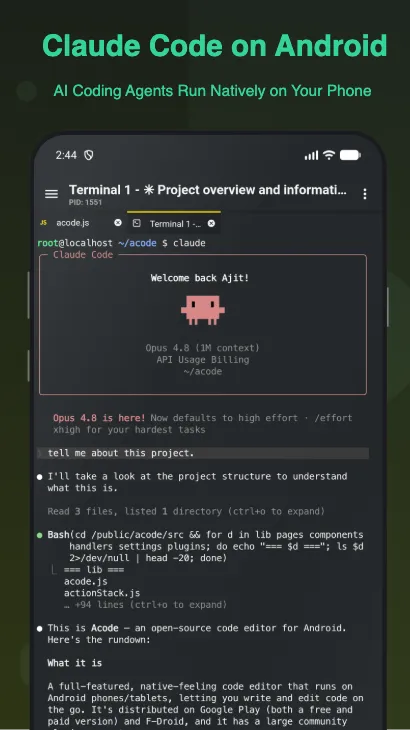
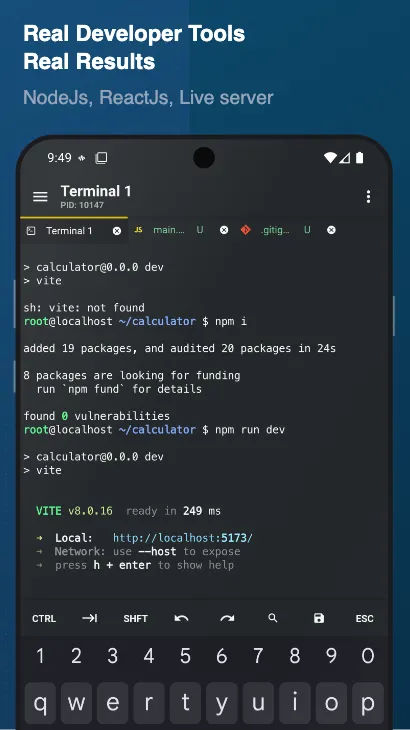
The terminal is what turns Acode IDE from a text editor into something closer to a development environment. You can use the apk package manager to install supported command-line packages, keep several terminal tabs open, customize your shell, and back up or restore your terminal setup. On top of that, you can set up Node.js and npm, run package scripts and build APIs with server-side JavaScript.
Web development is a clear focus. Acode IDE can preview HTML and Markdown live, offers Emmet for fast HTML and CSS writing, and includes an interactive JavaScript console for debugging. Git workflows, SSH access and GitHub integration let you pull a project down, change it and push it back without leaving the app.
The plugin system fills the remaining gaps. Language servers add code completion and IntelliSense, and other plugins bring themes, icon packs, build tools, formatters, framework support and AI-assisted coding tools. Plugins themselves can be written in JavaScript or TypeScript.
Key features of Acode IDE
Alpine Linux terminal without root: The built-in terminal runs Alpine Linux through proot, so no root access is needed. You can install supported command-line packages with apk, open multiple terminal tabs, customize your shell and back up or restore the whole terminal setup.
Code editor for 100+ languages: Syntax highlighting covers more than 100 programming languages. Multi-file editing with tabs, keyboard shortcuts for common actions, customizable themes and fonts, and smooth editing for large files make it usable for real projects rather than quick notes.
Command palette and project search: A command palette opens with Ctrl+Shift+P and file search across projects opens with Ctrl+P. These shortcuts are especially useful with a hardware keyboard attached to a tablet or phone.
Code completion through LSP plugins: Code completion and IntelliSense are provided through Language Server Protocol plugins from the Plugin Store. You install the language server for the language you work in, rather than having every language bundled into the base app.
JavaScript and Node.js development: You can set up mobile web projects with Node.js and npm, run package scripts, build APIs with server-side JavaScript and test front-end projects. An interactive JavaScript console helps with debugging.
Live HTML and Markdown preview: HTML and Markdown files can be previewed live inside the app. Emmet support speeds up writing HTML and CSS, which makes the editor practical for small websites, documentation and landing pages.
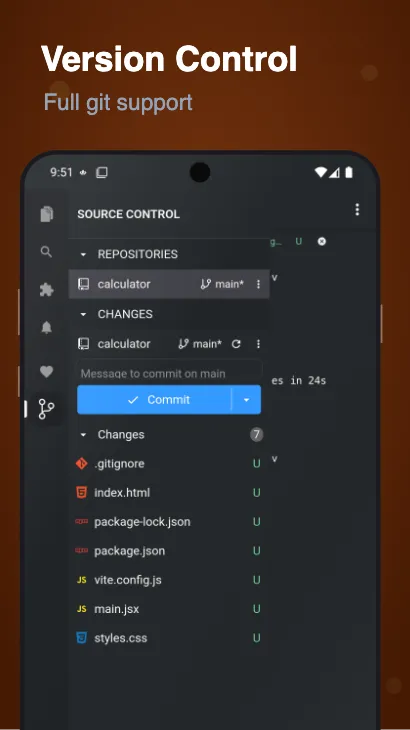
Git, SSH, FTP and SFTP: Git workflows include clone, commit, push, pull and branch management, with GitHub integration for project sync. SSH access supports remote server work, and FTP and SFTP let you manage files on a server directly.
Community Plugin Store: The in-app Plugin Store offers language servers, themes, icon packs, AI-assisted coding tools, build tools, formatters and framework support for modern web development. You can also develop your own plugins in JavaScript or TypeScript.
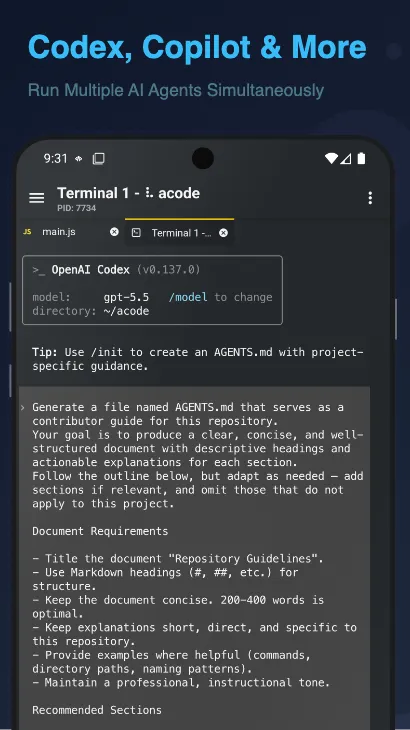
AI coding support where available: Through the terminal and plugins, AI-assisted tools can generate code, review errors, refactor files and explain code. The description says this works where supported, so availability depends on the tools and plugins you add.

Acode IDE permissions explained
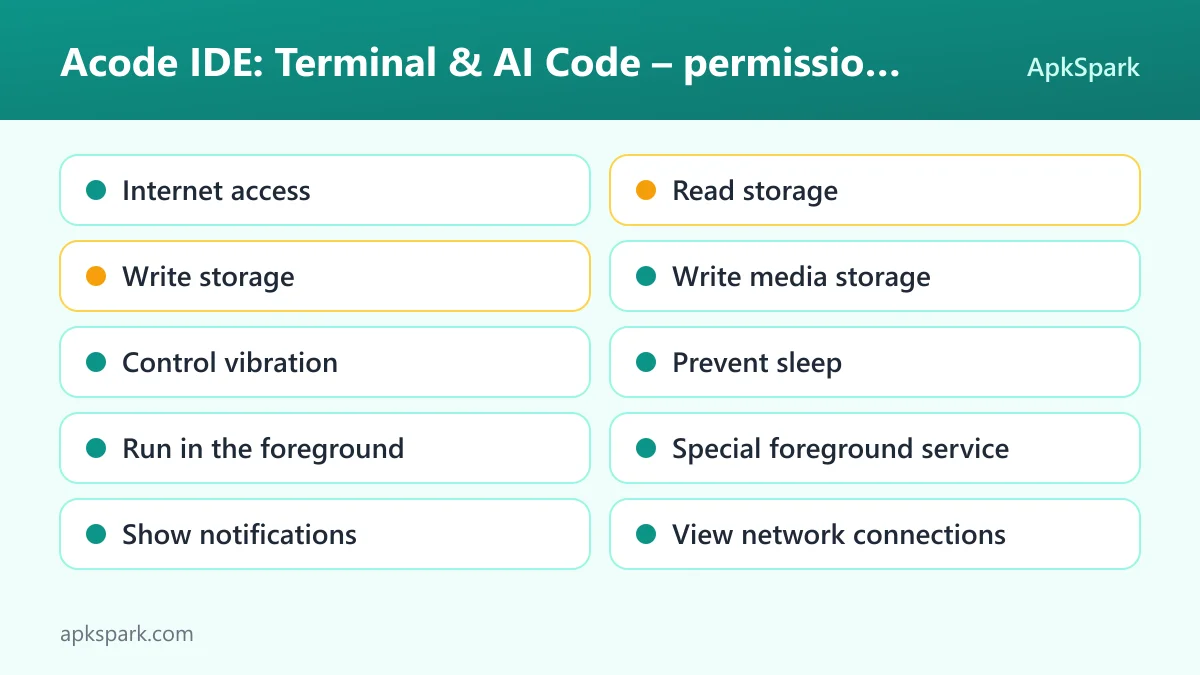
Acode IDE requests ten permissions. Two of them, read storage and write storage, are classed as sensitive. On modern Android, sensitive permissions are requested at runtime, so you see a prompt and can decline. The rest are normal permissions that Android grants at install time.
Internet access: Lets the app connect to the internet. Features such as Git push and pull, SSH, FTP and SFTP, GitHub sync, the Plugin Store and npm package installs all need a network connection.
Read storage: Lets the app read files in shared storage. A code editor needs this to open project folders and files you keep outside the app's private directory.
Write storage: Lets the app save and modify files in shared storage. This is what allows you to edit and save files in project folders on your device.
Write media storage: The app declares the "write media storage" permission. The facts do not explain which feature relies on it.
Control vibration: Lets the app make the device vibrate. The facts do not tie it to a specific feature.
Prevent sleep: Lets the app keep the device awake while a task runs. The facts do not say which task uses it in this app.
Run in the foreground: Lets the app keep a visible notification while it works in the background. Android requires that notification whenever an app runs a foreground service.
Special foreground service: Lets the app run a foreground service for a special purpose. The facts do not document which feature declares it.
Show notifications: Lets the app show notifications. On Android 13 and newer you are asked first, and declining may hide the foreground service notification.
View network connections: Lets the app check whether the device is online and which network type is used, such as Wi-Fi or mobile data.
If you only plan to edit files inside the app's own storage, you can refuse the storage prompts and see how far that gets you. Granting them is necessary if your projects live in shared folders such as Documents or Download.
How to download and install Acode IDE APK
- Tap the Download button on this page.
- When Android asks, allow installs from your browser.
- Open the downloaded file.
- Tap Install.
- Open the app.
If you have not sideloaded an app before, our guide to installing APK files explains each step in more detail, including the permission prompt for installing unknown apps. The download is 16.8 MB. After the first launch, the developer's own getting-started steps apply: open the terminal and complete the one-time setup, then install the packages and plugins you need.
This Acode IDE APK is signed with the F-Droid key. If you already have a copy from another store, Android may refuse to install this one over it because the signatures differ. Uninstalling the old copy first works, but it can delete app data, so back up your terminal setup and any projects stored inside the app before you do.

Is Acode IDE safe?
According to the facts available, Acode IDE is free and open source under the MIT license, a permissive open-source license. The source code is published on GitHub, so anyone can inspect what the editor does.
The APK on this page comes from F-Droid. F-Droid builds this APK from the published source code and signs it with the F-Droid key, and the file is downloaded from the official f-droid.org repository. You can compare details on the F-Droid listing.
The F-Droid listing data for this package shows no anti-features. The developer's store description does state that the free version contains ads and that a Pro version is available with ad removal and premium themes, with in-app purchases that may vary by region. Whether the F-Droid build shows ads is not documented in the facts, so treat the two descriptions as separate and check the listing if ads matter to you.
Bugs and questions go to the public issue tracker. The official website has documentation and community links.
Acode IDE system requirements
- Minimum Android version: Android 8.0 or newer for this build.
- Download size: 16.8 MB.
- Supported ABIs: universal, so a single APK covers all devices.
- Version: 1.13.2.
- Release date: September 7, 2026.
- RAM and storage after install: not documented.
One detail is worth noting. The app description says Acode IDE requires Android 7.0 or newer, but the F-Droid build on this page lists Android 8.0 as its minimum. Go by the 8.0 figure for this download. Also keep in mind that the 16.8 MB size covers the app only. The Alpine Linux terminal, Node.js, npm packages and plugins you add later all take extra space, and the amount depends on what you install.
A typical workflow in Acode IDE
Say you want to fix a small bug on a website hosted on GitHub. In Acode IDE you would clone the repository through the Git tools, open the project folder and use Ctrl+P to jump to the file you need. Syntax highlighting and tabs make it easy to keep several files open at once.
After the change, you can open the HTML file in live preview to check the result, or use the interactive JavaScript console to look at errors. If the project uses npm, the Alpine terminal lets you run its package scripts. Once you are happy, you commit and push from the Git tools, all without leaving the phone.
For server work the flow is different. You connect over SSH or SFTP, edit configuration or code files on the remote machine and save them back. You can use Acode IDE this way for quick fixes away from your desk, or for longer sessions on a tablet with a keyboard.
How plugins shape Acode IDE
Much of what Acode IDE can do depends on the Plugin Store. The base app gives you the editor, file management, terminal, Git and remote tools. Plugins add language servers for IntelliSense, themes and icon packs, AI-assisted coding tools, build tools, formatters and framework support for modern web development.
A sensible approach is to start small. Install the language server for your main language and one formatter, then add more only when you hit a gap. That keeps the setup easy to understand and makes it clearer which plugin is responsible if something misbehaves.
If no plugin does what you need, Acode IDE supports plugin development in JavaScript and TypeScript. Since the editor already runs Node.js and npm in its terminal, you can work on a plugin with the same tools you use for other web projects. The source code and issue tracker on GitHub are the places to look for details on how plugins hook into the editor.
Documented limitations of Acode IDE
The terminal installs supported command-line packages through apk. That wording means not every Linux tool will necessarily run inside the proot environment, so check before you rely on a specific package.
AI coding support is described as available where supported. Acode IDE does not ship one fixed AI assistant; the experience depends on the terminal tools and plugins you add. Code completion works the same way, through LSP plugins you install per language.
The developer's description says the free version contains ads, while a Pro version removes them and adds premium themes. The F-Droid listing shows no anti-features, and the facts do not settle how this applies to the F-Droid build. Finally, a phone screen and touch keyboard are a tight fit for heavy editing, which is why the keyboard shortcuts matter so much.
Who should use Acode IDE?
Acode IDE fits web developers who want to edit, preview and push code from Android. The live HTML and Markdown preview, Emmet support, Node.js and npm, and Git tools cover the full loop for small websites, documentation and JavaScript projects.
Acode IDE is also a good match for people who manage servers. SSH access, FTP and SFTP file management and a real Linux terminal let you make urgent changes from a phone. Students and hobbyists who only have an Android device can use it as a first coding environment, since it needs no root and runs on Android 8.0 or newer.
If you need a full desktop development environment with compilers and debuggers for every language, Acode IDE will feel limited. Its strengths are web development, scripting and remote work, extended by whatever plugins you choose.
Tips for getting started with Acode IDE
Finish the terminal setup first: The developer's own steps start with opening the terminal and completing the one-time setup. Do this on Wi-Fi before you need the terminal for real work.
Install a language server for your main language: Code completion and IntelliSense come from LSP plugins, so add the one for the language you use most from the Plugin Store.
Learn two shortcuts: Ctrl+Shift+P opens the command palette and Ctrl+P searches files across a project. With a keyboard attached, these save a lot of tapping.
Back up your terminal setup: The terminal can back up and restore its setup. Make a backup after you install your packages so a reinstall does not mean starting over.
Use live preview while editing: Keep the HTML or Markdown preview open to catch layout mistakes as you type instead of after you push.
Grant storage only if you need it: Read and write storage are sensitive permissions. Allow them when you open projects in shared folders, and decline if you work only inside the app.
Alternatives to Acode IDE
No related apps are listed for this page yet. To compare other editors, terminals and coding tools, browse more Developer Tools apps on ApkSpark and see what else is available in that category.
Final verdict
Acode IDE packs a code editor, an Alpine Linux terminal, Git, SSH, SFTP and a plugin store into a 16.8 MB, MIT-licensed app. The F-Droid build is compiled from public source code and runs on Android 8.0 and newer.
If you build websites, write JavaScript or manage servers and want to do it from Android, it is well worth installing. Keep the ad and Pro details in mind, and expect to spend a few minutes on terminal setup and plugins before it feels complete.