Joplin is an open-source note taking and to-do app that keeps your notebooks in sync between Android, Windows, Linux, macOS and iOS. It is developed by laurent22, released under the MIT license, and stores every note in Markdown so your writing stays readable outside the app.
This page covers what the app does, what each of its 18 permissions allows, how the F-Droid build differs from the official release and what version 3.7.8 needs to run. It is meant to help you decide whether a Markdown notebook with end-to-end encrypted sync suits the way you organize notes and tasks.
What is Joplin?
Joplin is a note taking and to-do application built to handle a large number of notes. Notes are organized into notebooks, can be tagged, and are fully searchable. You can copy and modify them from the app itself or open them in your own text editor, because each note is written in Markdown rather than a closed format.
The app is designed for people who move between devices. Versions exist for Windows, Linux, macOS, Android and iOS, and notes can be synchronized between them through cloud services including Nextcloud, Dropbox, OneDrive and Joplin Cloud. Sync can use end-to-end encryption, so the service that stores your notes holds encrypted data.
Switching from another tool is part of the design. Notes exported from Evernote and other applications can be imported, including formatted content, which is converted to Markdown, attached resources such as images and files, and complete metadata like creation time, update time and geolocation. Plain Markdown files can be imported as well.
Full text search is available on every platform, so you can find a note by any word in it rather than only by title. The app can be customized with plugins and themes, and you can write your own. On the desktop side, a Web Clipper for Firefox and Chrome saves web pages and screenshots from your browser into your notebooks.
This particular APK is the F-Droid build. Its own notes warn that it can lag significantly behind the official release, and that it has no camera capabilities and no location functions. Both points matter when choosing this file, so they are covered in detail below.
In short, Joplin on Android is the mobile end of a larger system. Most people pair it with at least one desktop app, where importing, clipping and heavy editing are easiest, and use the phone to read, search, jot quick notes and tick off to-do items. The phone app is useful alone, but it is at its best when it shares notebooks with your computer.
Key features of Joplin
- Notebooks for large collections. The app is built to handle a large number of notes organized into notebooks. That suits long-running collections such as research notes, recipes, meeting records or a personal knowledge base, where a simple list of notes would quickly become unmanageable.
- Notes in Markdown. Every note is stored in Markdown format. You get headings, lists and links with plain text you can read anywhere, and you can edit notes in your own text editor instead of being locked into one interface.
- To-do items alongside notes. Joplin handles to-do items as well as notes, so tasks can live in the same notebooks as the reference material they relate to, rather than in a separate task app.
- Tags and copying. Notes can be tagged, copied and modified directly in the application. Tags cut across notebooks, which helps when one note belongs to several projects or topics at once.
- Import from Evernote and others. Exports from Evernote and other applications can be imported with formatted content converted to Markdown, resources such as images and attachments, and complete metadata including geolocation and created and updated times. Plain Markdown files can be imported too.
- End-to-end encrypted sync. Notes can be synchronized securely using end-to-end encryption with cloud services including Nextcloud, Dropbox, OneDrive and Joplin Cloud. You pick the service, and the encrypted copy is what gets stored there.
- Full text search. Search is available on all platforms and looks through the full text of your notes, so you can find information by any word in it, not only by a title you may have forgotten.
- Plugins and themes. The app can be customized using plugins and themes, and you can also build your own, which lets you adjust both how it looks and what it can do.
- Apps for every major platform. Joplin is available for Windows, Linux, macOS, Android and iOS, so the same notebooks follow you from desktop to phone.
- Web Clipper for desktop browsers. A Web Clipper for Firefox and Chrome saves web pages and screenshots from your browser into your notes. It runs on the desktop, but clipped pages sync to the Android app like any other note.
Joplin permissions explained
The F-Droid build of version 3.7.8 lists 18 permissions. On modern Android, sensitive permissions such as camera, microphone, location, storage and photo access are requested at runtime. Android asks before granting them, and you can refuse or revoke each one later in Settings. Ordinary permissions are granted at install time.
- Internet access lets the app connect to the internet. Syncing with Nextcloud, Dropbox, OneDrive or Joplin Cloud depends on it.
- Precise location lets the app read the device's precise GPS location. It is sensitive and requested at runtime. Note that the F-Droid release notes say this version has no location functions.
- Camera lets the app take photos and record video. It is sensitive and requested at runtime. The same notes say this build has no camera capabilities, so you can leave it denied.
- Write storage lets the app save and modify files in shared storage. It is sensitive, so Android asks you first.
- View network connections lets the app check whether the device is online and which network type it is using, which a syncing notes app can use before it contacts the sync service.
- Biometrics lets the app use fingerprint or face unlock to confirm actions.
- Show notifications lets the app display notifications. On Android 13 and newer, the system asks first.
- Read storage lets the app read files in shared storage. It is sensitive and requested at runtime.
- Read photos lets the app read images in shared storage. It is sensitive and requested at runtime, and you decide whether to allow it.
- Microphone lets the app record audio. It is sensitive and requested at runtime, so it stays off unless you grant it.
- Control vibration lets the app make the device vibrate.
- Prevent sleep keeps the device awake while a task runs, such as playback or a download.
- Run at startup lets the app start itself after the device boots.
- View Wi-Fi connections lets the app read information about Wi-Fi networks.
- Change audio settings lets the app change global audio settings such as volume.
- Run in the foreground lets the app keep a visible notification while it works in the background.
- Background playback service lets the app continue playing media from a foreground service.
- Fingerprint lets the app use the fingerprint sensor to confirm actions.
The listing does not tie most of these permissions to a specific feature. A sensible approach is to grant sensitive permissions only when you reach a feature that asks for them, and to leave camera and location denied, since this build says it does not use them.

How to download and install Joplin APK
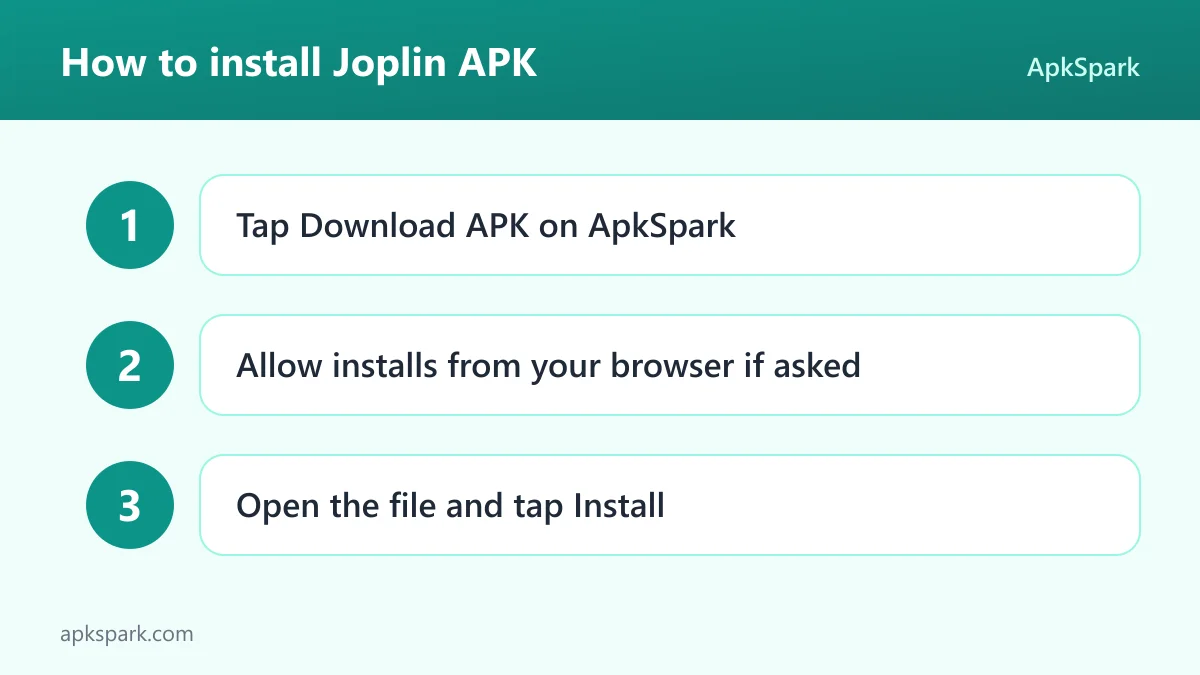
- Tap the Download button on this page.
- When Android asks, allow installs from your browser.
- Open the downloaded file from the notification shade or your Downloads folder.
- Tap Install, wait for it to finish, then open the app from your launcher.
At 155 MB this is a large download, so a Wi-Fi connection is a good idea. If Android blocks the file or you have never sideloaded an app before, read our guide to installing APK files. It explains the unknown-sources setting on different Android versions, and you can turn the browser permission off again once you are done.
Is Joplin safe?
Joplin is released under the MIT license, a permissive open-source license. The full code is public in the Joplin source code repository, and the official website documents the project and its apps for each platform.
This APK comes from F-Droid. According to the F-Droid listing, F-Droid builds the app from the published source code and signs it with the F-Droid key, and the file is downloaded from the official f-droid.org repository. The binary is produced from code anyone can inspect.
F-Droid lists no anti-features for this app, so it carries no flags for advertising, tracking, non-free network services or non-free dependencies.
There is one honest caveat, and it comes from the release notes themselves. This F-Droid release can lag significantly behind the official one. When the official app fixes a known security vulnerability, this version may still contain it for several days. If you need fixes the moment they ship, weigh that delay before choosing this build.
On the sync side, end-to-end encryption means the cloud service stores your notes in encrypted form. Android also applies a general rule: an APK signed with one key cannot be installed over a copy signed with a different key, so remove any other copy first and make sure your notes are synced before you do.
Joplin system requirements
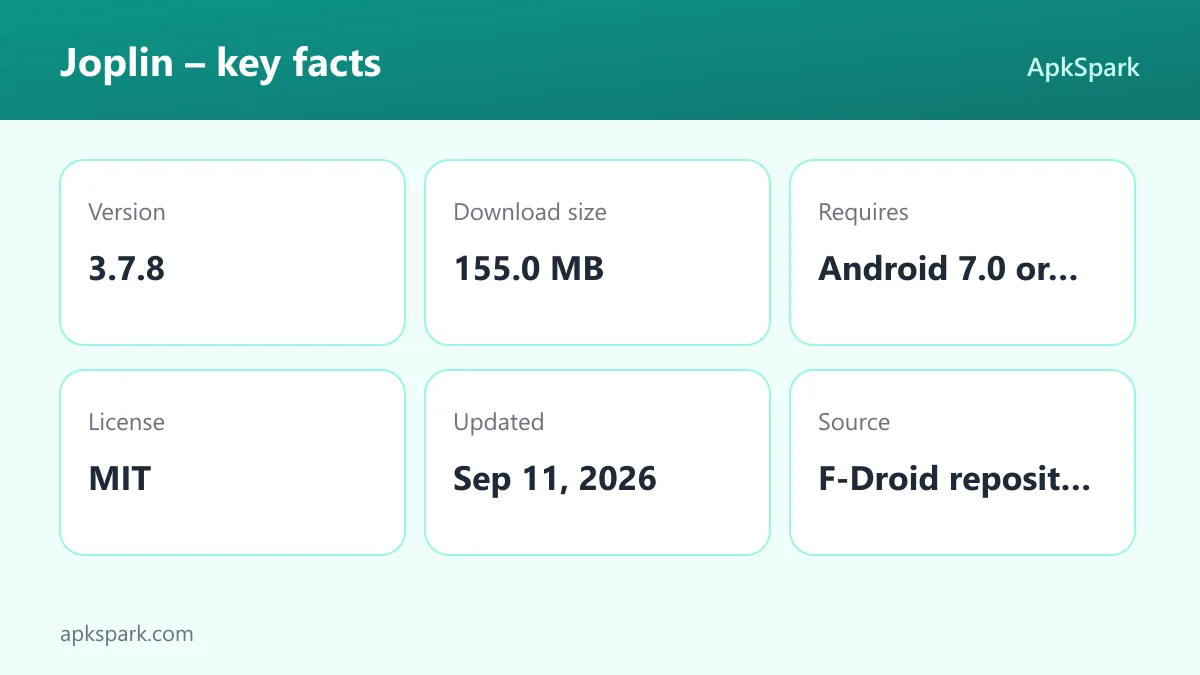
- Minimum Android version: Android 7.0 or newer.
- Download size: 155.0 MB.
- Supported ABIs: arm64-v8a, armeabi-v7a, x86 and x86_64.
- Version: 3.7.8.
- Release date: September 11, 2026.
The four supported ABIs cover 64-bit and 32-bit ARM devices as well as x86 hardware, including most emulators. Minimum RAM and free storage beyond the download size are not documented. A large notebook with many attachments will take more space once synced, so leave room on the device.
A typical week with Joplin
Picture someone moving from Evernote. On the desktop they import their export file, and their notes arrive with formatting converted to Markdown, images and attachments intact, and the original created and updated dates preserved. They set up sync with Nextcloud and turn on end-to-end encryption.
On Android they install the app, connect it to the same Nextcloud account and enter the encryption details. The notebooks appear on the phone. During the week they jot meeting notes, add to-do items to a project notebook and tag notes by client. At the desk, the Web Clipper saves a useful article into a research notebook, and it shows up on the phone after the next sync.
When they need an old note, full text search finds it by a phrase from the body. If they want to rework a long document, they open the Markdown in their own text editor instead of typing on the phone.
At the end of the week nothing has been copied by hand. The same notebooks exist on the laptop and the phone, the encrypted copy sits on Nextcloud, and every note remains a Markdown file. If they ever leave Joplin, that plain format keeps the notes readable in any text editor.
Documented limitations of this build
- Release delay. The F-Droid release can lag significantly behind the official one, including for security fixes that may take several days to arrive.
- No camera or location functions. The release notes state this version has neither, even though the permission list includes them.
- Large download. At 155 MB, it needs a decent amount of free space and a good connection.
Who should use Joplin?
Joplin suits people who keep a lot of notes and want them in an open format. Markdown storage means your writing is never trapped, and notebooks, tags and full text search make a large collection manageable. Students, researchers, writers and anyone building a long-term knowledge base fit that description.
It also fits people who work across several systems. With apps for Windows, Linux, macOS, Android and iOS and sync through Nextcloud, Dropbox, OneDrive or Joplin Cloud, the same notebooks follow you everywhere. End-to-end encryption makes it reasonable to keep private notes on a service you do not run.
Choose this build if you value an F-Droid build made from public source code and can accept that updates may arrive later than the official release. If you need security fixes the day they ship, or you want camera or location features on Android, this particular APK is not the right one for you.
It is a weaker fit for someone who only wants a quick scratchpad on one phone. The value of Joplin comes from notebooks, tags, search and sync across devices. If you never plan to sync, never import old notes and rarely search, a simpler notes app will cost you less storage than this 155 MB download.
Tips for getting started with Joplin
- Set up sync before you write much. Pick Nextcloud, Dropbox, OneDrive or Joplin Cloud and enable end-to-end encryption early, so every device starts from the same encrypted notebook and you avoid merging separate collections later.
- Import your old notes on the desktop. Bring in Evernote exports or plain Markdown files first. Formatting, attachments and metadata come across, and the notes then sync to your phone.
- Use tags as well as notebooks. Notebooks give structure, while tags cut across them. Tagging notes by project or status makes full text search and browsing faster as the collection grows.
- Leave unused permissions denied. This build says it has no camera or location functions, so you can refuse those requests and grant other sensitive permissions only when a feature you use actually needs them.
Alternatives to Joplin
This page does not list any related apps for direct comparison. To look at other options, browse more Developer Tools apps, the category this listing is filed under, and compare each app's own features and permissions.
When you compare, keep a short list of what matters most here: Markdown storage, end-to-end encrypted sync with a service you choose, import from Evernote, full text search and apps for every major platform. An option that misses several of these will feel like a step down if you rely on them.
Final verdict
Joplin is a capable notebook for people with a lot to write down. Markdown storage, notebooks and tags, full text search, Evernote import and end-to-end encrypted sync across five platforms make it a strong choice for a long-term collection.
This F-Droid build is open, reproducible from public code and free of flagged anti-features. Its weak points are the possible delay behind the official release and the missing camera and location functions. If those trade-offs are acceptable, it is worth installing.