


Mental Math is a free, open source Android app for training arithmetic in your head, either on your own or in head-to-head challenges with friends. You choose which operations to practice, set a difficulty level for each, and play in one of three modes: Practice, Timed or Survival.
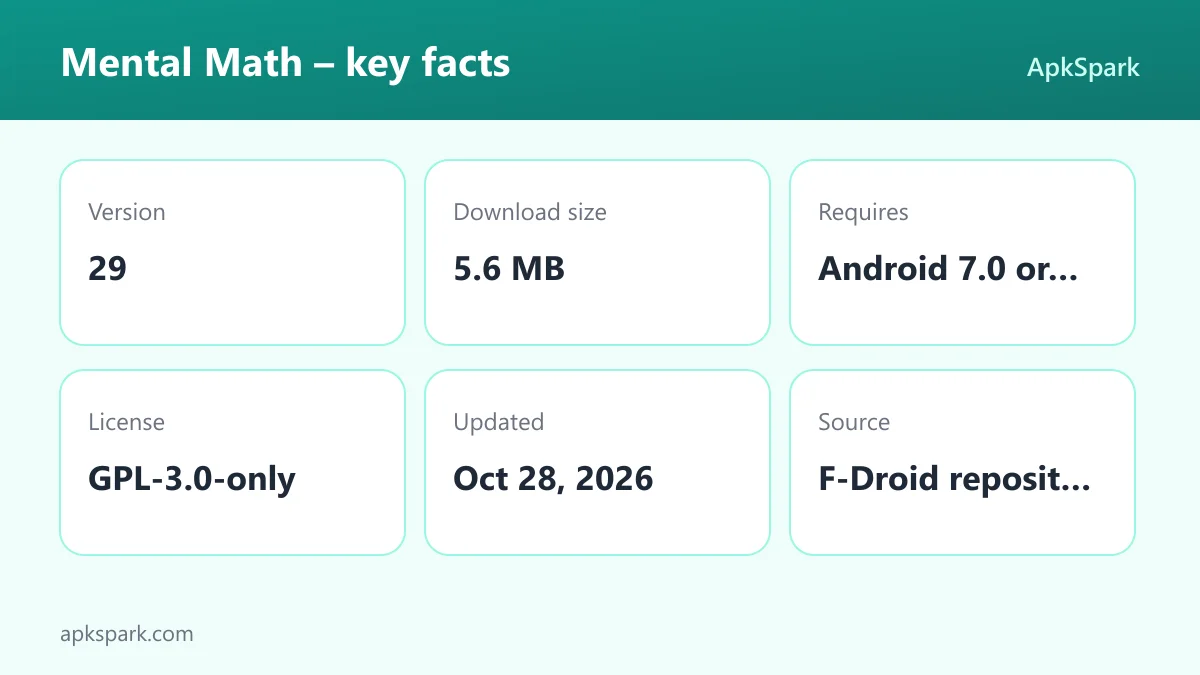
The app is developed by HeldDerTierwelt, licensed under GPL-3.0-only, and built by F-Droid from the published source code. It contains no ads, uses no trackers or third-party services, and does not collect personal data. The APK is about 5.6 MB and runs on Android 7.0 or newer.
This page covers what Mental Math does, how difficulty is calculated, what each permission is for, how to install it, and who will benefit most.

What is Mental Math?
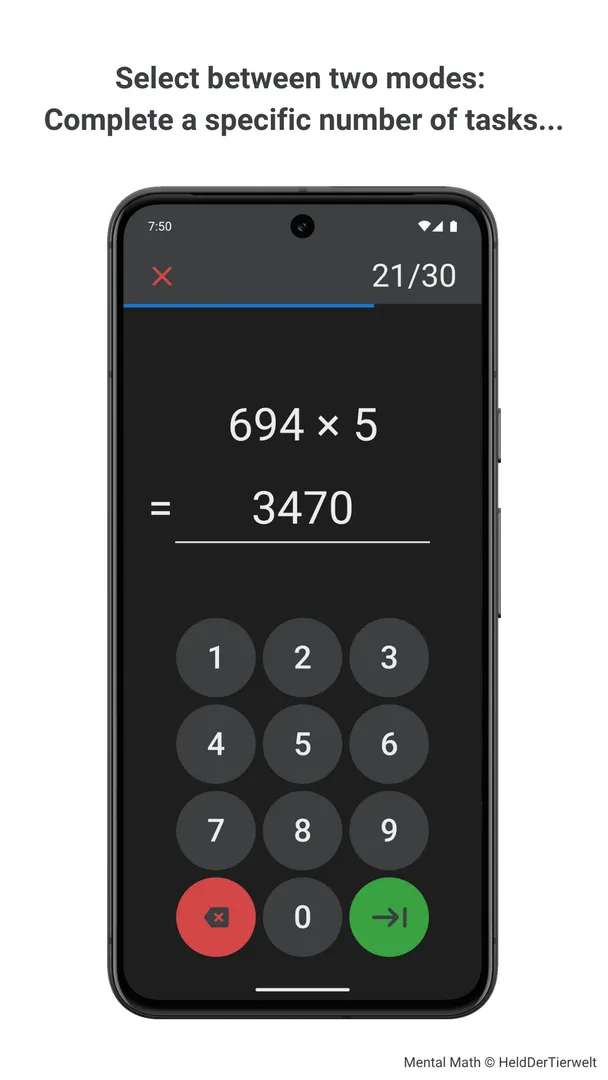
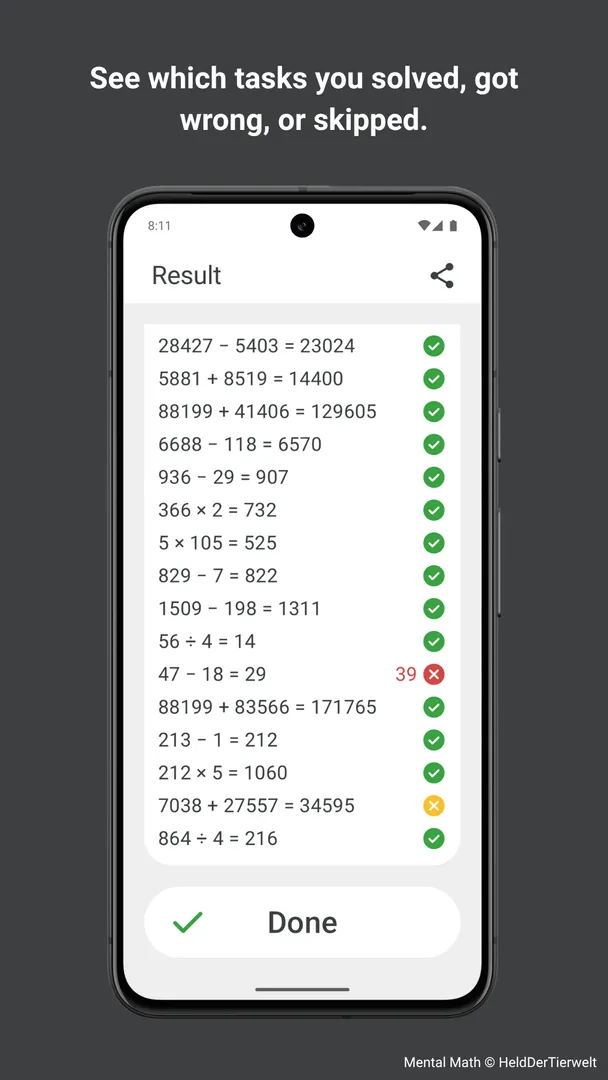
Mental Math is a simple, clean arithmetic trainer. It shows you problems one at a time and you type the answer on a keypad. At the end of each game you get a detailed summary of your accuracy, speed and score, along with every problem and answer.
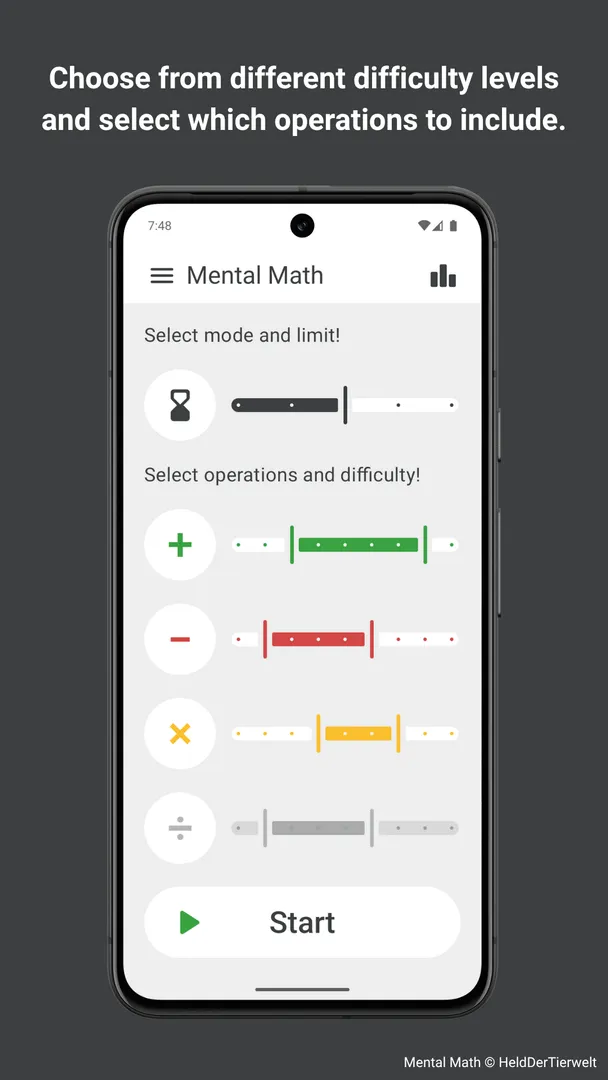
You decide what to train. Any combination of addition, subtraction, multiplication and division can be included, and each operation has nine difficulty levels. That means you can, for example, keep addition easy while pushing multiplication harder.
Problem difficulty is not random. The developer explains that it is determined by algorithms based on column addition, column subtraction, long multiplication and long division. The goal is realistic, well-balanced exercises rather than numbers that happen to be large.
Beyond solo training, Mental Math lets you share a game link so friends can replay the exact same problems or start a new game with the same settings. A personal leaderboard, full game history and optional practice reminders round out the app.
Key features of Mental Math
- Choose your operations: Select any mix of addition, subtraction, multiplication and division. You can train a single operation when you want to fix a weak spot, or combine all four for general practice that mirrors everyday calculations.
- Nine difficulty levels per operation: Each operation has its own set of nine difficulty levels. This lets you tune the training precisely to your current skill, raising one operation while keeping another comfortable.
- Practice Mode: Complete a fixed number of problems: 10, 20, 30, 40 or 50. This mode is good for steady practice without a clock, and the fixed length makes it easy to compare sessions over time.
- Timed Mode: Solve as many problems as possible within a time limit of 1, 2, 3, 4 or 5 minutes. It rewards speed as well as accuracy, so it works well once you are confident with the operations you have selected.
- Survival Mode: Try to survive 100 problems with 3 lives while the time limit for each problem keeps decreasing. Mistakes and slow answers cost lives, so this mode tests how well you hold up under rising pressure.
- Challenge friends with links: Share a game link to let friends replay a completed game with exactly the same problems and compare scores, or to start a fresh game with preset settings so everyone faces an equal challenge.
- Realistic difficulty calculation: Difficulty is based on algorithms modeled on column addition, column subtraction, long multiplication and long division. This aims to produce exercises that feel balanced instead of arbitrarily hard.
- Detailed results: After each game you see a summary with your settings, your accuracy, speed and score, and a full list of problems and answers. Reviewing mistakes right after a game is one of the quickest ways to improve.
- Leaderboard and history: Your top 10 results are kept separately for each combination of settings, and the full history of scored games can be sorted by time or numerically. You can reopen any game to see its detailed summary.
- Reminders, custom input and themes: Optional reminders arrive around 6 p.m. daily, every three days or weekly. You can choose a numeric or phone-style keypad, horizontal or vertical problems, input direction, sound or vibration feedback, and light or dark mode.
Mental Math permissions explained
Mental Math requests four permissions, and none are marked sensitive. Android 13 and newer will still ask before the app can show notifications, because that permission now requires a prompt on recent versions.
- Show notifications: Lets the app show notifications. This is used for practice reminders, which arrive in the evening around 6 p.m. on the schedule you choose. Android 13 and newer ask first, so you can decline if you do not want reminders.
- Control vibration: Lets the app make the device vibrate. This supports vibration feedback during games, which you can enable or disable independently of sound. The developer notes that vibration may depend on your device or system settings.
- Prevent sleep: Lets the app keep the device awake while a task runs. The description does not say exactly when it is used, though it would keep the screen on during a game.
- Run at startup: Lets the app start itself after the device boots. The description does not say why, but it would allow scheduled practice reminders to keep working after a restart.
The app does not request internet access, storage access, location, camera or contacts. That fits the developer's statement that it does not collect, store or process personal data.

How to download and install Mental Math APK
- Tap the Download button on this page to get the Mental Math APK.
- When Android asks, allow installs from your browser.
- Open the downloaded file from your notifications or Downloads folder.
- Tap Install and wait for it to finish.
- Open the app from the install screen or your app drawer.
The download is about 5.6 MB. If you have not installed an app from outside an app store before, our guide to installing APK files explains each Android prompt and how to switch the install setting off again when you are done.

Is Mental Math safe?
Mental Math is free software under the GPL-3.0-only license. Its full code is hosted in the Mental Math source code repository on Codeberg, and you can report problems on the public issue tracker.
The APK comes from F-Droid. According to the repository note, F-Droid builds this APK from the published source code and signs it with the F-Droid key, and the file is downloaded from the official f-droid.org repository. You can check the F-Droid listing for package details.
F-Droid lists no anti-features, so it does not flag ads, tracking, non-free network services or non-free dependencies. The developer also states that the app does not collect, store or process any personal data and does not use trackers or third-party services.
The Mental Math permission list supports that picture. Without internet access, the app has no way to send data off your device.
Mental Math system requirements
- Minimum Android version: Android 7.0 or newer.
- Download size: about 5.6 MB.
- Supported ABIs: arm64-v8a, armeabi-v7a, x86 and x86_64.
- Current version: 29.
- Release date: October 27, 2026.
RAM and processor requirements are not documented. The app is small and has a minimal design, so it should run comfortably on most devices that meet the Android version requirement.
Choosing the right mode
The three game modes train different skills, so it helps to know when to use each one.
Practice Mode for accuracy
Use Practice Mode when you are learning a new operation or difficulty level. There is no time pressure, so you can focus on getting answers right. Start with 10 or 20 problems and work up to 50 as you gain confidence.
Timed Mode for speed
Once you are accurate, Timed Mode pushes you to answer faster. A 1-minute round is a quick warm-up, while a 5-minute round tests whether you can stay sharp for longer.
Survival Mode for pressure
Survival Mode is the toughest. You have 3 lives across 100 problems, and the time for each problem shrinks as you go. It is the best test of how well you calculate when the clock is tight.
Mixing modes over a week
A simple routine is to use Practice Mode on harder settings, Timed Mode on familiar settings, and Survival Mode as an occasional benchmark. The personal leaderboard keeps top results separate for each combination of settings, so you can track every routine on its own terms.
How difficulty is calculated
Many arithmetic apps make problems harder simply by using bigger numbers. Mental Math takes a different approach. Its difficulty levels are based on algorithms modeled on column addition, column subtraction, long multiplication and long division.
The developer says this creates realistic and well-balanced exercises. In practice, that means two problems at the same level should feel similarly demanding, which makes your scores more comparable from game to game. It also means moving up one of the nine levels should be a noticeable but manageable step.
Because each operation has its own level, you can raise division without touching addition. That keeps Mental Math useful whether you are just starting out or already quick with numbers.
Challenging friends in Mental Math
The challenge feature is one of the more distinctive parts of Mental Math. After a game, you can share a link that lets a friend replay the exact same problems. Because both of you face identical problems, the score comparison is fair.
Alternatively, you can share a link that starts a new game with preset settings. Everyone gets the same operations, difficulty and mode, but fresh problems. This is useful for a group that wants to compete regularly without anyone memorizing the problems.
The description does not say how the link is shared or opened, so expect to use Android's standard sharing options.
Understanding your results in Mental Math
Every game ends with a detailed summary. It shows the settings you chose, your performance as accuracy, speed and score, and a complete list of every problem with your answer.
That list is the most useful part for improving. If you see that most errors come from one operation, lower its difficulty level for a while, or train it on its own in Practice Mode. If accuracy is high but speed is low, move that setting into Timed Mode.
The personal leaderboard keeps your top 10 results for each combination of settings. Because results are separated by settings, a score on easy addition never pushes out a score on hard division. You can open the detailed summary of any top game at any time.
The game history holds every scored game. You can sort it by time to see recent sessions, or numerically to find your best and worst results, and revisit the summary of any match.
Customizing the Mental Math interface
The app keeps its design minimal, with no unnecessary elements, but it still offers several layout choices.
Keypad and layout
Pick a numeric keypad or a phone-style keypad, depending on which number arrangement your fingers are used to. Problems can be shown horizontally, as in a sentence, or vertically, as in written column arithmetic.
Input direction
You can type answers left-to-right or right-to-left. Right-to-left entry matches the way column calculations produce digits, starting from the ones place.
Feedback and theme
Sound and vibration feedback can each be turned on or off. Light and dark modes are both supported.
Documented limitations of Mental Math
The documented features cover the four basic operations only. Topics such as fractions, percentages or algebra are not mentioned.
Reminders are sent around 6 p.m. The description does not mention choosing a different time, so assume the evening slot is fixed.
Vibration feedback may depend on your device or system settings, as the developer notes. If it does not work, check Android vibration settings.
The description does not explain how friend challenge links are opened on a device without the app.
Who should use Mental Math?
Mental Math suits students who want to strengthen their arithmetic, adults who want to keep calculation skills sharp, and anyone who enjoys timed number challenges. The nine difficulty levels per operation mean it can grow with you instead of becoming too easy after a week.
It is also a good fit for people who care about privacy. There are no ads, no trackers, no third-party services and no internet permission, so it is a reasonable choice for a child's device or for anyone who prefers apps that stay offline.
Friends, families or classmates who like friendly competition can use shared game links to compare scores on identical problems. If you want broader lessons such as fractions or algebra, though, note that the documented features cover only the four basic operations.
Tips for getting started with Mental Math
- Start low and climb: Begin at a lower difficulty level for each operation and raise it once your accuracy in Practice Mode is consistently high.
- Review every summary: Look at the full list of problems and answers after each game to spot which kinds of problems slow you down.
- Pick a comfortable keypad: Try both the numeric and phone-style keypads, and choose horizontal or vertical problem layout to match how you think.
- Set reminders: Turn on practice reminders daily, every three days or weekly. They arrive around 6 p.m. to help build a regular habit.
- Use feedback that suits you: Enable sound, vibration or both for instant feedback, or turn them off for quiet practice.
- Track progress with the leaderboard: Keep the same settings for a while so your top 10 list for that combination shows real improvement.
Alternatives to Mental Math
ApkSpark does not list closely related apps for Mental Math at the moment. You can browse more Educational apps on ApkSpark and compare their permissions and sizes.
You can also see other work from the same developer on the HeldDerTierwelt developer page, or read more on the project's official website.
Final verdict
Mental Math is a focused arithmetic trainer with three game modes, nine difficulty levels per operation, realistic difficulty calculation, detailed results, a personal leaderboard and friend challenges. It is small, needs Android 7.0, and carries no anti-features on F-Droid.
If you want to practice mental arithmetic without ads, trackers or internet access, Mental Math is an easy app to recommend. It covers the four basic operations well, but look elsewhere for more advanced math topics.