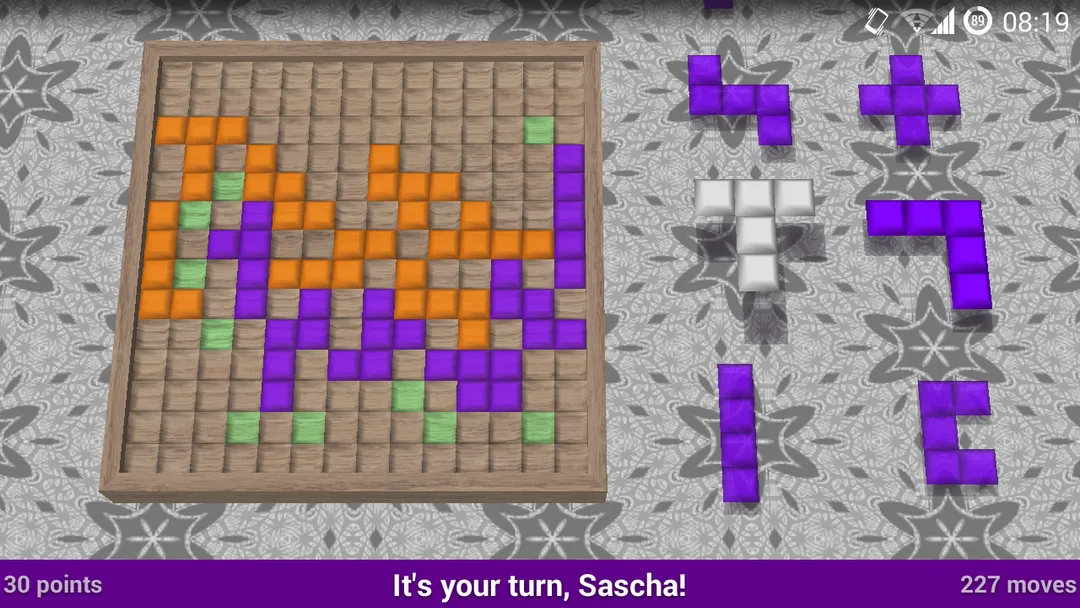
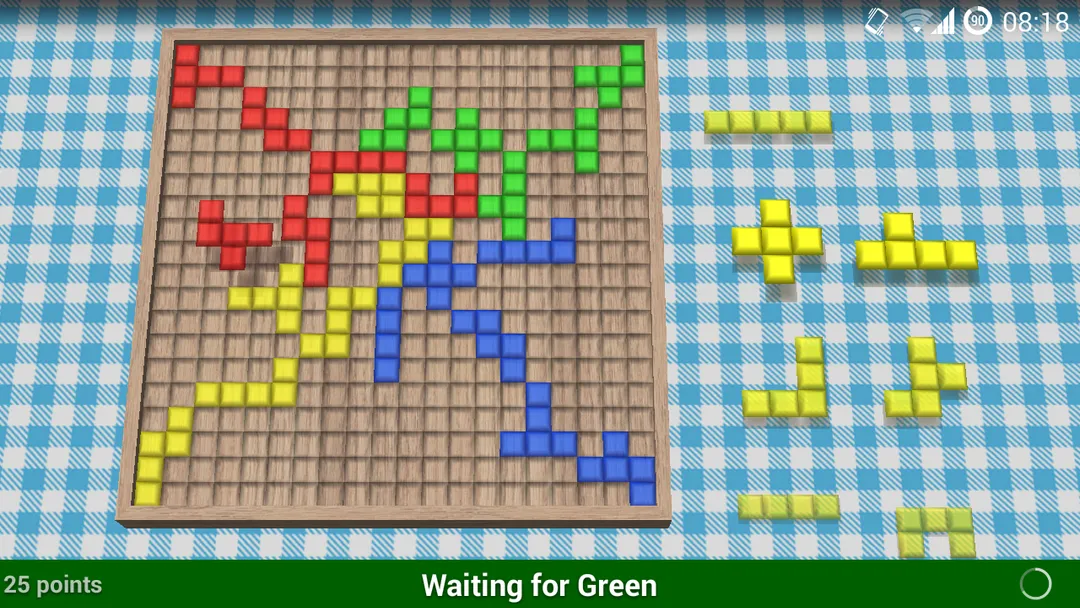


Freebloks is a free, open source strategy board game for Android based on the rules of the board game Blokus. Each player places Tetris-like tiles on a grid, and every new tile must touch a corner of one of their own tiles without sharing an edge. The player who covers the most squares wins.
It is the Android version of Freebloks 3D by Sascha Hlusiak, released under GPL-2.0-only and built by F-Droid from the published source code. You can play against the computer, with friends on the same device, online, or over Bluetooth. The APK is about 5.8 MB and needs Android 8.0 or newer.
The developer describes the game as free, open source and without advertisement. This page explains the rules, the game modes, the permissions, and how to install it.

What is Freebloks?
Freebloks is a digital implementation of Blokus-style play. The goal is simple: place as many of your tiles on the board as possible. Only two placement rules apply. Your tiles must touch a corner of one of your previously placed tiles, and they must never share an edge with your own tiles. They may share edges with opponents' tiles.
The Android app is a version of Freebloks 3D, which also exists for Windows and Linux. The Android game is network-compatible with those desktop versions, so people on different platforms can play together.
The game saves automatically. You can quit at any time, and your current game is restored the next time you start the app.
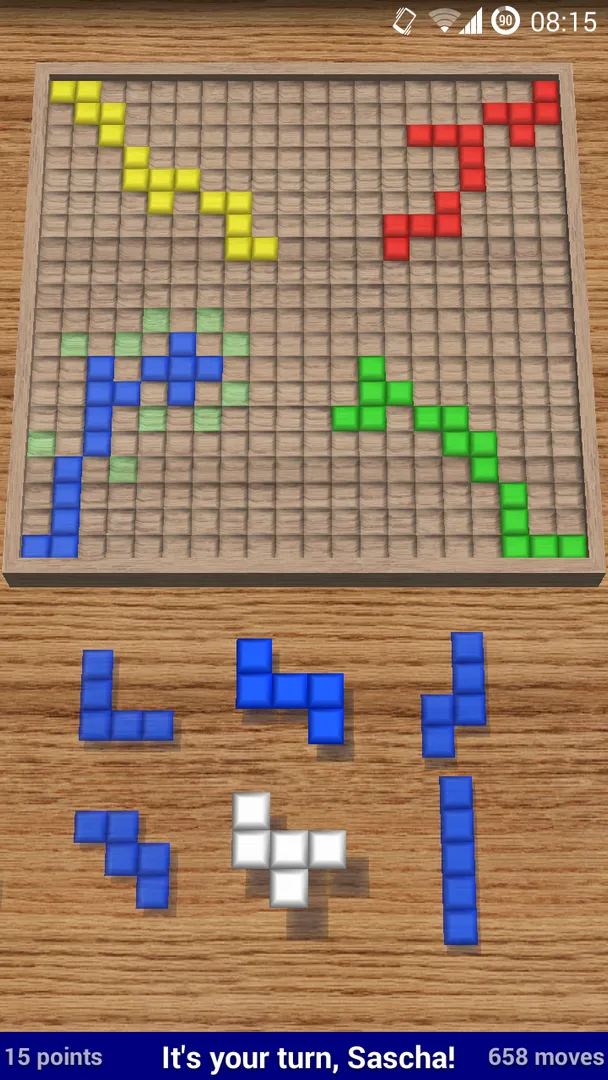
Freebloks also adds digital conveniences: valid and invalid positions are shown in green and red, possible corners are highlighted, and hint and undo options are available. The board can be rotated at any time so you can see the opponents' tiles from a better angle.
How a game of Freebloks works
The rules section of the description is precise, so here they are in full.
The tiles
Each player has 21 tiles shaped like Tetris pieces. There are 12 tiles with 5 squares, 5 tiles with 4 squares, 2 tiles with 3 squares, 1 tile with 2 squares and 1 tile with 1 square.
Placing tiles
Players take turns placing one tile on the standard 20x20 board. Each player's first tile must go in their corner of the board. Every following tile has to touch a corner of one of that player's previous tiles, but it must never share an edge with them. Edges shared with opponents' tiles are allowed.
Passing and ending
If a player has no possible move, they must pass. The game ends when no player can place a tile.
Scoring
For each player, the squares of all their tiles on the board are added up. The player with the most points wins. Because larger tiles score more squares, placing the 5-square pieces early is usually worth thinking about, since they are hardest to fit late in the game.
Key features of Freebloks
- Simple corner-only rules: Every tile must touch a corner of one of your earlier tiles but never share an edge with them. That rule is easy to learn in one game yet creates real tactical depth, as you try to open space for yourself while blocking opponents.
- Multiple game variants: The game supports two-player modes with two colors, including the Original, Blokus Duo and Blokus Junior variants, and a four-color mode where each player controls two colors. This lets you play the same core rules in different formats.
- Custom board sizes: Besides the standard 20x20 grid, you can choose other board sizes. A different board changes how crowded the game feels and how quickly the open space runs out.
- Play against the computer: You can play against computer opponents on your device. This is useful for learning the rules and practicing tile placement before facing friends.
- Local multiplayer on one device: Humans can play together on the same phone or tablet, passing it between turns. The developer notes that the game looks great on tablets, which suits shared play around a table.
- Online and Bluetooth play: You can play online against your friends or connect with friends via Bluetooth. Bluetooth play does not depend on an internet connection, which helps when you are traveling or offline.
- Cross-platform network play: Freebloks for Android is network-compatible with Freebloks 3D for Windows and Linux, so friends using the desktop versions can join the same network game.
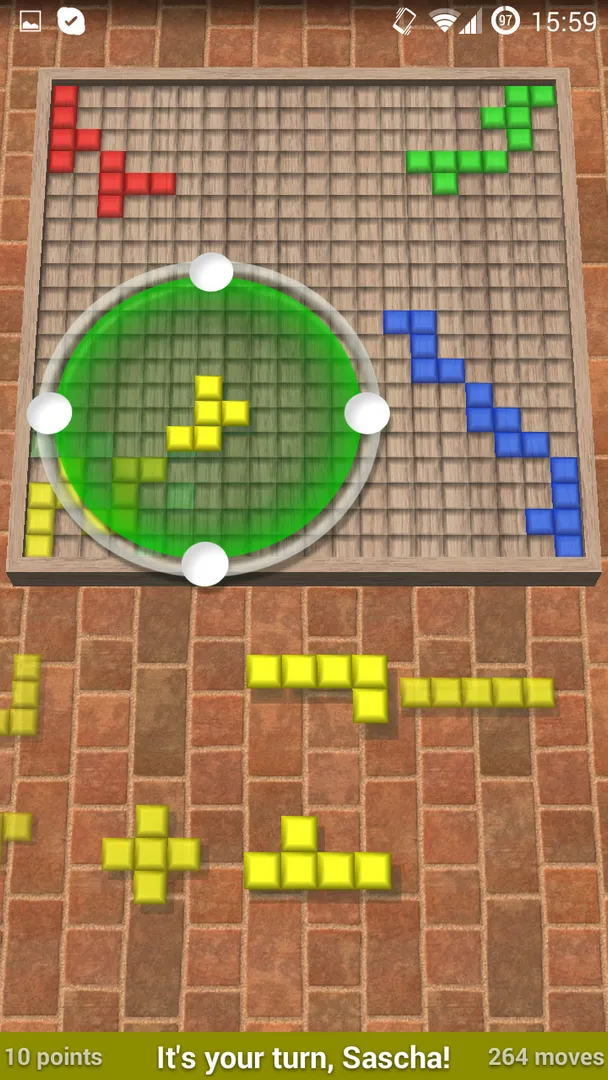
- Clear placement feedback: While dragging, a tile appears green in a valid position and red otherwise. Possible corners are highlighted on the board. You rotate or flip a tile using its four handles, then tap it in a valid spot to place it.
- Hints, undo and autosave: Hint and undo options help when you are stuck or misplace a tile. Your current game is saved when you quit and restored on the next start, so interruptions do not cost you a match.

Freebloks permissions explained
Freebloks requests nine permissions. None of them are marked sensitive, so you will not see runtime permission dialogs for them, except that Android 13 and newer ask before an app can show notifications. Most of the list relates to online and Bluetooth multiplayer.
- Control vibration: Lets the app make the device vibrate. The description does not say when vibration is used.
- Internet access: Lets the app connect to the internet. Online play against friends and network play with Freebloks 3D on Windows and Linux need this.
- Prevent sleep: Lets the app keep the device awake while a task runs. The description does not specify the task, though it likely keeps a game session active.
- Connect to Bluetooth devices: Lets the app connect to paired Bluetooth devices. This supports playing with friends via Bluetooth.
- Bluetooth: Also lets the app connect to paired Bluetooth devices. It is a second Bluetooth entry that supports the same feature.
- Show notifications: Lets the app show notifications. Android 13 and newer ask first. Which notifications appear is not documented.
- Run in the foreground: Lets the app keep a visible notification while it works in the background. The exact use is not documented, but it likely relates to keeping a multiplayer session running.
- Foreground service remote messaging: Lets the app use the foreground service remote messaging permission. The description does not explain it; it appears related to the same background session handling.
- Bluetooth settings: Lets the app discover and pair Bluetooth devices, which helps you connect to a friend's device for a Bluetooth game.

How to download and install Freebloks APK
- Tap the Download button on this page to get the Freebloks APK.
- When Android asks, allow installs from your browser.
- Open the downloaded file from your notifications or Downloads folder.
- Tap Install and wait for the installation to complete.
- Open the app from the install screen or your app drawer.
The download is about 5.8 MB. If you have never installed an app from outside an app store before, our guide to installing APK files explains every Android prompt and how to switch the install permission off again afterward.

Is Freebloks safe?
Freebloks is free software under the GPL-2.0-only license. The complete code is available in the Freebloks source code repository on GitHub, and bugs can be reported on the public issue tracker.
The APK offered here comes from F-Droid. According to the repository note, F-Droid builds this APK from the published source code and signs it with the F-Droid key, and the file is downloaded from the official f-droid.org repository. You can check the Freebloks F-Droid listing for package details.
F-Droid lists no anti-features for this app, so it does not flag ads, tracking, non-free network services or non-free dependencies. That matches the developer's own description of the game as free, open source and without advertisement.
None of the permissions are marked sensitive. The game does not request access to your files, contacts, location, camera or microphone.
Freebloks system requirements
- Minimum Android version: Android 8.0 or newer.
- Download size: about 5.8 MB.
- Supported ABIs: arm64-v8a, armeabi-v7a, x86 and x86_64.
- Current version: 1.8.6.
- Release date: October 31, 2026.
RAM and processor requirements are not documented, but a download this small is light on storage. Because the app supports four processor architectures, it should install on most phones, tablets and x86-based devices that run Android 8.0 or later. Bluetooth play requires a device with Bluetooth, and online play requires an internet connection. The game supports tablets as well as phones.
Playing your first match
This walkthrough follows the documented controls.
Pick a mode
Start a game against the computer to learn the rules, or set up a local game for friends on the same device. Choose the variant and board size you want.
Choose and move a tile
Swipe the list of available tiles with your finger to see them all. Select a tile and drag it onto the board. Use the four handles to rotate or flip it.
Read the colors
The tile turns green in a valid position and red in an invalid one. Possible corners are highlighted on the board, which makes it easy to see where you can legally play.
Place it
Tap the tile while it sits in a valid position to place it. Rotate the board whenever you want to look at the opponents' tiles from another side.
Finish the game
Keep playing until no one can move. Players with no legal move pass. Scores are the total squares each player placed, and the highest score wins.
What the rules mean for strategy
The rules are short, but they lead to a few clear consequences that are worth knowing before your first game.
First, you can only grow from your own corners. Every tile you place creates new corners for your next move, so a placement that opens several diagonal paths gives you more options later. A tile that boxes you in can leave you passing turns while others keep playing.
Second, you can touch opponents along edges. Since the edge rule only applies to your own tiles, you can slide right up against an opponent and cover the corners they were planning to use. Blocking is as important as building.
Third, scoring rewards the squares you place, not the number of tiles. Getting the 5-square pieces onto the board matters more than squeezing in the single square at the end. The highlighted corners and the green and red feedback help you check every option before you commit.
Documented limitations
The description does not say how strong the computer opponents are, whether they have difficulty levels, or how many computer players you can add. It also does not explain how online games are set up, such as whether you need an account or how you invite friends. You will need to explore those menus after installing.
The four-color mode is described briefly as giving each player two colors. The exact list of supported variants for each board size is not documented.
Online play and cross-platform games depend on an internet connection, while Bluetooth play needs both devices nearby. The purpose of a few permissions, such as prevent sleep and foreground service remote messaging, is not explained in the description.
The developer mentions a separate paid VIP edition and donations as ways to support the project. The build on this page is the free F-Droid version, and nothing in the description suggests features are locked in it.
Who should use Freebloks?
Freebloks suits anyone who enjoys Blokus-style abstract strategy games and wants to play on Android without ads. The rules take minutes to learn, yet each game rewards planning, as you balance claiming space with blocking opponents.
It works well for families and friends who want a board game they can play on one shared tablet, and for people who want to keep playing with friends remotely through online play or nearby via Bluetooth. Players on Windows or Linux desktops can join through Freebloks 3D, since the versions are network-compatible.
It is also a good pick for solo players who want a quick strategy game against the computer, with hints and undo to help them improve.
It is less suited to players looking for a long campaign, unlockable content or a story. The game is a pure abstract board game: one board, a fixed set of tiles, and a final score. If that sounds appealing, it delivers exactly that with very little in the way. If you need progression systems to stay interested, it may feel too plain.
Tips for getting started with Freebloks
- Learn against the computer first: A few games against computer opponents make the corner-only rule second nature before you play friends.
- Watch for green and red: Drag tiles around slowly and look for green placements. Highlighted corners show where legal moves exist.
- Play big tiles early: The 5-square tiles score the most and are the hardest to fit later, so try to place them while the board is open.
- Rotate the board: Turning the board lets you see opponents' tiles clearly and spot corners you can block.
- Use hints when stuck: If you cannot find a move, use the hint option rather than passing too early.
- Block with your edges: Your tiles may touch opponents along edges, so place pieces that cover the corners an opponent needs next.
- Try other board sizes: Once you know the 20x20 game, experiment with custom board sizes for a different pace.
Alternatives to Freebloks
ApkSpark does not list closely related apps for Freebloks at the moment. You can browse more Board & Card apps on ApkSpark to find other board and card games and compare their sizes and permissions.
To see other apps by the same developer, visit the Sascha Hlusiak developer page. The developer's official website has more on the Android version of the game 3D.
Final verdict
Freebloks delivers Blokus-style strategy with clear placement feedback, hints, undo, autosave and several ways to play: against the computer, on one device, online or over Bluetooth. It is small at 5.8 MB, needs Android 8.0, and carries no anti-features on F-Droid.
If you enjoy short, thoughtful board games and want them without ads, Freebloks is an easy recommendation. The permission list is longer than you might expect for a board game, but every entry lines up with its multiplayer features.